Anycubic Kobra X Review: Purge-Saving Multicolor Printing on a Budget
Summary: The Anycubic Kobra X offers an affordable entry into multicolor 3D printing with its novel in-head filament switching technology. While it delivers competent print quality and robust core mechanics for its price, users will need to tweak purge settings to prevent color bleed, somewhat negating the advertised waste reduction. Long-term parts support is also an unclear point due to Anycubic's fast-evolving product lines.
Key Takeaways
- Budget-Friendly Multicolor: The Kobra X provides native 4-color multi-material printing (expandable to 19) for a super-budget price of $299, featuring an in-head filament path switcher (ACE Gen 2) that reduces the need for external filament changers.
- Mixed Build Quality & UI: It boasts sturdy components like a linear X-axis rail and robust frame, but user experience is hampered by an unresponsive touchscreen and minor details like a flimsy purge flicker, indicating cost-cutting measures.
- Adjustable Purge for Quality: Despite claims of purge-saving, stock flushing values often lead to color bleed in multi-material prints. Users must manually adjust purge settings in the slicer to achieve clean color separation, which increases material waste beyond Anycubic's initial claims.
Technical Specifications & Review Scorecard
| Specification / Feature | Anycubic Kobra X Details | Review Verdict |
|---|---|---|
| MSRP / Price | $299 | Exceptional value for multicolor |
| Multicolor System | In-Head ACE Gen 2 (4 colors native, up to 19) | Compact, but requires purge calibration |
| Kinematics & Motion | Linear X-axis rail + rigid dual Z gantry | Sturdy and reliable motion system |
| Purge Waste Reduction | Advertised waste-saving switching mechanism | Requires slicer adjustments to prevent bleed |
| Connectivity | LAN Mode, Local Wi-Fi, USB | Stable LAN operation without cloud requirement |
| User Interface | Color Touchscreen | Sluggish responsiveness |
| Software Support | AnycubicSlicerNext / OrcaSlicer compatible | Community OrcaSlicer profiles recommended |
Detailed Overview
Anycubic's Kobra X enters the market as a surprisingly capable budget multicolor 3D printer. While it incorporates a novel in-head filament path switching technology (ACE Gen 2) that sets it apart from typical budget machines, it exhibits both strengths in its core mechanics and weaknesses in user interface and out-of-the-box optimization.
The printer is available for $299 and includes this advanced filament management system. However, the overall finish can feel rough, and the touchscreen is notably unresponsive. On the positive side, features like a linear rail for X-axis movement and a sturdy frame, even with four filament spools loaded, are commendable. The primary issue found during testing was noticeable color bleed in multicolor prints due to insufficient default purge settings. Once adjusted in the slicing software, the printer performs well, though it means the advertised waste savings are less pronounced. The Kobra X also demonstrated robust connectivity in LAN mode, maintaining a stable connection for weeks without drops.
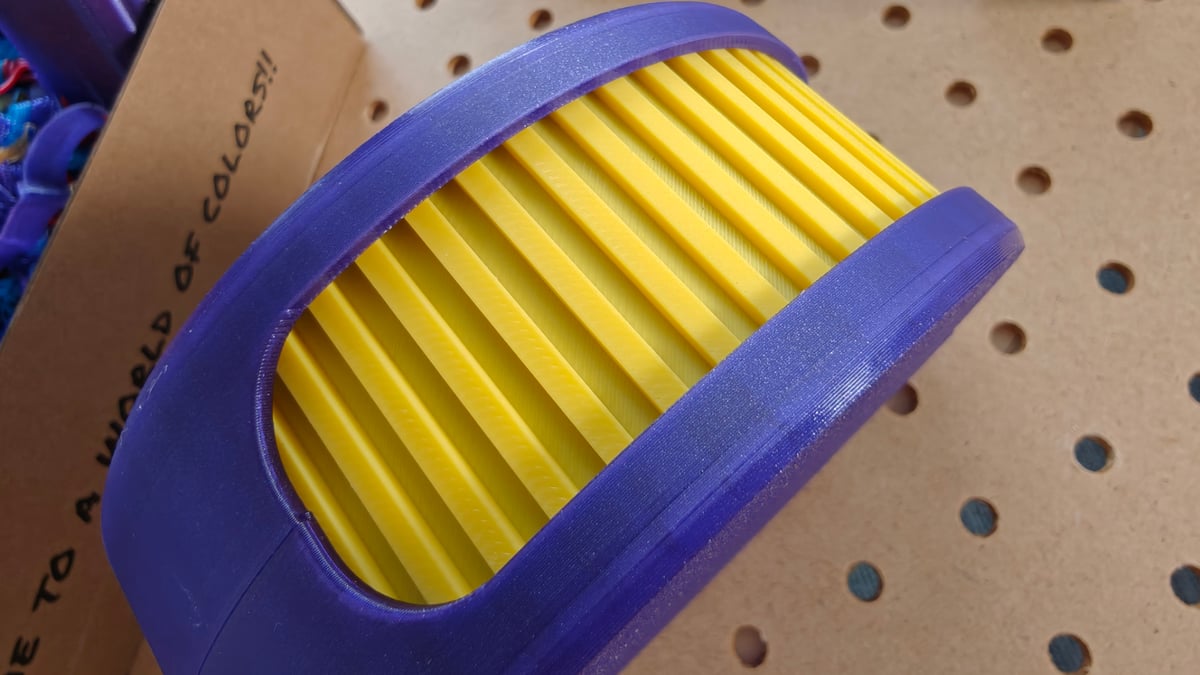 For a first 3D printer, the Kobra X seems like a solid choice, though there are things to mind (Source: All3DP)
Deep Dive & Technical Insights
The Tech
The Anycubic Kobra X distinguishes itself with its in-head filament path switcher, branded as ACE Gen 2. This design integrates the filament switching mechanism directly into the printhead, eliminating the need for bulky external filament changers. This also allows for shorter filament paths and smaller offcuts during filament changes, theoretically reducing purge waste.
Assembly is straightforward, typically taking less than an hour, involving attaching the gantry, connecting cables, installing the display, and fitting the purge flicker. The printer supports LAN mode for robust local network connectivity, allowing job transfers without needing an Anycubic cloud account, which proved reliable during testing. Filament spools are mounted on top of the printer, with feed angles that can sometimes be tricky.
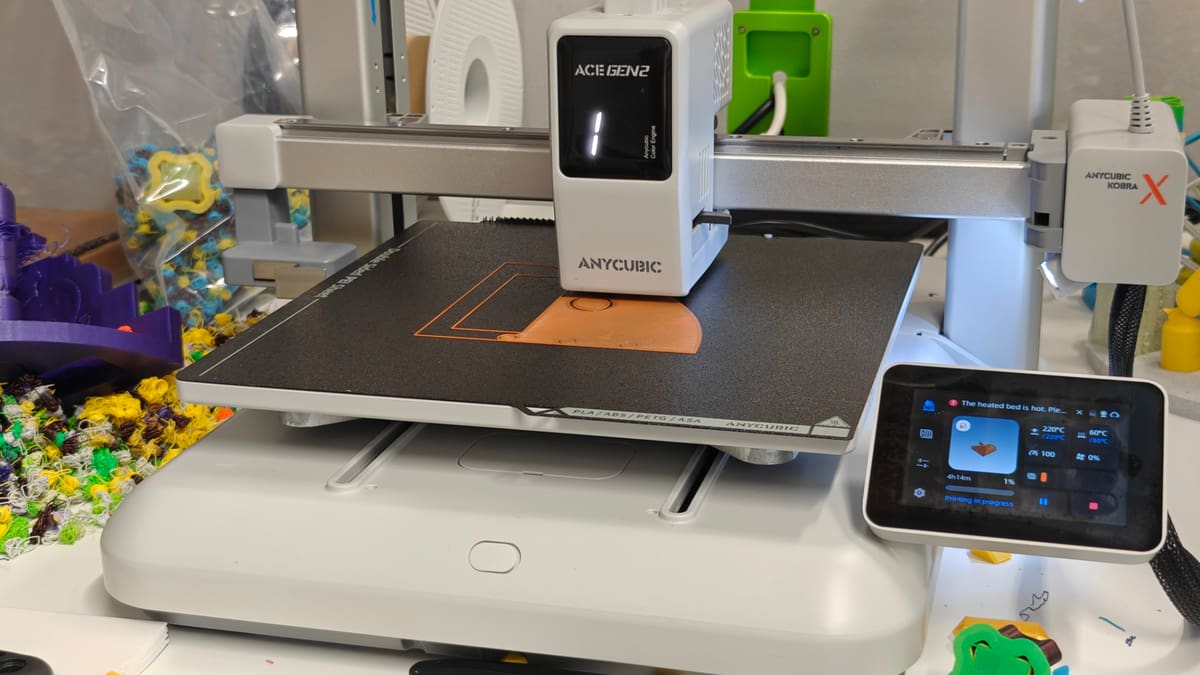 The Kobra X flashes which filament path is in use on its lo-fi front display (Source: All3DP)
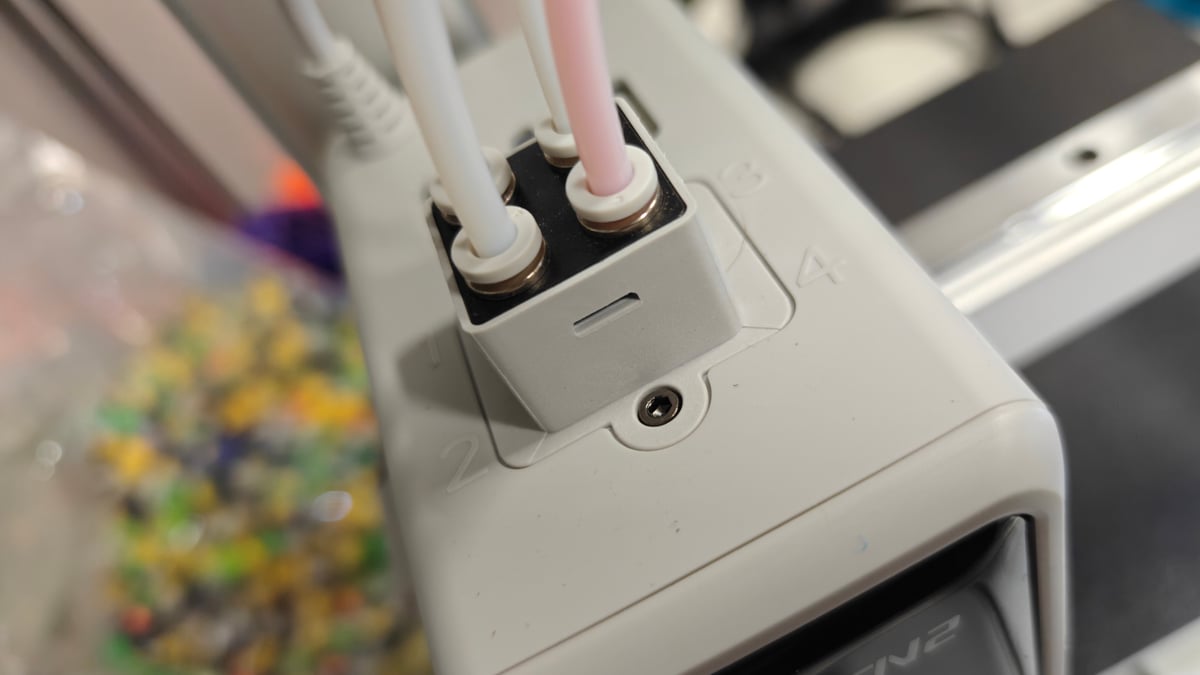 Four filament feed paths enter directly into the top of the printhead (Source: All3DP)
The printer's RFID filament recognition feature exists but is not well-documented and often more cumbersome to use than manual input. The touchscreen display suffers from unresponsiveness, a likely consequence of cost-cutting. Filament detection during loading can also be finicky, sometimes requiring multiple attempts.
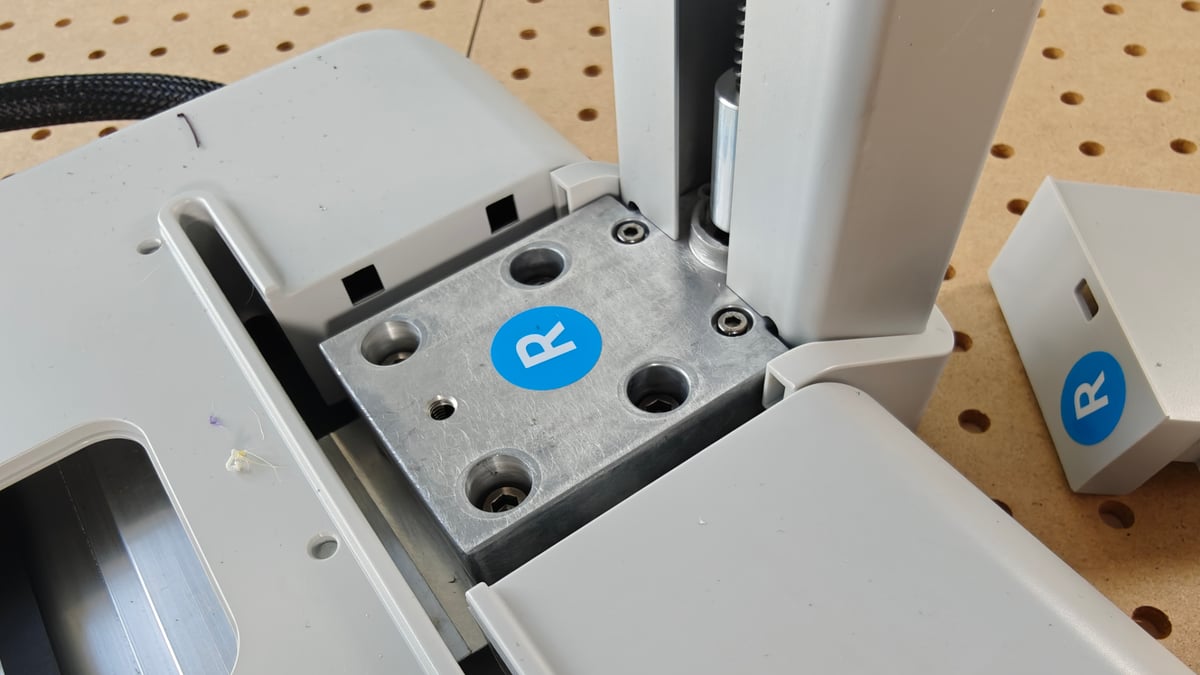 Assembling the Kobra X is a matter of a handful of screws, tightened using the provided tools, with the exposed mounting points covered by plastic panels (Source: All3DP)
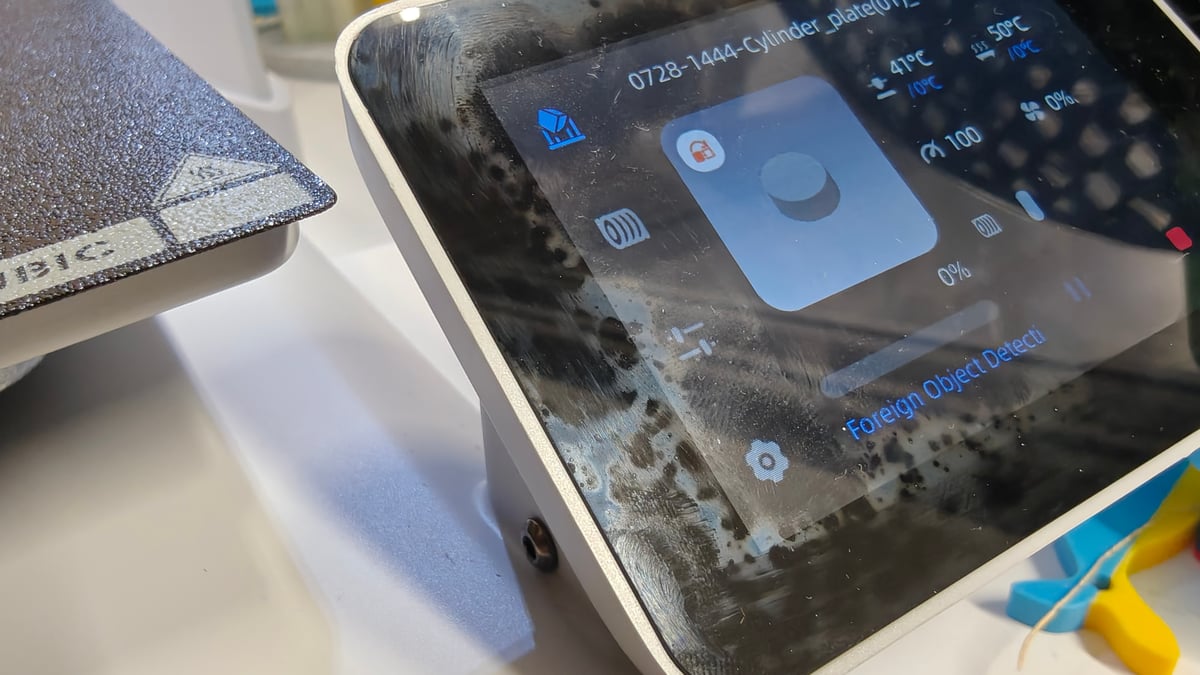 The display is a dirt magnet, too (Source: All3DP)
AnycubicSlicerNext, an Anycubic-skinned version of OrcaSlicer, comes with the printer and offers adequate features for beginners, although community advice often suggests using OrcaSlicer with custom profiles for better stability. The Anycubic app enhances printer control and monitoring, but the download path via QR code can appear untrustworthy, prompting users to seek it directly from app stores.
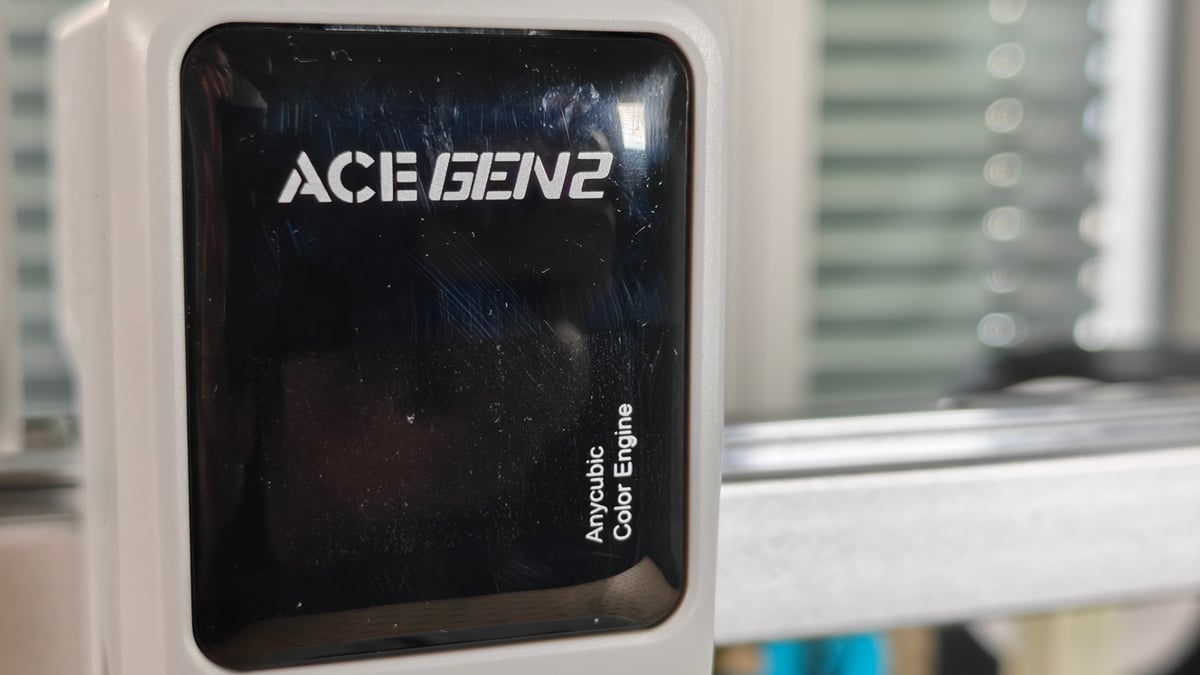 The Kobra X’s real selling point is the filament-switching tech behind this panel – the ACE Gen 2 (Source: All3DP)
A significant concern is Anycubic's rapid product cycle, which often leads to unique parts for a limited number of machines. The ACE Gen 2 is currently exclusive to the Kobra X, raising questions about long-term parts availability and support. The purge system also has an unusual quirk where fully used spools are ingested deep into the machine, with the last material scrap neatly ejected through the side of the printhead housing.
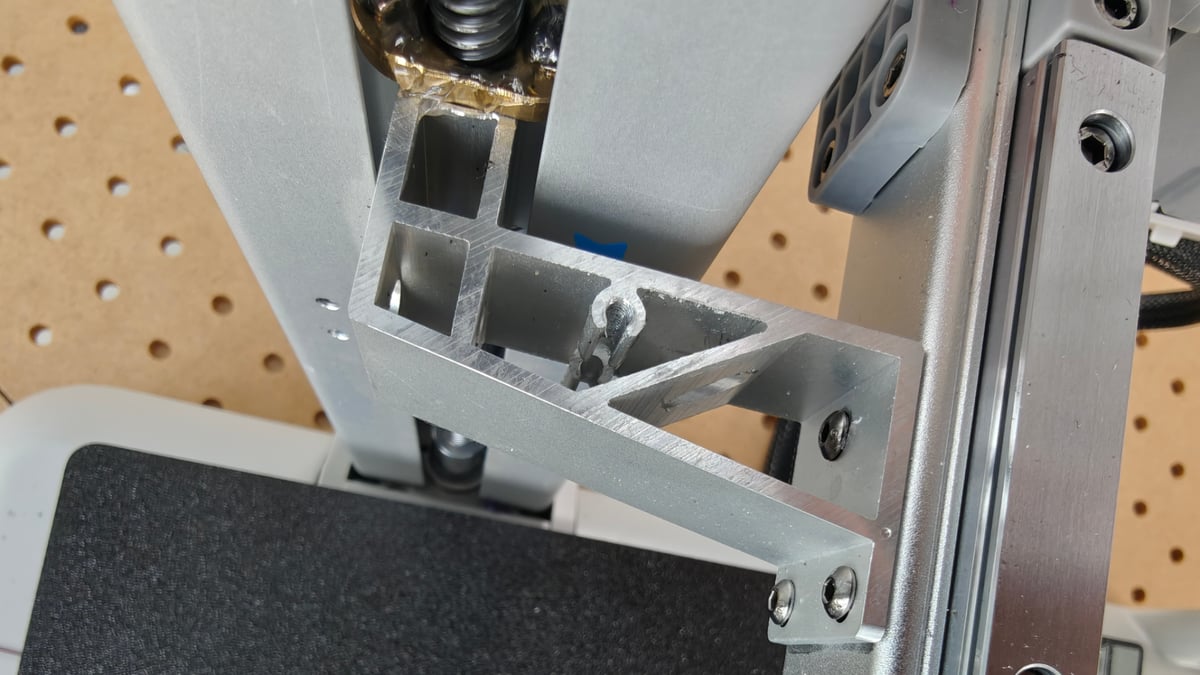 The overall presentation of the printer is slick, with smooth brushed metal and cushion-like plastic, but the back of the X-axis gantry is rough, exposing screws and rough cut metal – it breaks the illusion a little (Source: All3DP)
The Printing
The Kobra X delivers decent print quality out of the box, utilizing initial calibration routines for optimal bed leveling and offsets. Over several weeks of testing, it handled a variety of filaments including multicolor PLA, PLA/TPU combinations, PETG, PCTG, and glass-filled PCTG, demonstrating robustness without critical failures or clogs. This suggests a workhorse-like reliability, though individual unit performance can vary with budget printers.
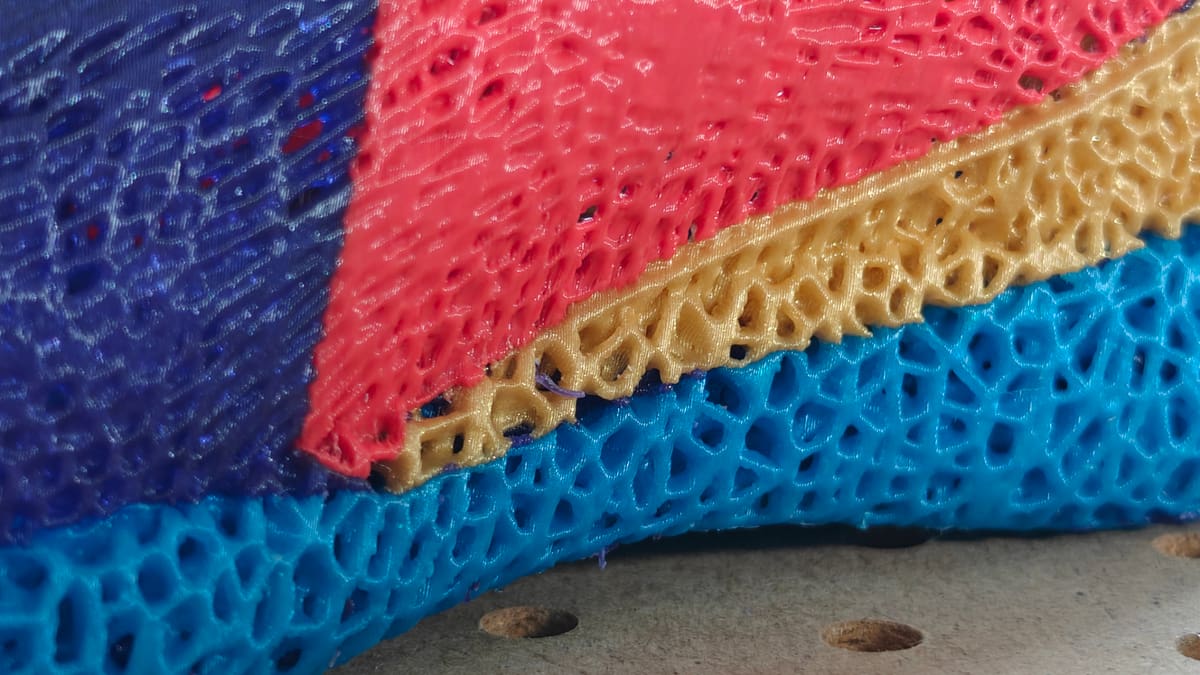 A high-retraction and filament change print like this shoe came off the plate flawless (Source: All3DP)
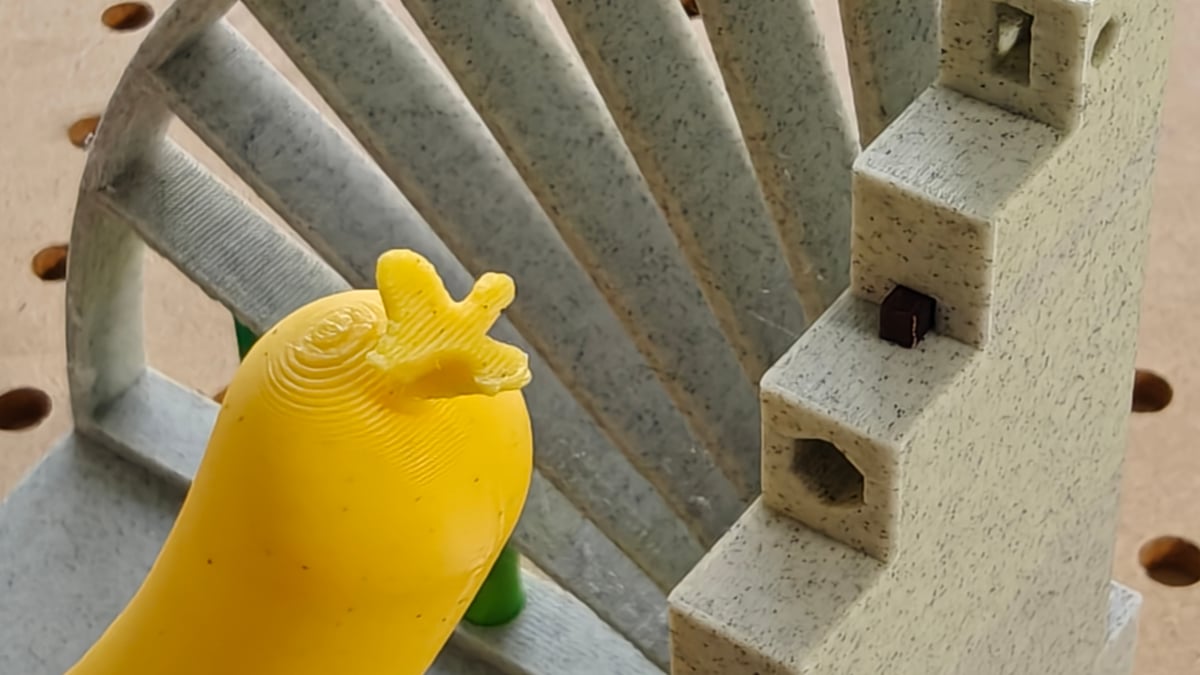 Stock print quality left us with no general complaints (Source: All3DP)
The direct filament path from the top-mounted spools to the extruder should aid in printing soft flexibles, and passable quality was achieved after custom profile adjustments. The printer comes with a 0.4 mm hardened steel nozzle, making it suitable for abrasive materials from the start.
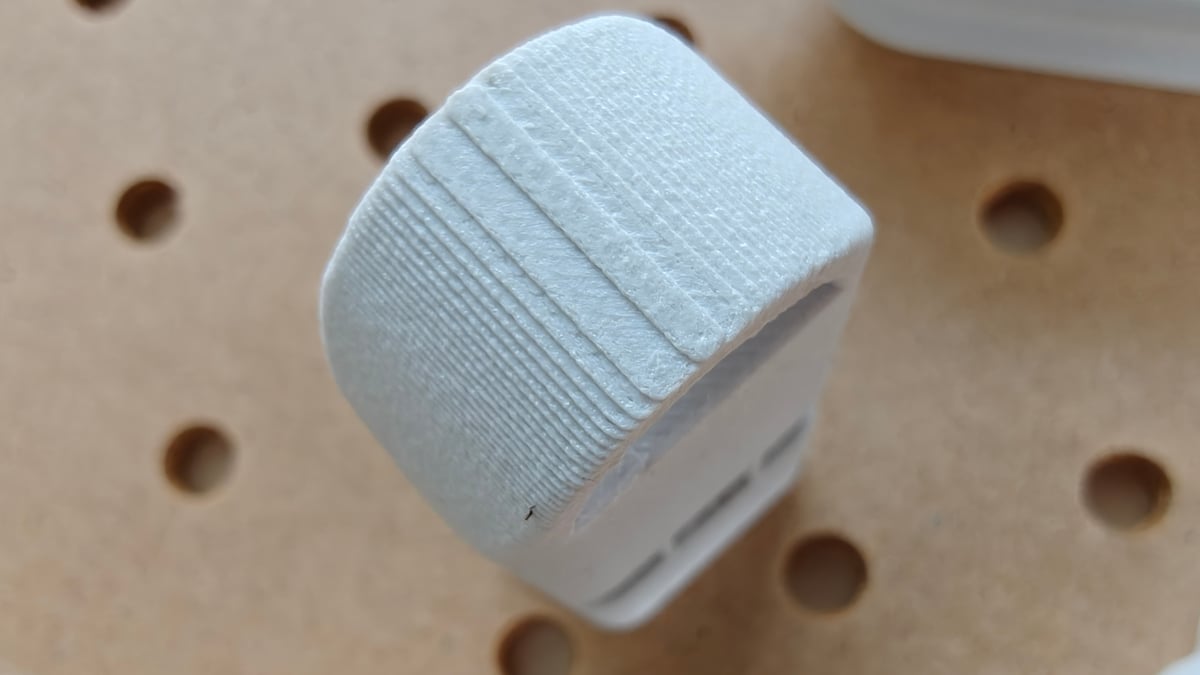 The Kobra X ships with a hardened steel nozzle, so no qualms pushing the likes of glass-filled PCTG through it (Source: All3DP)
A significant drawback is the overly conservative stock purge values, particularly for lighter filaments, which leads to noticeable color bleeding. This issue necessitates manual adjustment of flushing volumes in the slicer to achieve clean color separation, which effectively undermines Anycubic's claims of material efficiency.
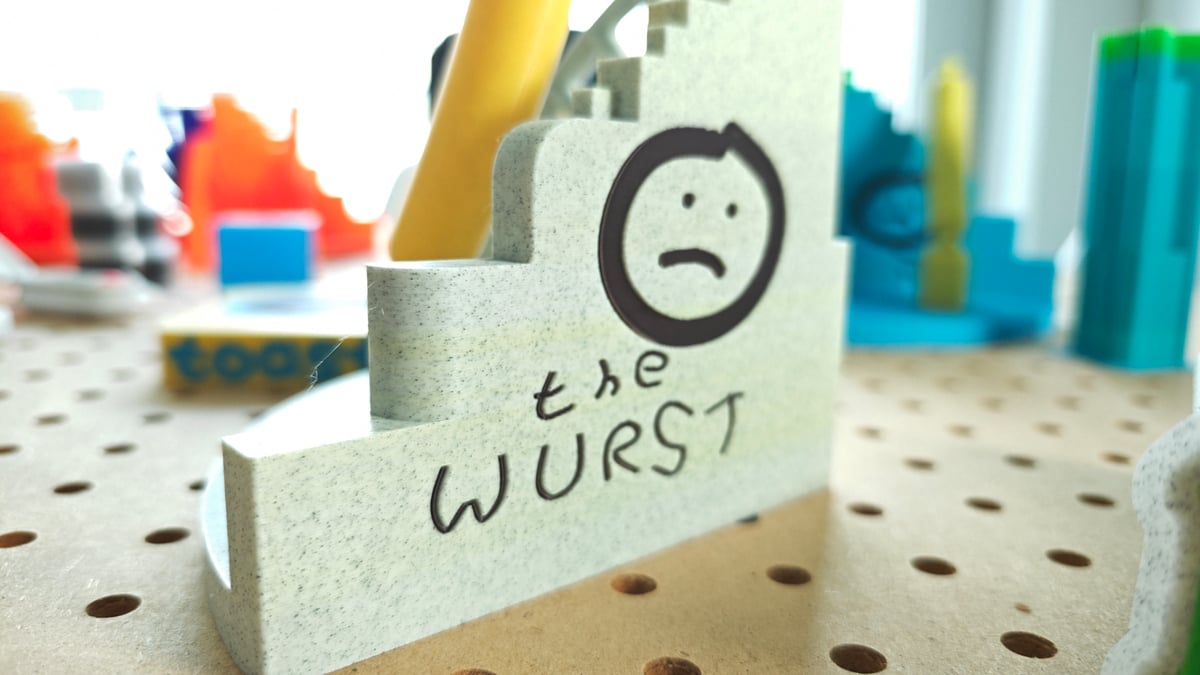 Out of the box, we found the Kobra X, using Anycubic’s slicer, failed entirely to keep clean color separation – thankfully it’s an easy fix (Source: All3DP)
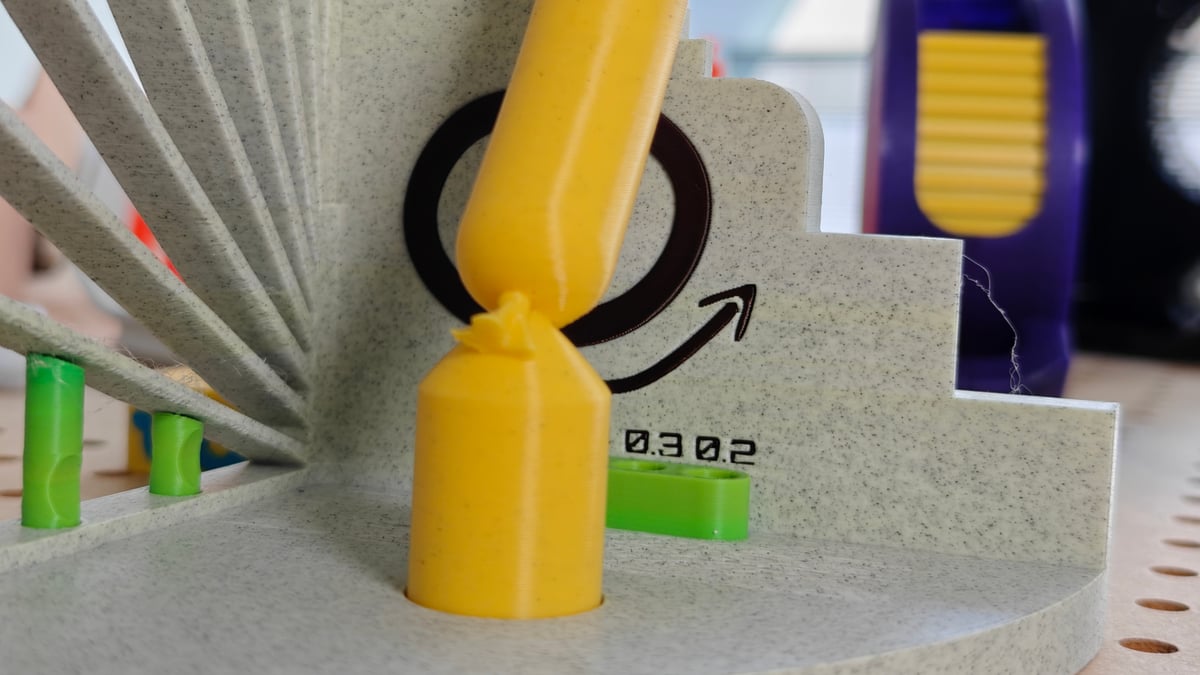 The Kobra X does a reasonably good job rendering crisp corners and smooth rounds without much in the way of artefacts on the print (Source: All3DP)
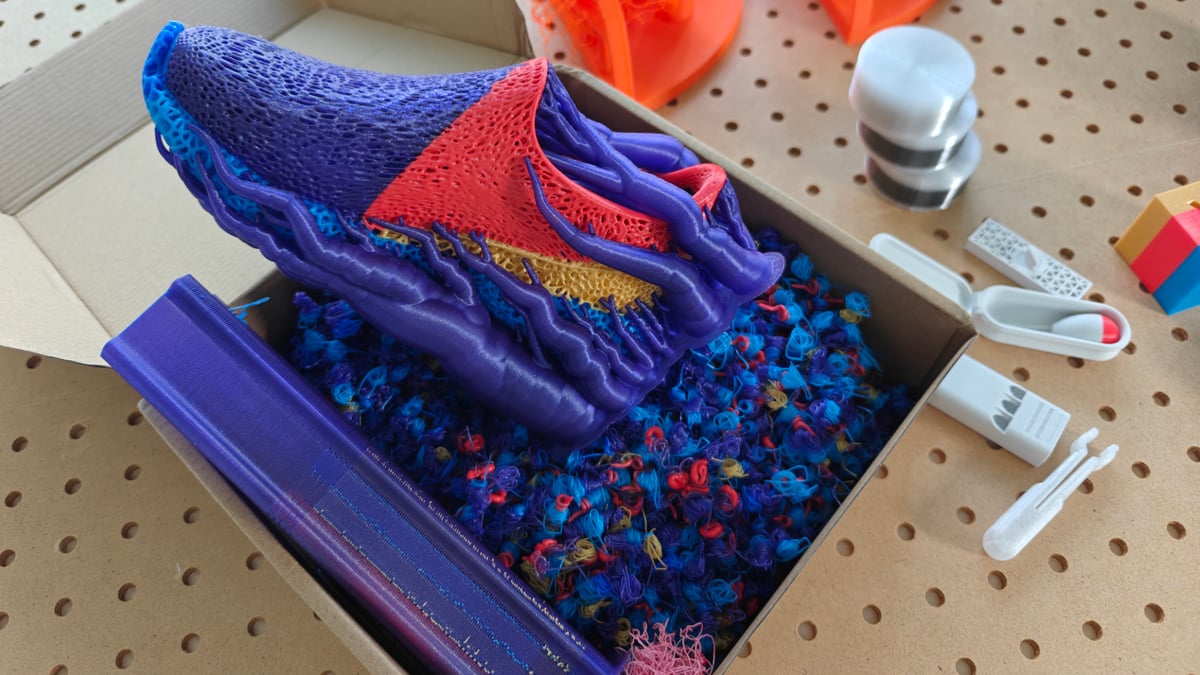 There’s no escaping the purge poop on a single-nozzle printer, clever filament-switching tech or not (Source: All3DP)
Anycubic has implemented a new fast-swap nozzle system, although it's more fiddly than those found on competitors like Bambu Lab, requiring careful handling due to its dainty nature.
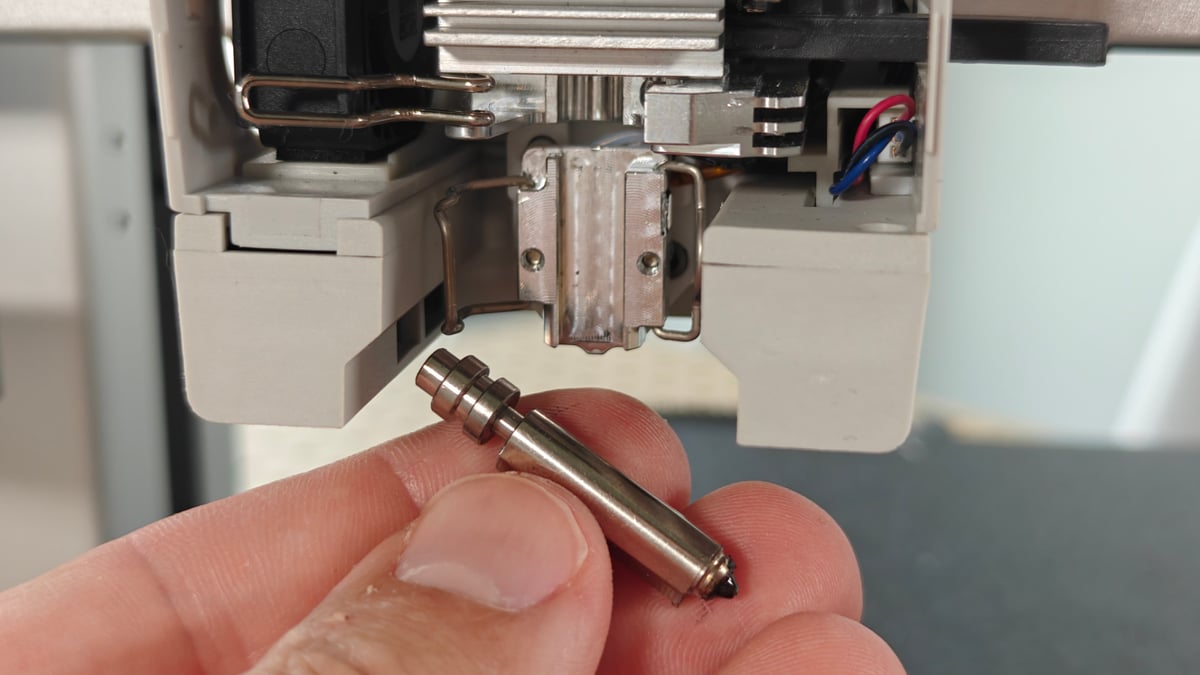 Anycubic’s nozzle swap system uses two latches to hold the nozzle in place – it’s fiddle, particularly if you’re fat-fingered like me (Source: All3DP)
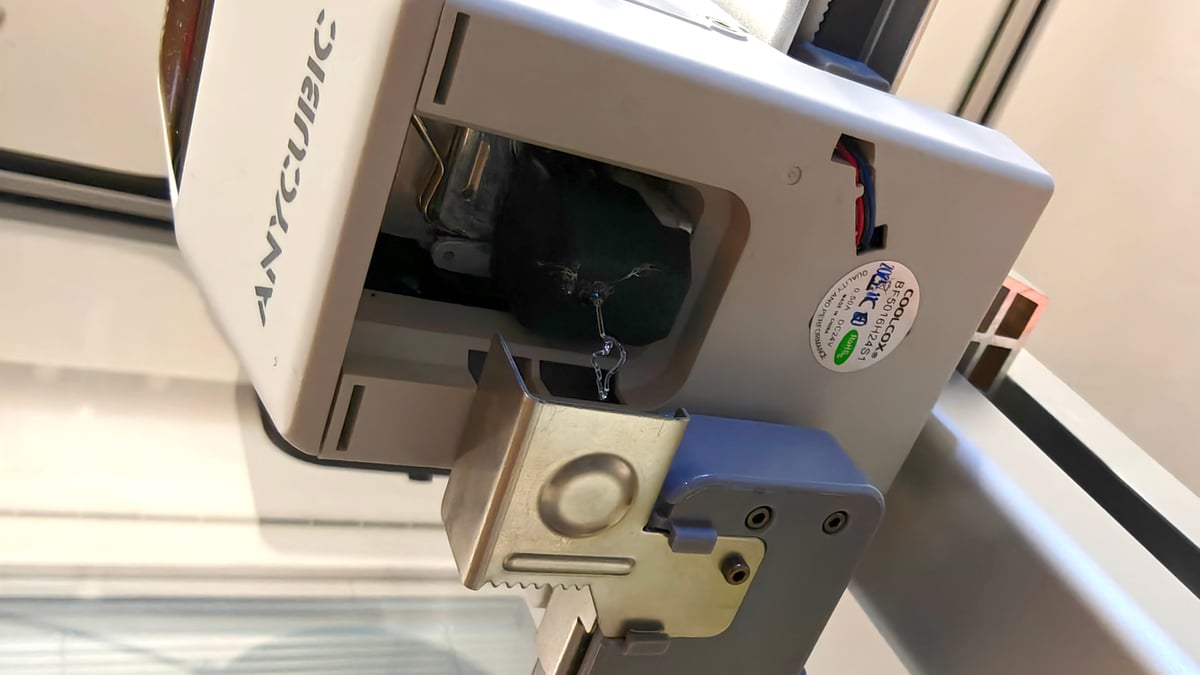 Some aspects of the Kobra X will be a case of replaceability over durability – the purge flicker feels very flimsy to us, but can be trivially swapped out (Source: All3DP)
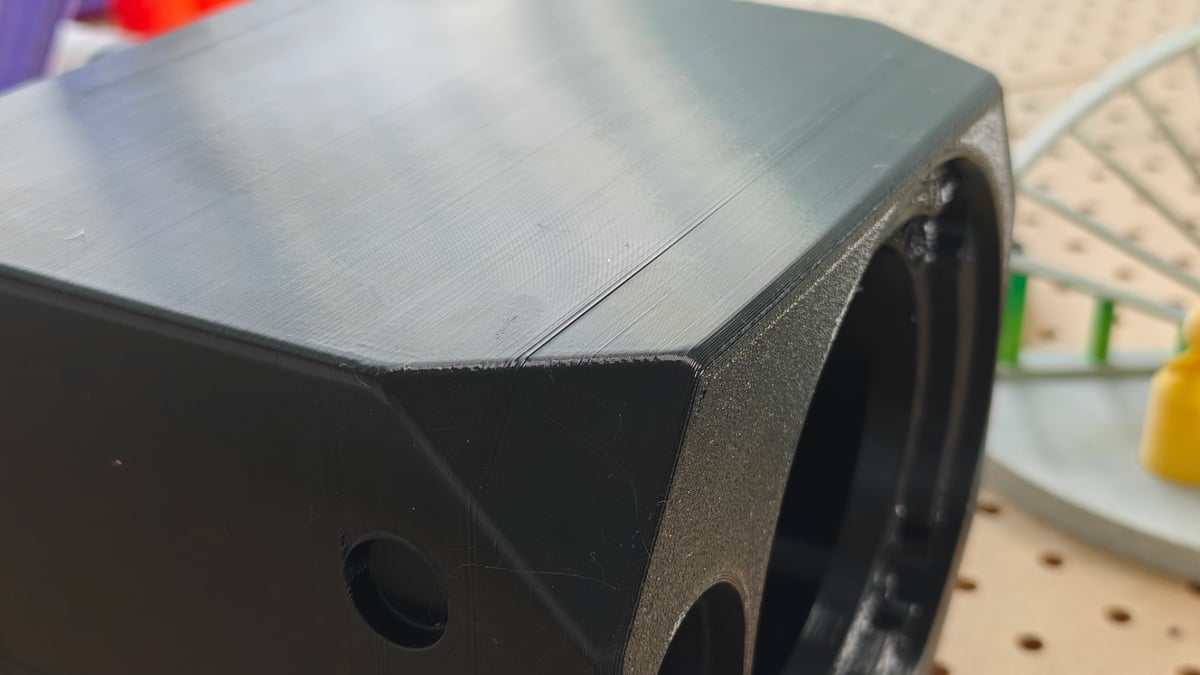 Glossy black PETG is arguably the best filament to show off layer consistency – the Kobra X’s isn’t the best we’ve ever seen, but for $299, it’s pretty good. The usual physics of printing still apply – a jump in layer time will show up on the outer wall of a print, like shown here (Source: All3DP)
Conclusion & Resources
The Anycubic Kobra X is a genuinely cheap and capable multicolor 3D printer, making it a viable option for cost-conscious users eager for multi-color models. Its innovative ACE Gen 2 filament-switching technology offers a fuss-free multi-material experience once purge settings are manually optimized. While Anycubic's claims of significant time and material savings are inflated due to the need for increased purge volumes to prevent color bleeding, the printer still offers a worthwhile, albeit modified, multicolor workflow. However, potential buyers should consider the uncertainty of long-term parts support given Anycubic's rapid introduction and discontinuation of unique machine components.
Anycubic Kobra X Specifications:
- Release: 2026
- Price: $299
- Build volume: 260 x 260 x 260 mm
- Temperatures: 300 °C (nozzle) / 100 °C (bed)
- Print bed: Textured PEI-coated steel
- Key features: Native 4-color multi-material printing (expandable up to 19 colors), in-printhead filament switching (ACE Gen 2), 720p camera with AI monitoring, hardened steel nozzle as standard.