Software Landscape and Selection Criteria
For anyone who wants to bring a design to life, computer-aided design (CAD) is an essential building block in the 3D printing workflow. Selecting CAD software can seem like a daunting prospect, especially with many commercial options costing large sums of money. Fortunately, there are plenty of free options aimed at generating high-quality 3D models.
Critical to its usefulness is how easy CAD software makes it to interact with the 3D printing process—particularly the ability to generate 3D models that can be saved in standard formats like STL or OBJ. These formats are easily converted into printer instructions via slicer software. Below, we examine top choices grouped by user experience level.
src: /assets/models/sample-cube.stl
caption: Interactive 3D Model Preview (20x20x20mm Calibration Cube STL)
color: #38bdf8
autoRotate: true
Beginner-Friendly Options
Tinkercad
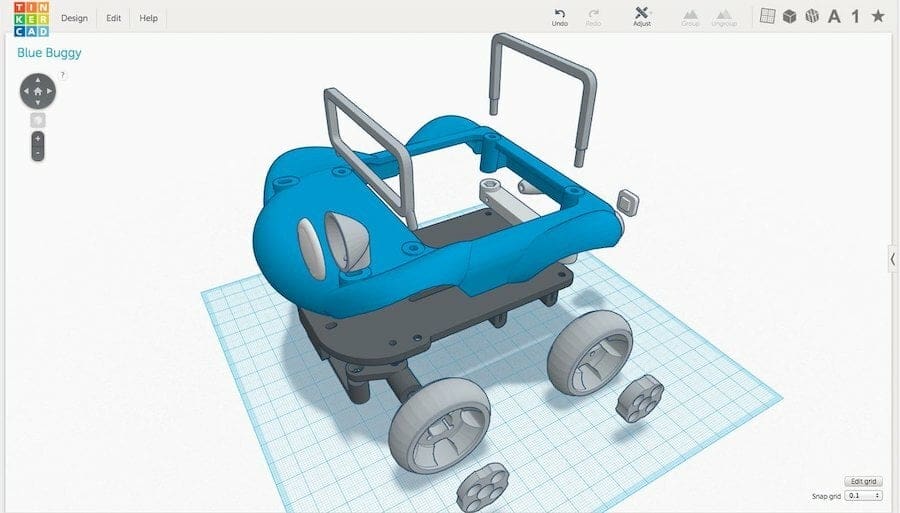
Tinkercad is one of the most popular educational 3D modeling tools. Its interface and featured tools are friendly and easy to use, making the 3D design process fun for kids, hobbyists, educators, and beginners. Regarding 3D printing, users can export designed objects in STL or OBJ formats. Being completely browser-based, it eliminates OS compatibility issues and heavy system requirements.
- Key Specs:
- OS: Browser-based
- License Type: Free to use
- Best For: Beginners, educational environments, and simple shapes
Pro-Tip: Utilize Tinkercad's "Hole" feature on standard geometric primitives to quickly carve out complex internal channels or mounting holes without needing parametric constraint equations.
3D Slash
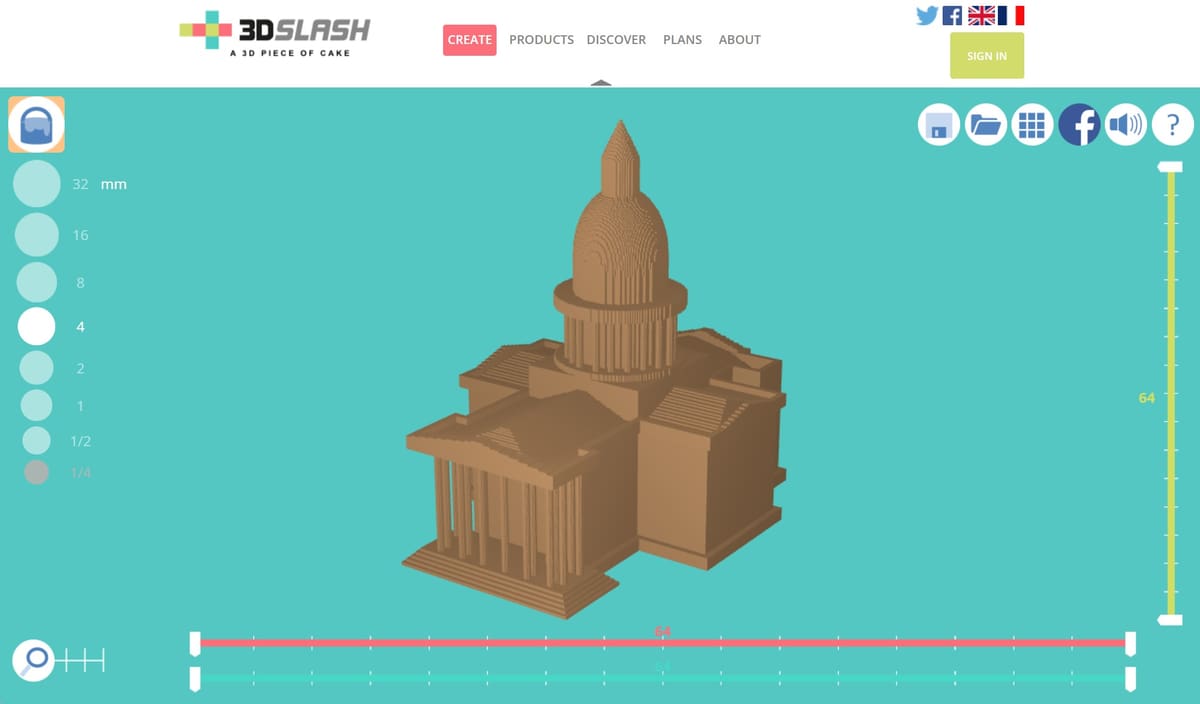
3D Slash is an easy-to-use 3D modeling tool built with non-designers in mind. Inspired by building games like Minecraft, users carve away or add blocks to create objects. Multi-part models can be styled in different colors and exported individually. The application is extremely lightweight and can even run smoothly on a Raspberry Pi.
- Key Specs:
- OS: Windows, macOS, Linux, Raspberry Pi OS, Browser-based
- License Type: Free limited use
- Best For: Quick voxel-style modeling and casual makers
SelfCAD
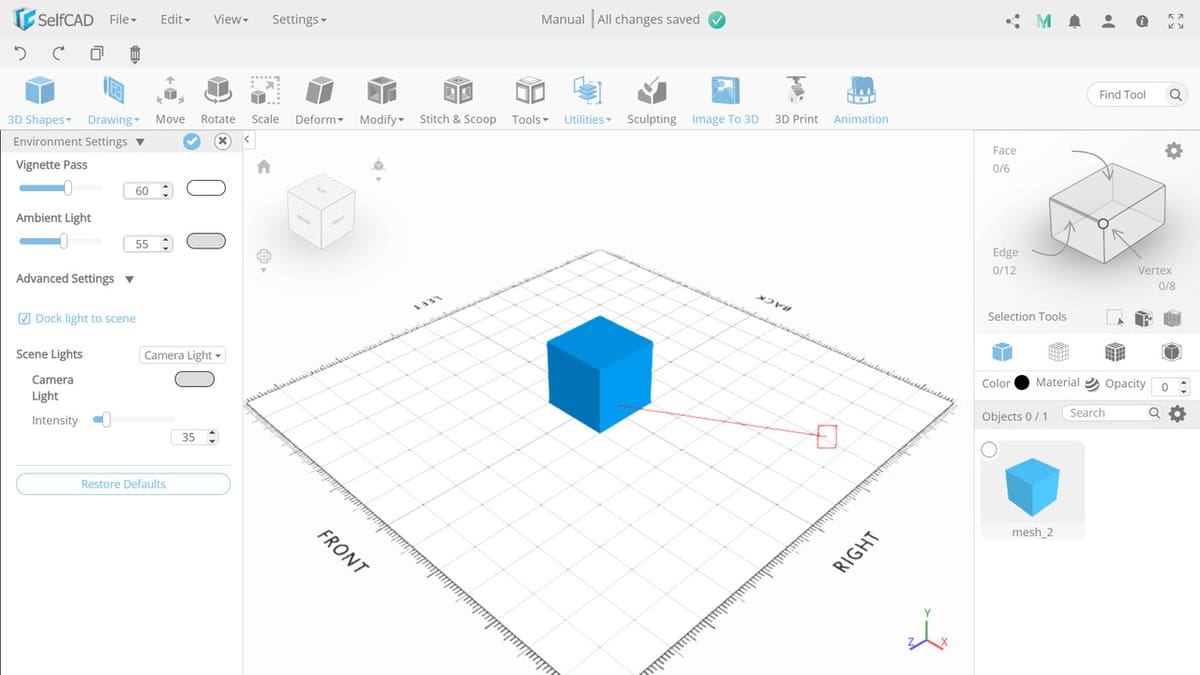
SelfCAD provides an all-in-one environment supporting CAD design, free-form sculpting, rendering, animation, and 3D slicing. Accessible both online and offline, it keeps processes under one roof for an organized workflow. The interface balances accessibility with capability, avoiding clutter while retaining powerful modeling modifiers.
- Key Specs:
- OS: Windows, macOS, Browser-based
- License Type: Free limited use
- Best For: All-in-one modeling, sculpting, and slicing
Intermediate Software Options
FreeCAD
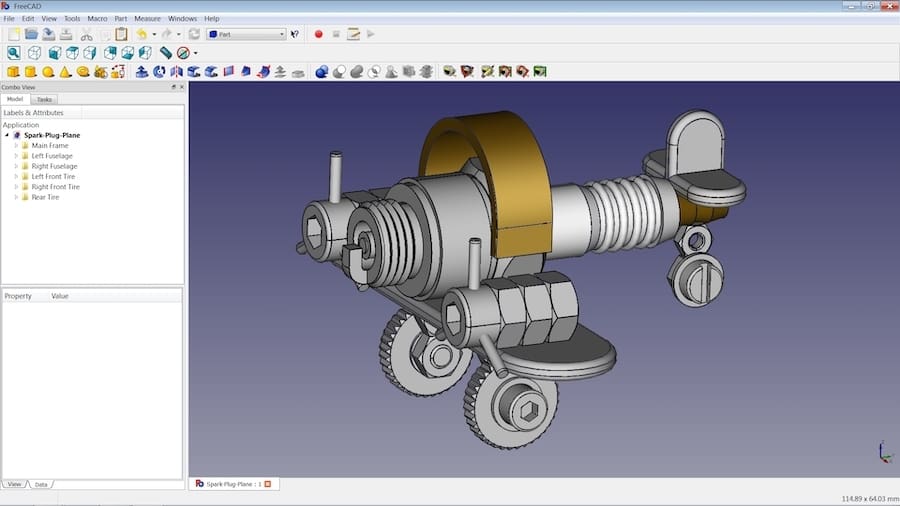
FreeCAD is an open-source parametric CAD modeler suitable for designers and engineers. Parametric modeling allows designs to be edited dynamically by adjusting dimensions and constraints, making it ideal for precise mechanical components. It provides modular workbenches and supports engineering formats like STEP, IGES, and DWG alongside STL/OBJ.
- Key Specs:
- OS: Windows, macOS, Linux
- License Type: Free (Open-Source)
- Best For: Parametric engineering and technical parts
Pro-Tip: Leverage FreeCAD's Part Design workbench and constraint solver to lock in critical geometric dimensions early, preventing unexpected model distortion during later edits.
Vectary
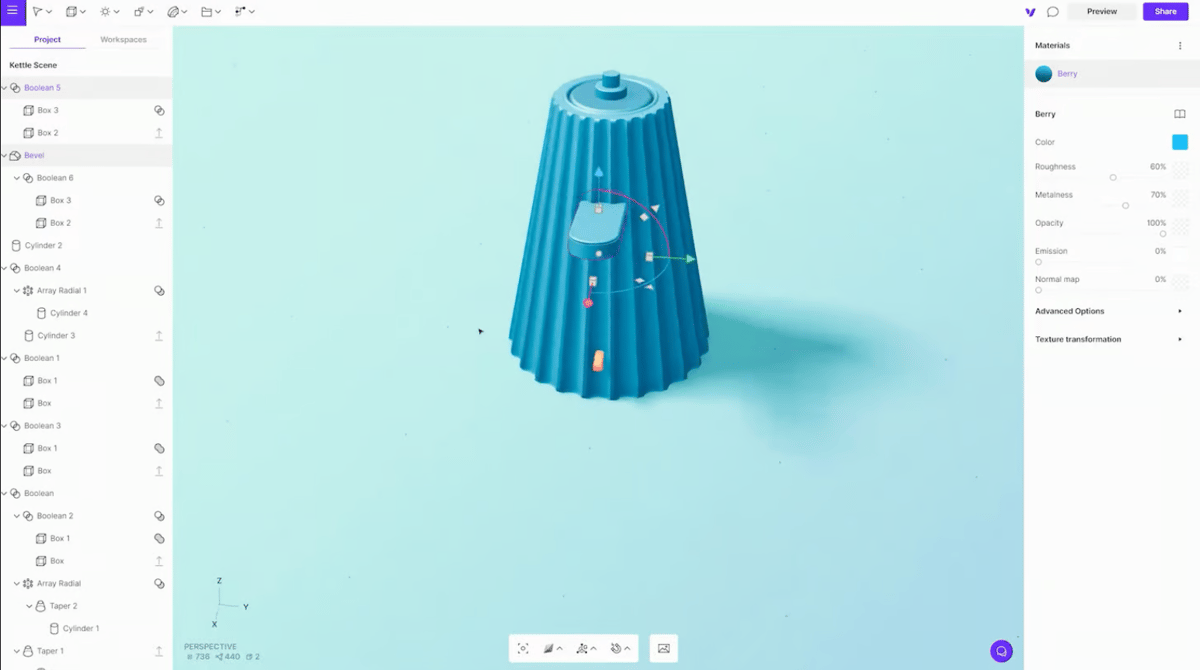
Vectary bridges mesh modeling, subdivision modeling, and parametric design inside a modern web platform. Geared toward digital artists and creators, it allows free-form shaping alongside numeric parameters. Free users can maintain online projects and export to OBJ or STL formats.
- Key Specs:
- OS: Browser-based
- License Type: Free limited use
- Best For: Artistic 3D models and hybrid parametric-mesh workflows
DesignSpark Mechanical
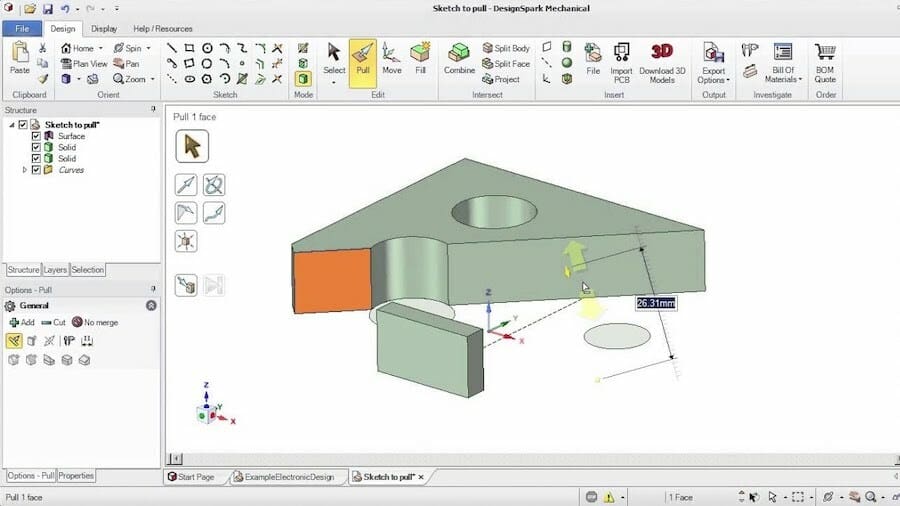
DesignSpark Mechanical combines direct modeling with push/pull editing functionality. Its user interface resembles traditional professional tools like AutoCAD. The free tier offers core design capabilities and STL export options, alongside access to a massive library of manufacturer-approved 3D component models.
- Key Specs:
- OS: Windows
- License Type: Free limited use
- Best For: Direct modeling and pre-built mechanical component integration
Fusion
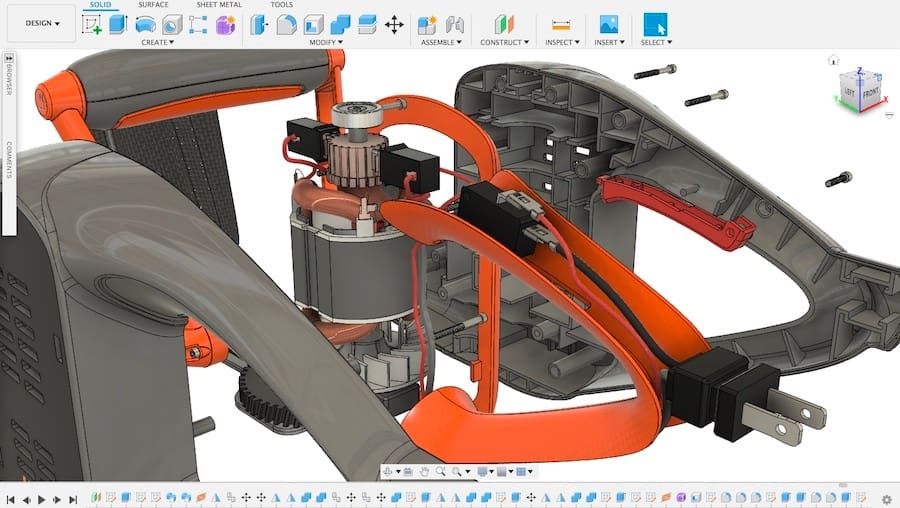
Fusion (formerly Fusion 360) is a top-tier tool for enthusiasts wanting near-professional capabilities. It features parametric, free-form, surface, and mesh modeling tools. Autodesk provides a free personal-use license for non-commercial projects, making it one of the most comprehensive choices for designing functional 3D printable objects.
- Key Specs:
- OS: Windows, macOS
- License Type: Free for non-commercial personal use
- Best For: Advanced functional parts, assemblies, and high-precision modeling
Meshmixer
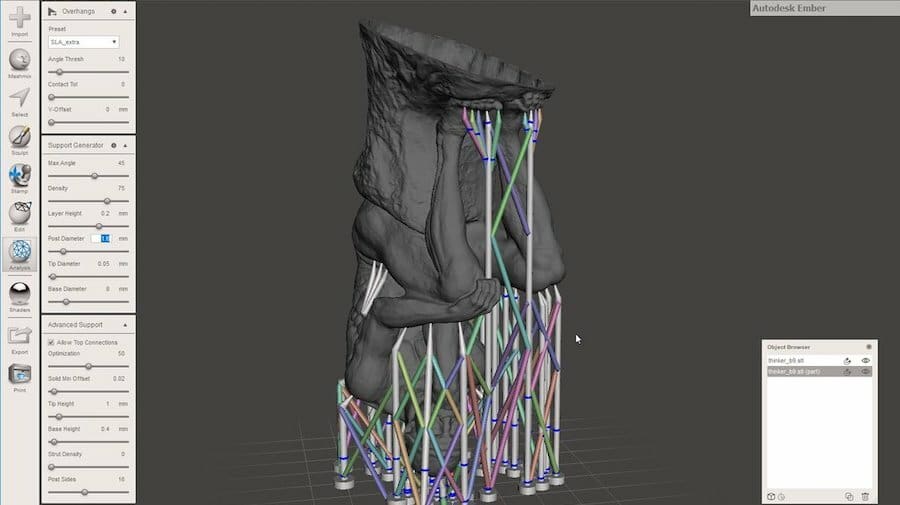
Meshmixer specializes in analyzing, editing, repairing, and modifying existing polygon mesh files (STL/OBJ). It is widely used to hollow models, generate custom tree supports, clean up 3D scans, and combine different meshes using digital sculpting tools.
- Key Specs:
- OS: Windows, macOS
- License Type: Free to use
- Best For: Mesh repair, hollowing, custom supports, and STL mesh editing
Onshape
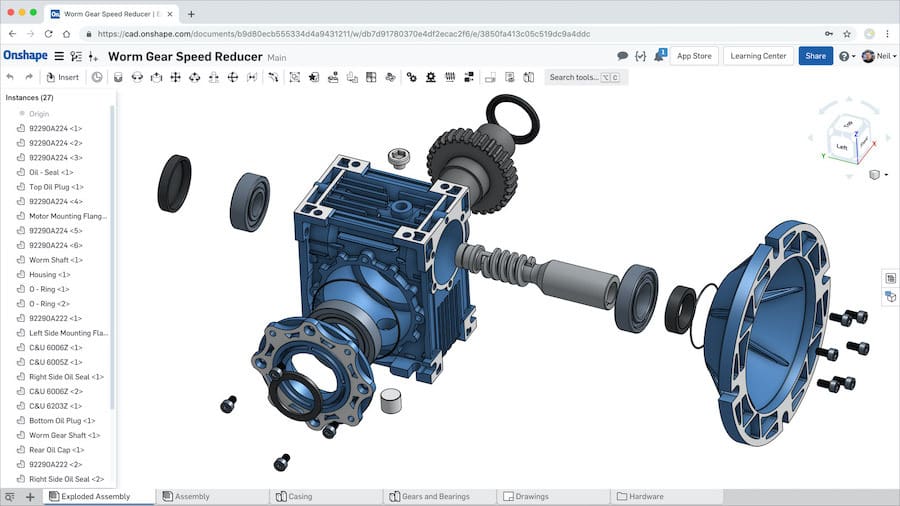
Onshape is a cloud-native product development platform offering robust parametric CAD capabilities. Because it operates entirely within a web browser, hardware requirements are minimal. The free tier gives full design capabilities on the condition that saved documents remain public in Onshape's community library.
- Key Specs:
- OS: Browser-based
- License Type: Free to use (public workspace)
- Best For: Cloud-based parametric mechanical modeling and collaborative projects
Dune 3D
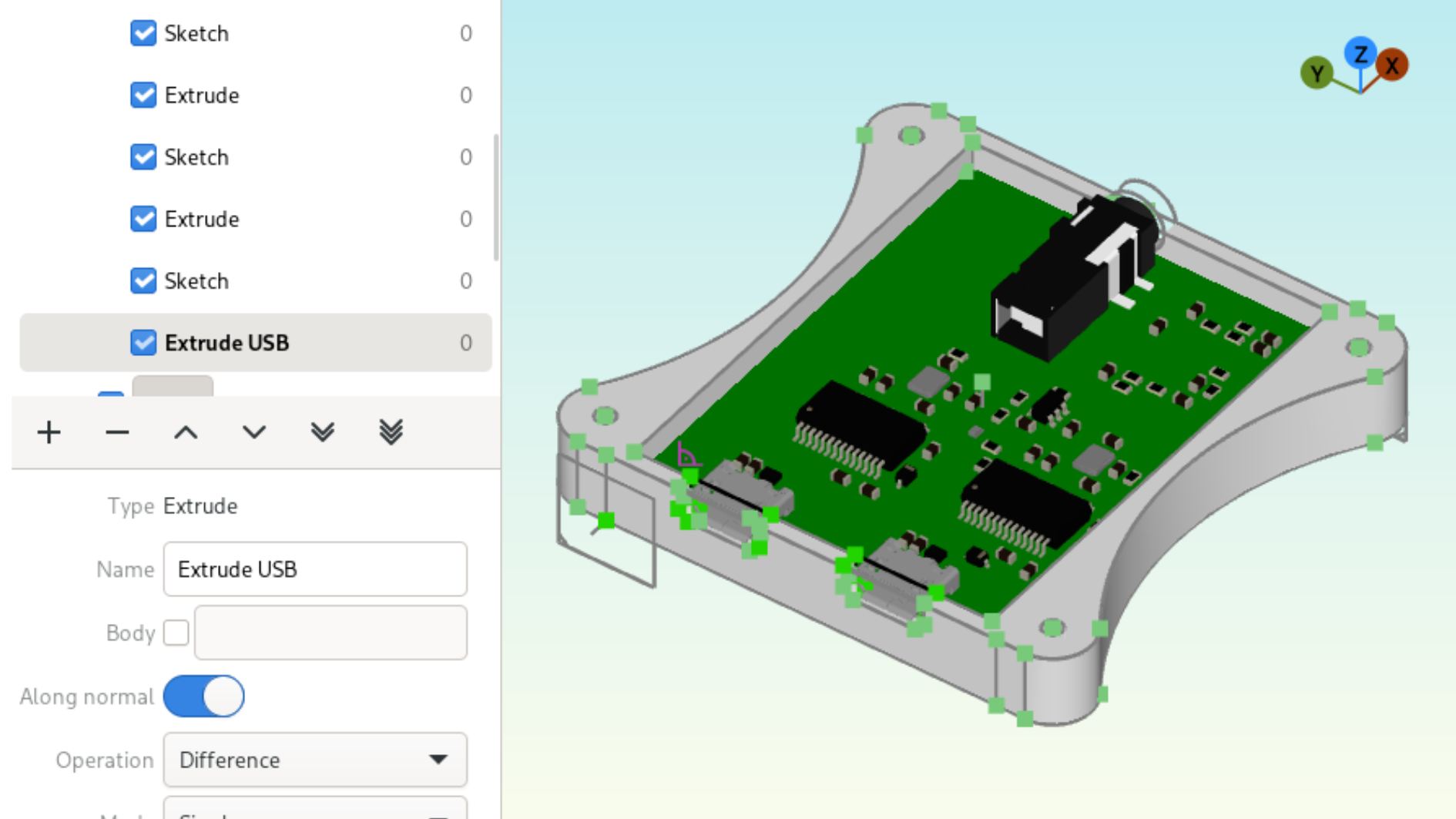
Dune 3D is an open-source parametric CAD modeler focused on clean design workflows without the bloat of massive software packages. It supports 2D/3D constrained sketches, extrusions, fillets, chamfers, and STEP format imports, making it suitable for functional 3D printing tasks.
- Key Specs:
- OS: Windows, Linux
- License Type: Free (Open-Source)
- Best For: Straightforward mechanical modeling and STEP/STL workflows
OpenSCAD
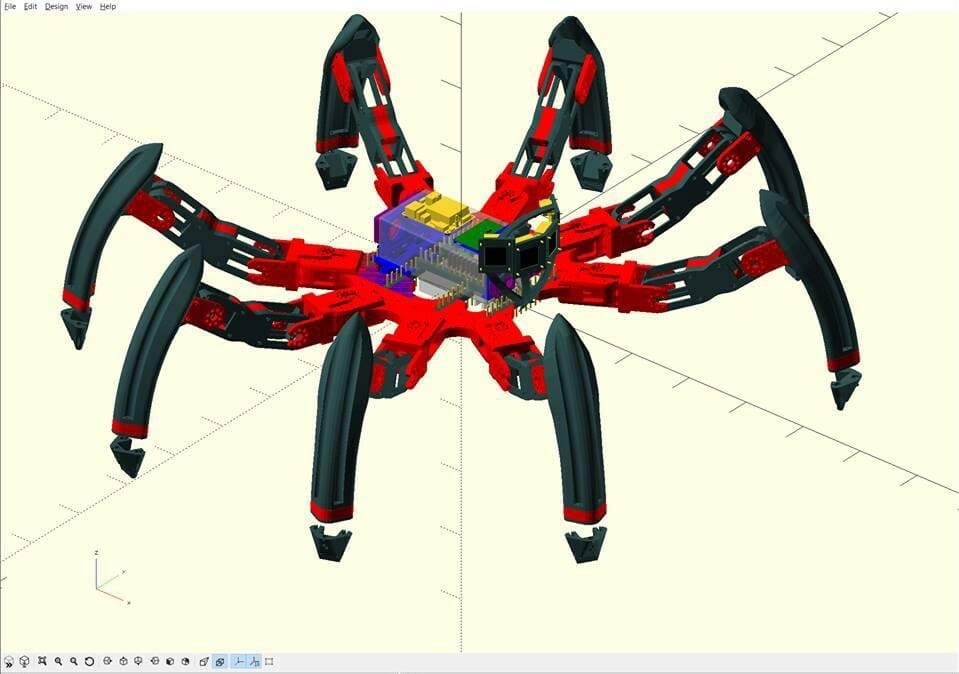
OpenSCAD approaches modeling through programming scripts rather than interactive graphical drawing. Users declare objects and operations using code, granting exact mathematical control over dimensions and parametric variables. It is well-suited for modular designs like enclosures, gears, and customizable brackets.
- Key Specs:
- OS: Windows, macOS, Linux
- License Type: Free (Open-Source)
- Best For: Programmers, script-based modeling, and fully parametric modular designs
Pro-Tip: Parameterize key tolerances (e.g., shell thickness or hole diameters) at the top of your OpenSCAD script to make recalibrating designs for different 3D printers effortless.
Advanced Software Options
Blender
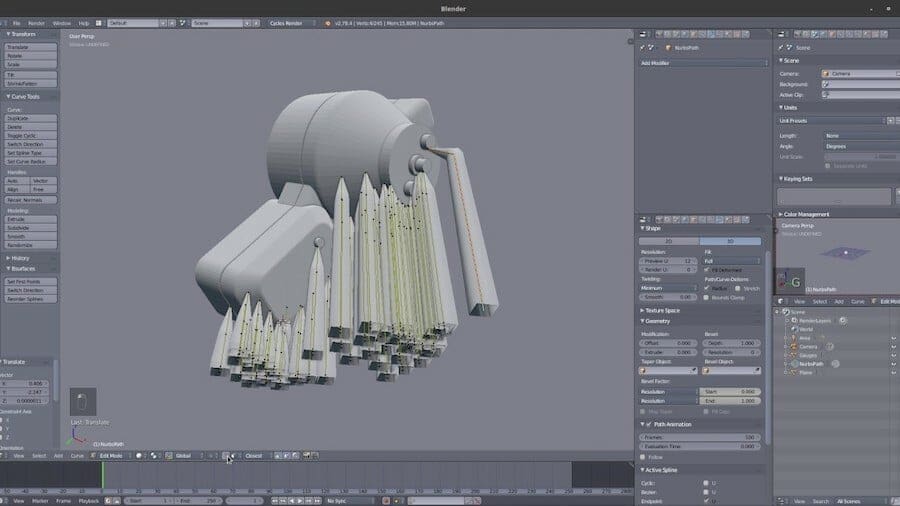
Blender is an open-source 3D graphics suite. While it features a steep learning curve, its modeling, sculpting, and node-based toolsets provide unmatched versatility. With built-in 3D printing analysis add-ons, Blender excels at artistic creations, miniatures, organic figures, and mesh optimization.
- Key Specs:
- OS: Windows, macOS, Linux
- License Type: Free (Open-Source)
- Best For: Organic sculpting, complex artistic designs, and advanced mesh editing
Salome
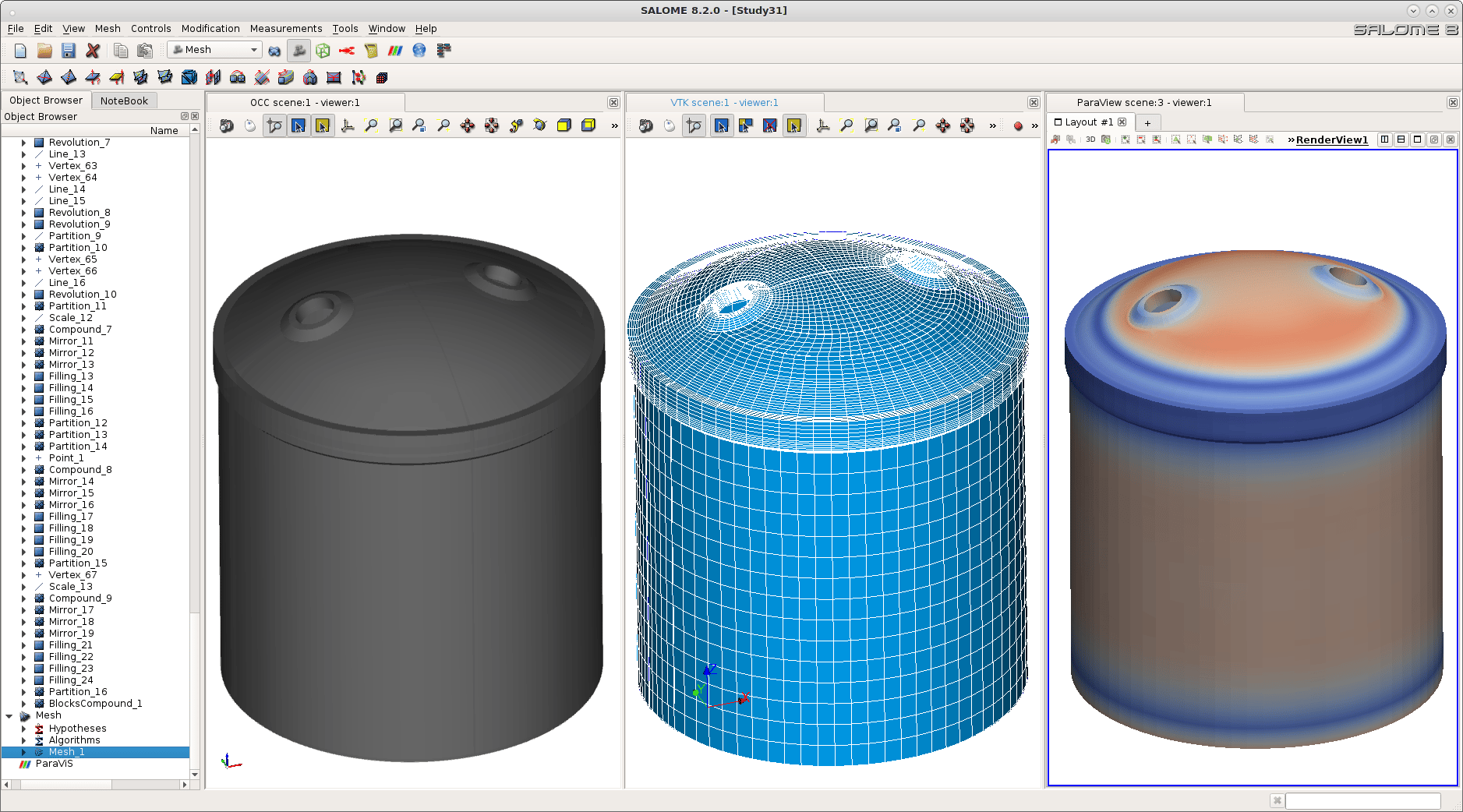
Salome is an open-source platform providing parametric CAD modeling along with advanced meshing and simulation tools. Through its SHAPER and Geometry modules, advanced engineers can prepare accurate models and evaluate structural behavior before sending files to a 3D printer.
- Key Specs:
- OS: Windows, Linux
- License Type: Free (Open-Source)
- Best For: Advanced engineering analysis, meshing, and simulation-driven design
Solid Edge Community Edition
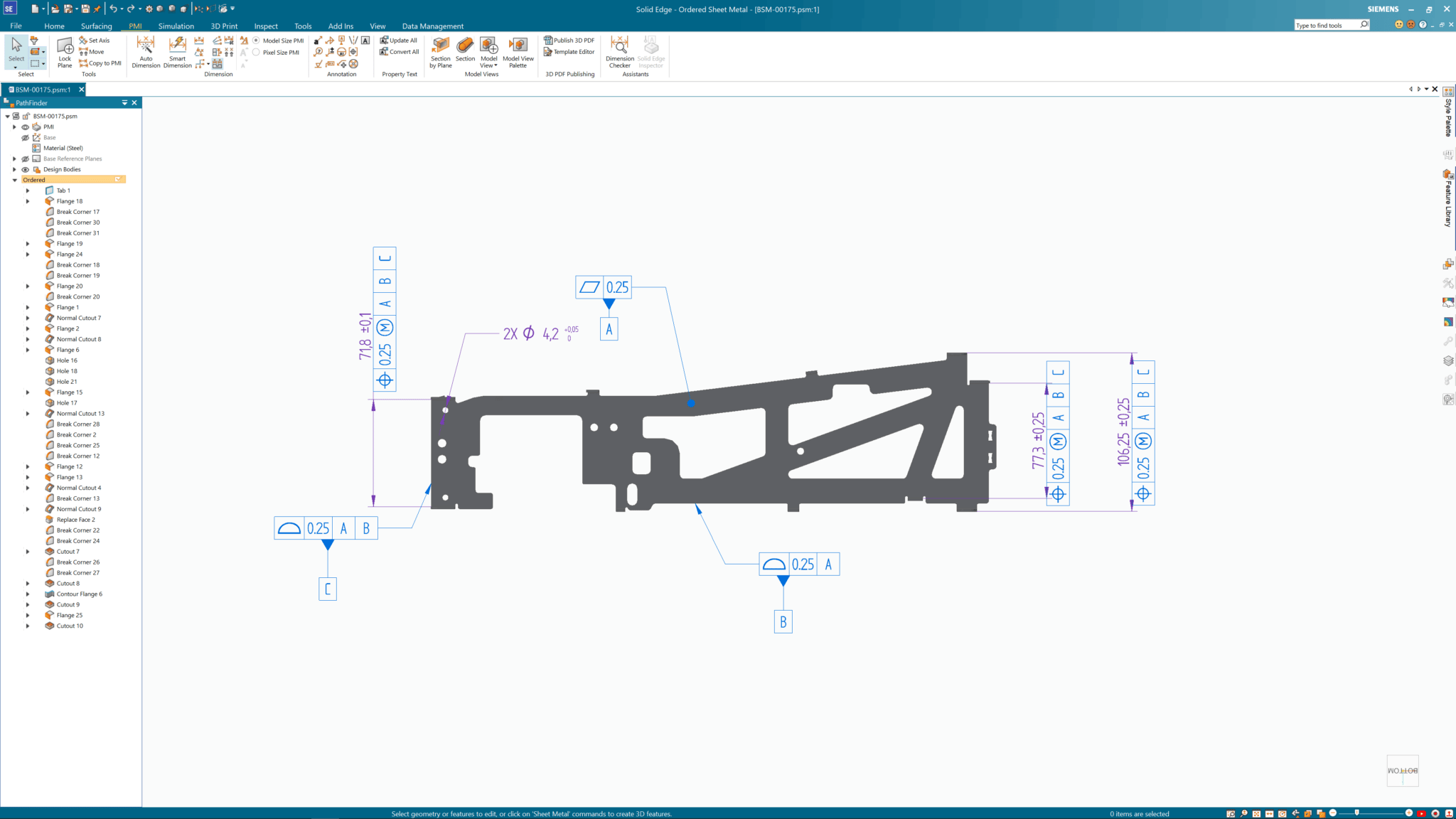
Siemens offers Solid Edge Community Edition free for personal use to makers and hobbyists. It packs industrial-grade synchronous technology and parametric design features into a free package, enabling easy handling of complex assemblies and additive manufacturing designs.
- Key Specs:
- OS: Windows, macOS, Linux
- License Type: Free for personal non-commercial use
- Best For: High-end mechanical assembly design and hobbyist engineering
Comparison Matrix
| Software | Skill Level | Primary Modeling Type | Supported Platforms | License / Pricing |
|---|---|---|---|---|
| Tinkercad | Beginner | Constructive Solid Geometry | Browser-based | Free |
| 3D Slash | Beginner | Voxel / Block-based | Windows, macOS, Linux, Pi, Web | Free limited tier |
| SelfCAD | Beginner | Direct / Mesh / Sculpting | Windows, macOS, Browser | Free limited tier |
| FreeCAD | Intermediate | Parametric Solid | Windows, macOS, Linux | Free (Open-Source) |
| Vectary | Intermediate | Parametric / Subdivision Hybrid | Browser-based | Free limited tier |
| DesignSpark Mechanical | Intermediate | Direct Modeling | Windows | Free limited tier |
| Fusion | Intermediate | Parametric / Surface / Mesh | Windows, macOS | Free (Non-commercial) |
| Meshmixer | Intermediate | Mesh Sculpting & Repair | Windows, macOS | Free |
| Onshape | Intermediate | Cloud Parametric Solid | Browser-based | Free (Public workspace) |
| Dune 3D | Intermediate | Parametric 3D | Windows, Linux | Free (Open-Source) |
| OpenSCAD | Intermediate | Script-Based Parametric | Windows, macOS, Linux | Free (Open-Source) |
| Blender | Advanced | Mesh / Sculpting / Node-Based | Windows, macOS, Linux | Free (Open-Source) |
| Salome | Advanced | Parametric / FEA Meshing | Windows, Linux | Free (Open-Source) |
| Solid Edge Community | Advanced | Synchronous / Parametric | Windows, macOS, Linux | Free (Personal use) |
Summary & Recommendations
Choosing the right free CAD package depends on your specific goals and background:
- For Beginners & Educators: Start with Tinkercad for fast geometric modeling without software installation, or 3D Slash if you prefer a playful, block-based workflow.
- For Functional Mechanical Parts: Choose FreeCAD or Fusion for traditional parametric workflows, OpenSCAD if you prefer coding your geometry, or Onshape for browser-based CAD.
- For Artistic Models & Sculpting: Opt for Blender when building organic figures, or use Meshmixer to prepare, repair, and modify existing mesh files for 3D printing.
What's Your Preferred CAD Tool?
Which free CAD software do you rely on for your 3D printing projects? Do you prefer code-based modeling with OpenSCAD, parametric design in Fusion/FreeCAD, or free-form sculpting in Blender? Share your favorite tools and workflow tricks in the comments below!