The best 3D printer test print isn’t necessarily the most difficult or impressive model. It’s the one that answers the question you’re currently asking, such as "Why won’t my first layer stick to the build plate?" or "Why are the moving parts in my print-in-place model fused together?"
A 3D printer test print can save hours of failed printing, or it can send you down an unproductive rabbit hole. The difference is knowing which model to test and what that model is actually intended to reveal.
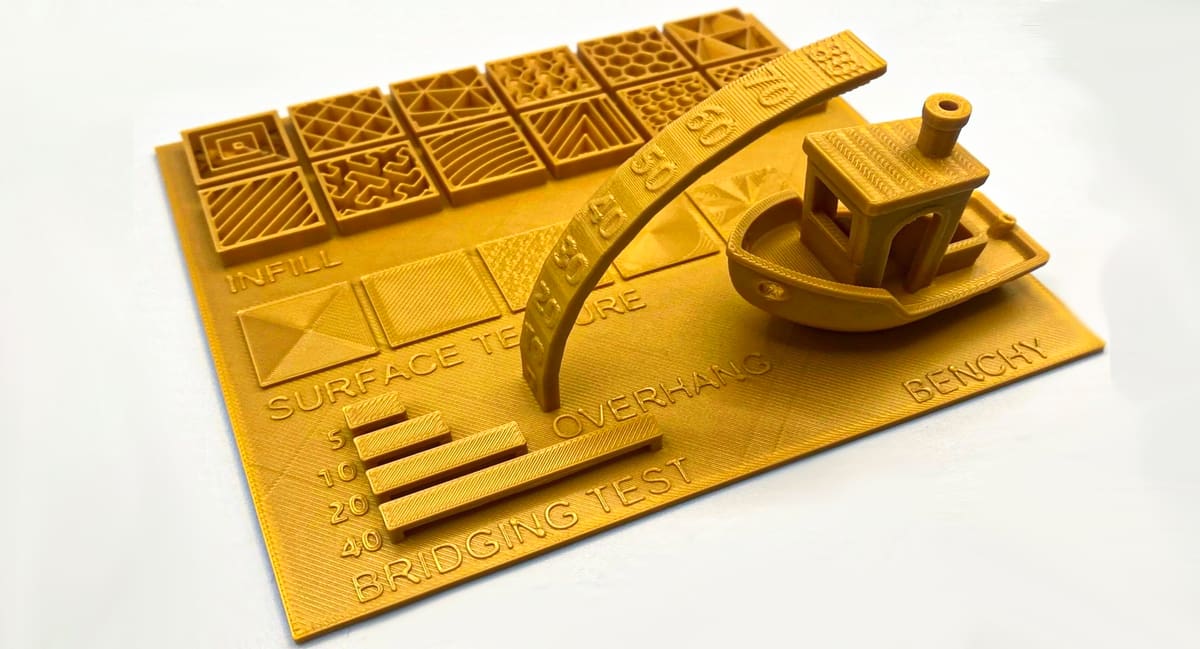 Consolidating a host of calibration tests on one print can be useful for an overview. This set of prints is designed to help calibrate your 3D printer and fine-tune settings within Bambu Studio, the slicing software for Bambu Lab printers (Source: LorenzCR via MakerWorld)
One Test, One Question
Diagnosing a print problem is different from tuning and general calibration. When you face a specific defect in your printed parts, first use a specific problem-diagnosing model. Only then should you print a general calibration model like a Benchy, dragon, cat, or toaster to confirm that the printer, filament, slicer, and settings are working harmoniously.
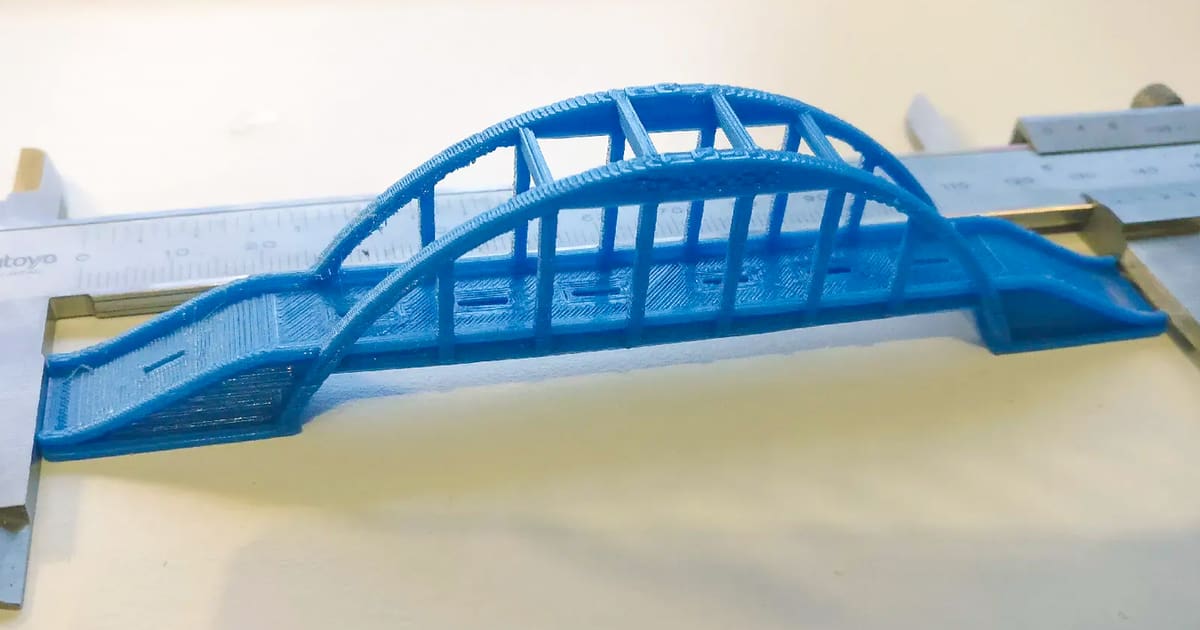 If you want to test your printer for bridging, why not print an actual bridge (Source: Overhang Bridge test by Joker via Printables)
Before You Print Anything
A test model is only as useful as the way it is prepared. Download the STL or 3MF file and slice it using a suitable profile for your printer, nozzle, bed, and material. If any of those components are misrepresented in your slicing software, it will throw off your results.
Be cautious with pre-sliced G-code from unknown sources, as incompatible files can cause catastrophic mechanical errors or incorrect parameters.
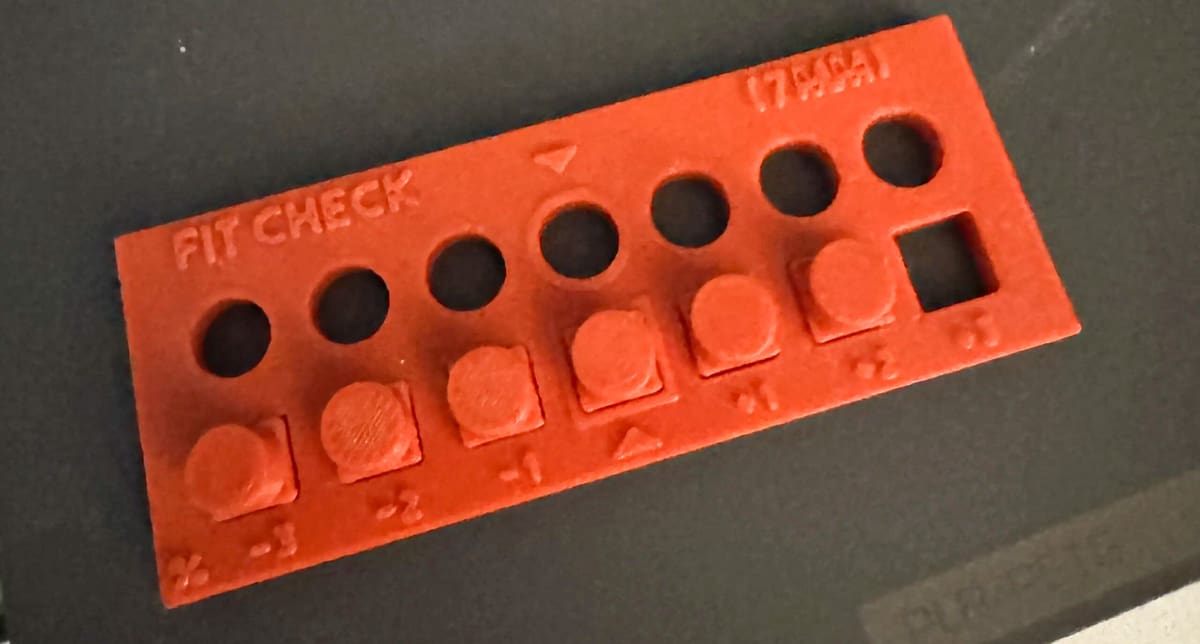 Fit check model (Source: Ekser via MakerWorld)
Initial Checklist:
- Inspect the printer for loose belts, wheels, screws, and connectors.
- Clean the build surface according to the manufacturer's instructions.
- Ensure the nozzle is clean and correctly installed.
- Dry your filament if moisture is a suspected culprit.
- Change only one parameter at a time.
Detailed Breakdown of Focused Calibration Tests
1. First-Layer Patch
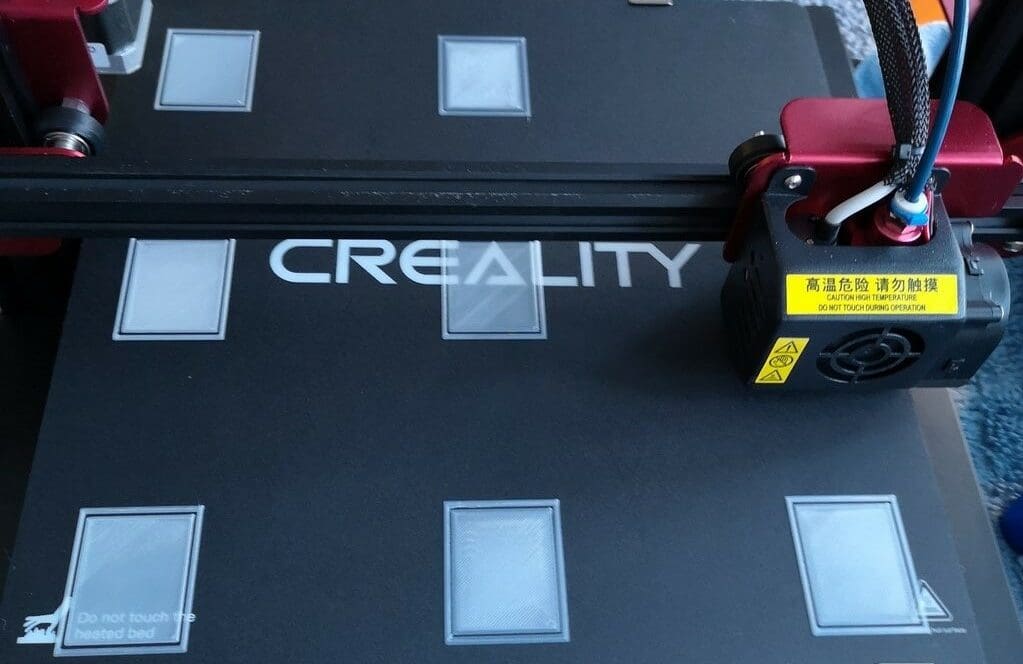 Hate bed leveling? This model can ease your pain (Source: MyPc67 via Thingiverse)
Almost every print depends on a reliable first layer, making a simple single-layer patch one of the most valuable tests you can run.
- Best for: Poor adhesion, uneven first layers, gaps between lines, and overly squashed layers.
- Designer: pgreenland
- Platform: Thingiverse
- What to change: Lower the Z offset if first-layer lines are rounded, separated, or peeling; raise it if the nozzle scrapes or creates ridges. Re-tram or rerun mesh leveling if the problem varies across the bed.
Pro-Tip: Adhesion can still fail even when the height appears correct if the bed is contaminated with oil from fingertips. Thoroughly clean your build plate with isopropyl alcohol (IPA) or warm soapy water first!
2. Temperature Tower
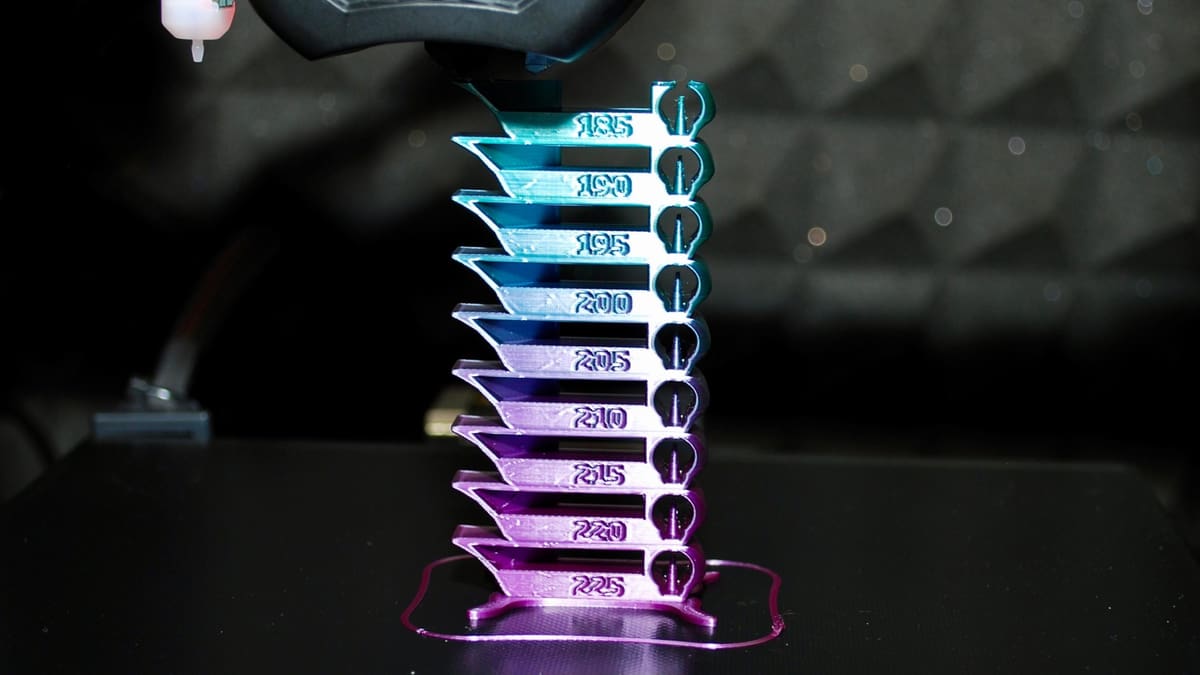 This calibration test can get heated! (Source: ILikePieToo via Thingiverse)
A temperature tower is divided into labeled sections, with each printed at a progressively different nozzle temperature.
- Best for: Selecting optimal nozzle temperature for a specific spool of filament.
- Designer: gaaZolee
- Platform: Thingiverse
- What to change: Inspect bridging, overhang clean lines, stringing, and layer strength. Save the cleanest temperature value directly in your slicer's filament-specific profile.
3. Maximum Volumetric-Flow Test
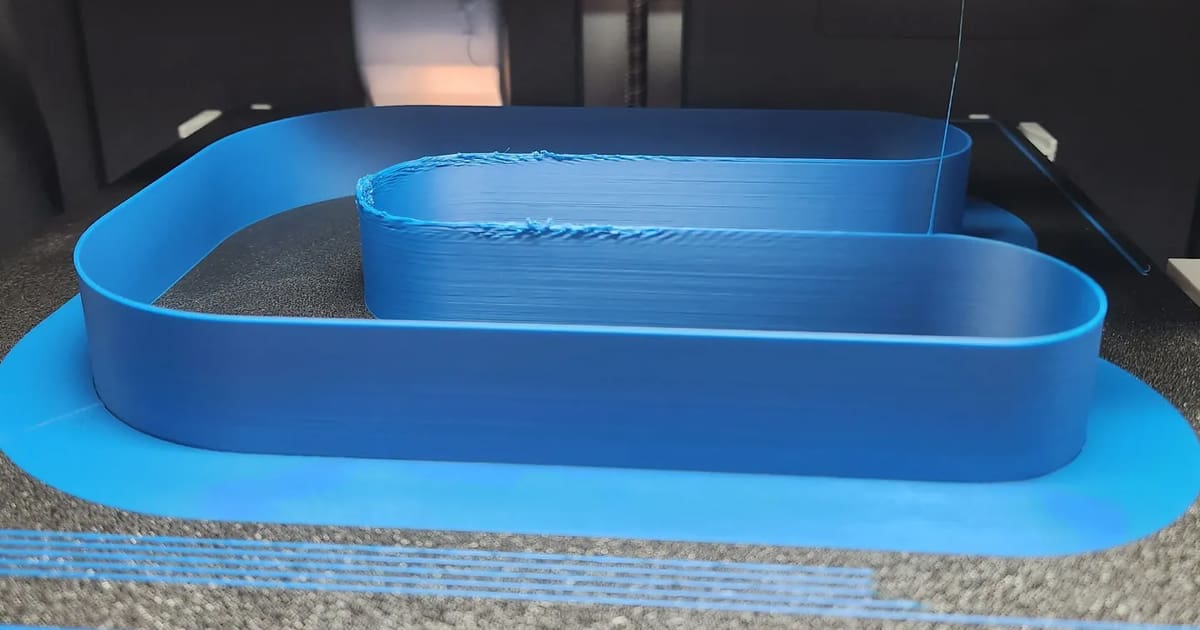 Max flow test tower for Bambu Studio (Source: Keenzkustoms via Printables)
This test determines how much plastic your hot end can reliably melt and extrude per second ($mm^3/s$).
- Best for: Determining speed limits before under-extrusion occurs.
- Designer: Grzdacz
- Platform: Printables
- What to change: Set your filament profile's maximum volumetric flow rate slightly below the threshold where the model's surface becomes rough, matte, or structurally thin.
4. Pressure Advance or Linear Advance Test
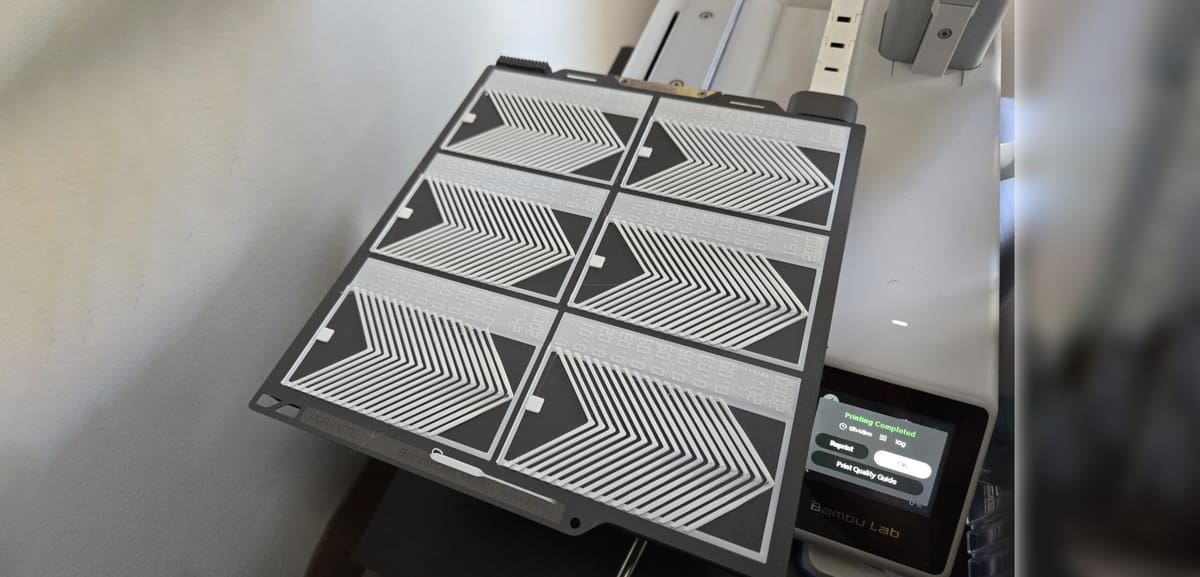 Adaptive Pressure Advance suite (Source: Wigiwagons via MakerWorld)
Pressure advance compensates for the latency in filament flow when accelerating or decelerating around corners.
- Best for: Bulging corners, thin areas near corners, and inconsistent extrusion.
- Designer: Wigiwagons
- Platform: MakerWorld
- What to change: Increase pressure advance (K-factor) if corners bulge. Decrease it if corners become rounded or gaps appear at start/stop points.
5. Flow-Ratio Test
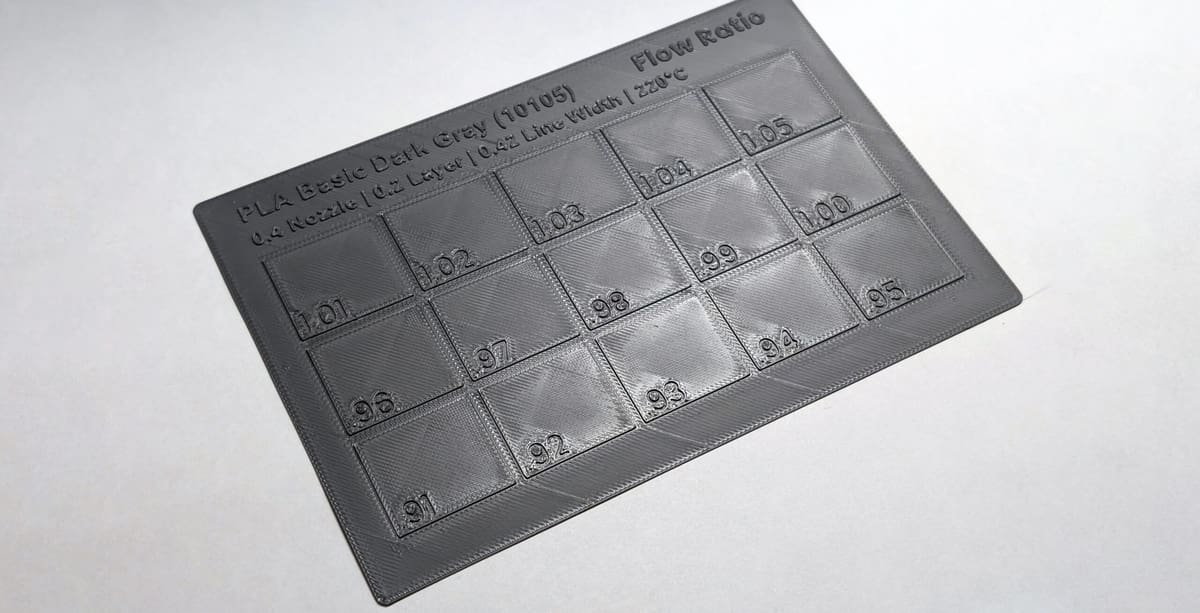 Calibration cards for ironing and flow-ratio testing (Source: QuantifyDeisgn via MakerWorld)
Flow ratio (extrusion multiplier) adjusts the overall volume of extruded filament requested by the slicer.
- Best for: Top surface gaps, over-extruded ridges, and dimensional accuracy.
- Designer: QuantifyDeisgn
- Platform: MakerWorld
- What to change: Increase the flow ratio if top-surface lines have gaps; decrease it if lines pile up into rough, raised ridges.
6. Retraction Tower
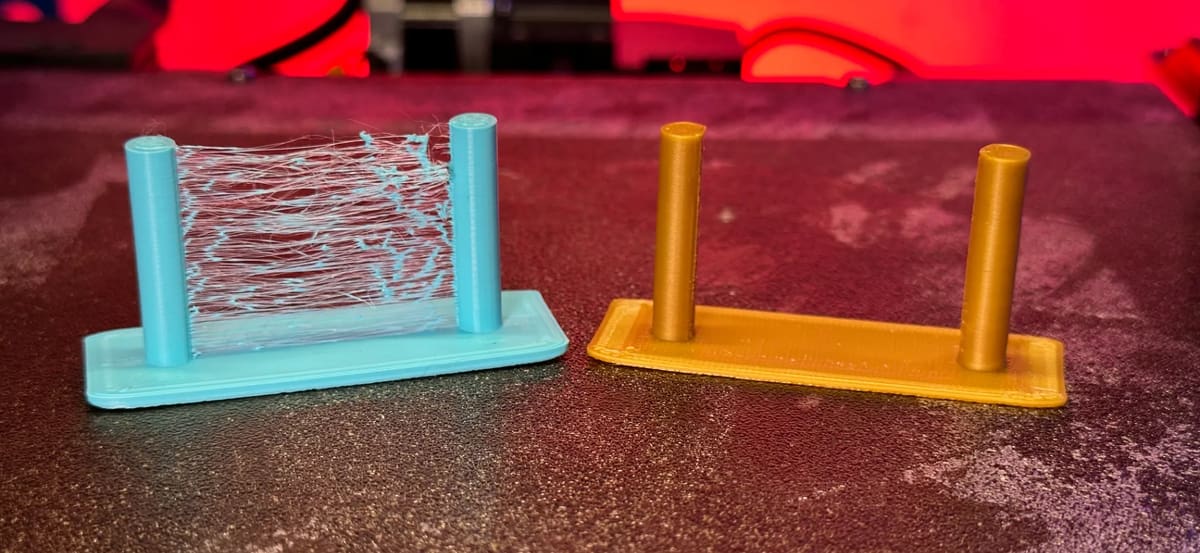 Simple retraction test tower (Source: EleHazar 3DinPlastic via MakerWorld)
This test is used to adjust how far and fast filament is pulled back during a travel move.
- Best for: Eliminating fine strings and hairs between separate features.
- Designer: EleHazar 3DinPlastic
- Platform: MakerWorld
- What to change: Increase retraction distance if strings persist. Decrease it if you notice under-extrusion gaps or "pockmarks" immediately after travel transitions.
7. Bridge Test
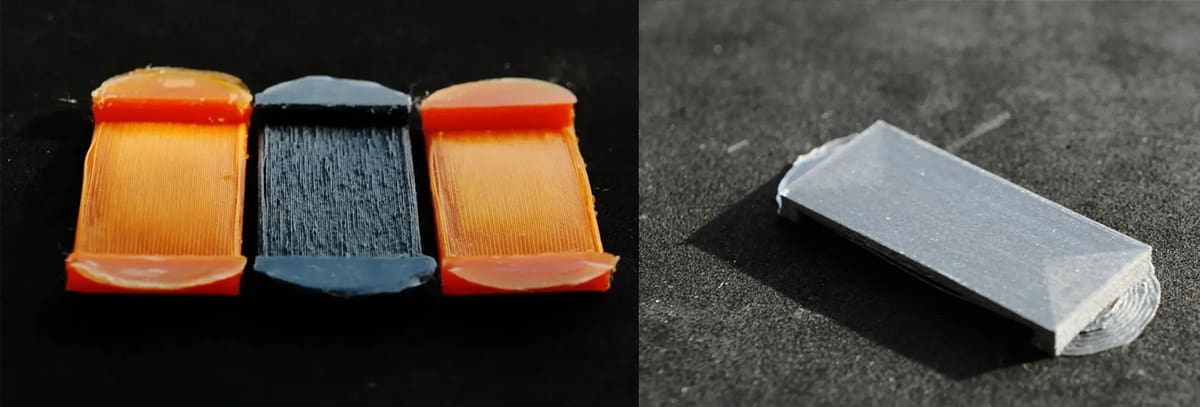 Bridge test model by Jack (Source: Printables)
This model tests a printer's capability to print flat spans across empty space without support.
- Best for: Eliminating sag and droop under horizontal structures.
- Designer: Jack
- Platform: Printables
- What to change: Boost fan cooling, decrease nozzle temperature, or reduce bridging print speed to pull horizontal strands taut.
8. Overhang and Cooling Test
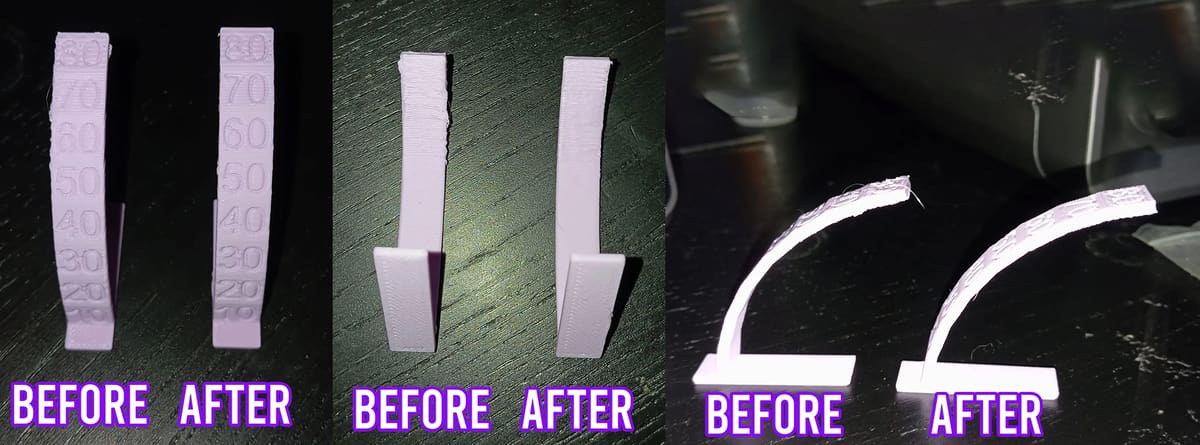 Progressive Overhang Cooling Test (Source: PrintinBad via MakerWorld)
This model gauges the maximum printable slope angle without turning to supports.
- Best for: Resolving rough, drooping, or curling undersides.
- Designer: PrintinBad
- Platform: MakerWorld
- What to change: Turn up part cooling speed, slow down outer wall speed, or drop layer height to give overhangs more overlap with the layer below.
9. Clearance Tolerance Test
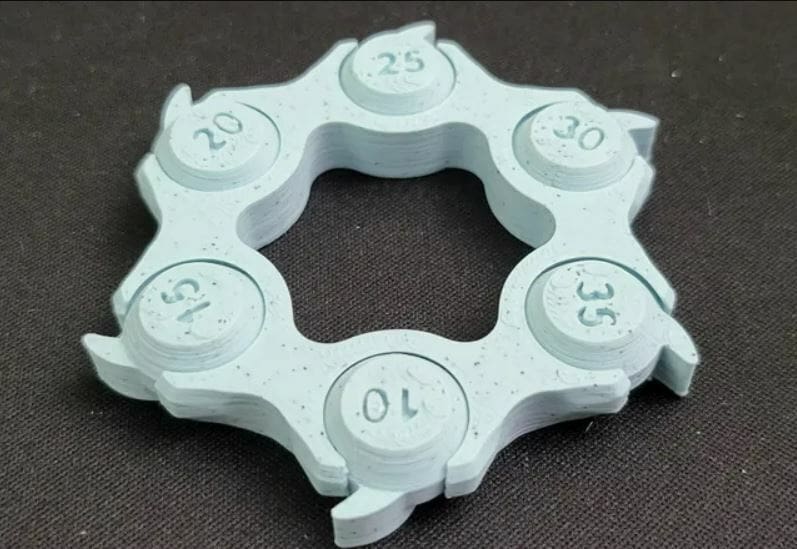 From 0.10 to 0.35 mm clearance check (Source: Wertyo via Printables)
For physical mechanisms and assemblies to work, adjacent components must have an adequate clearance gap to prevent fusing.
- Best for: Tuning print-in-place tolerances.
- Designer: 3DMakerNoob
- Platform: Printables
- What to change: If clearances are too tight, verify flow-rate calibration and elephant-foot compensation first. Use horizontal expansion or XY-hole compensation in the slicer to adjust dimensions globally.
10. Ringing and Input-Shaping Test
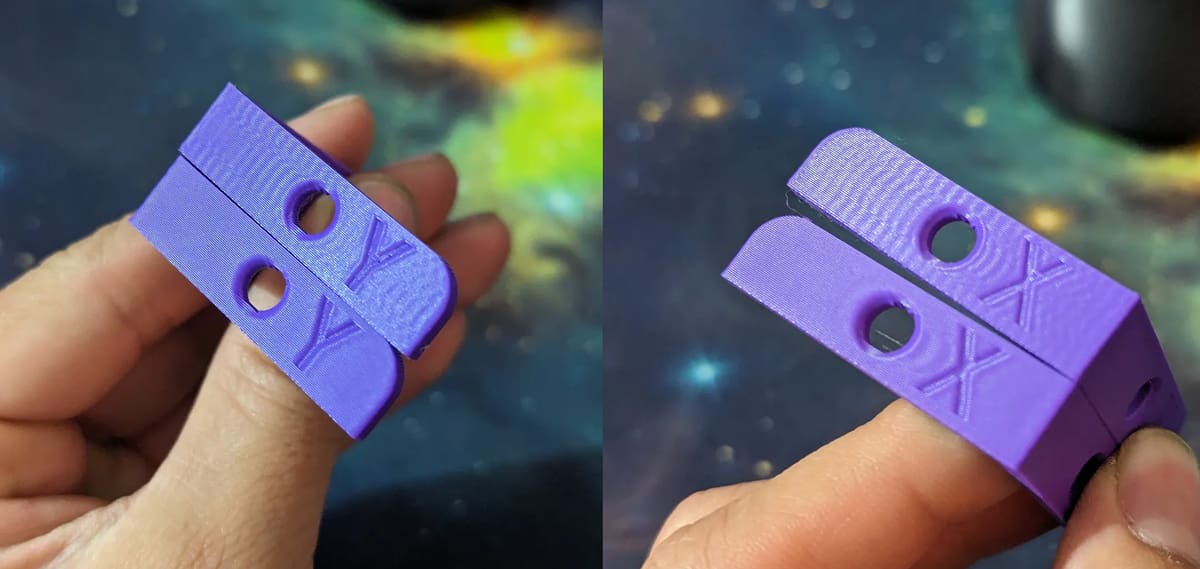 Ghosting and resonance test (Source: Zeltroix via MakerWorld)
Vibrations and inertia during rapid changes of direction leave wave-like artifacts on flat surfaces.
- Best for: Minimizing visual echoing (ghosting) after sharp corners.
- Designer: Zeltroix
- Platform: MakerWorld
- What to change: Ensure physical hardware (belts, frame, toolhead) is tight and rigid. Calibrate input shaping frequency in your printer's firmware.
11. XYZ Calibration Cube
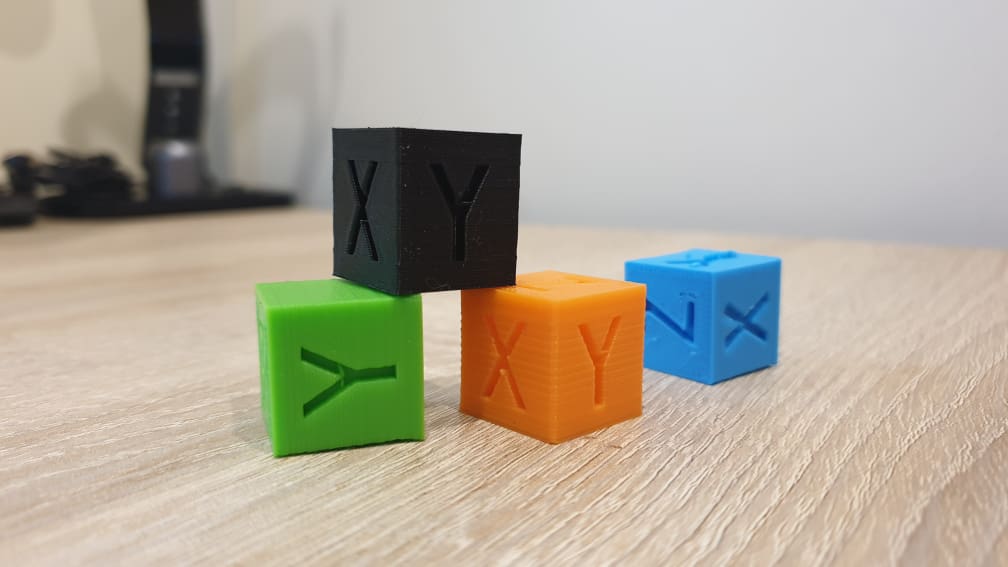 XYZ Calibration Cube (Source: konradnetpl via Thingiverse)
This simple 20 mm cube checks structural accuracy and axial alignment on a macro scale.
- Best for: Fast verification of dimension accuracy, axis skew, and general finish.
- Designer: iDig3Dprinting
- Platform: Thingiverse
- What to change: Address physical issues like belt slack or frame skew first. Avoid altering motor steps/mm to correct dimensional error, as step counts are mechanically fixed; use slicer scaling or expansion compensations instead.
12. Slope Angle Test
 Staircase reduction slope test (Source: Devstroyer via Cults)
Staircasing is the natural stepped appearance on curved or angled surfaces caused by printing in horizontal layers.
- Best for: Finding the optimal orientation or layer height to minimize stepping on sloped surfaces.
- Designer: Devstroyer
- Platform: Cults
- What to change: Reorient important face slopes relative to the Z-axis, or reduce layer height to make the transitions finer.
The Best General Benchmarks and Torture Tests
Once specific parameters are calibrated, these complex, multi-feature benchmarks act as the ultimate test of system capability.
13. 3DBenchy
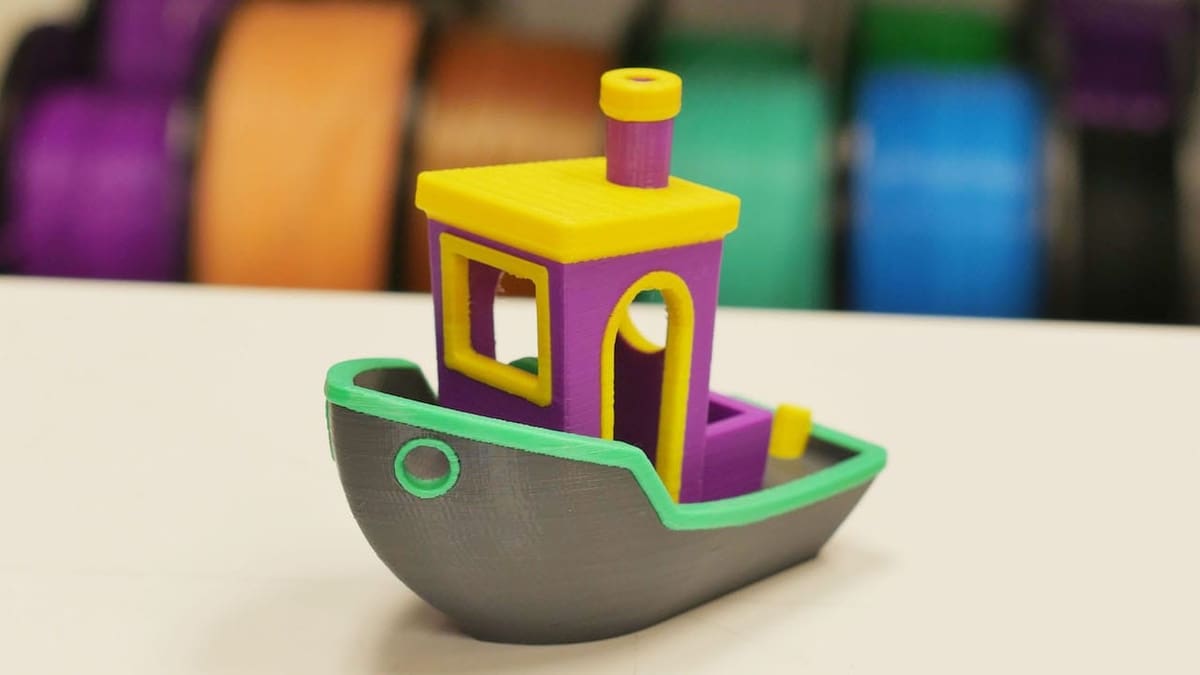 Classic multicolor Benchy (Source: 3DBenchy)
The universal symbol of 3D printing. It combines open cabins, round hulls, chimney bridges, and fine rear text.
- Best for: Visual progress verification and community comparison.
- Designer: CreativeTools
- Platform: Thingiverse / Printables
14. Cali-Dragon
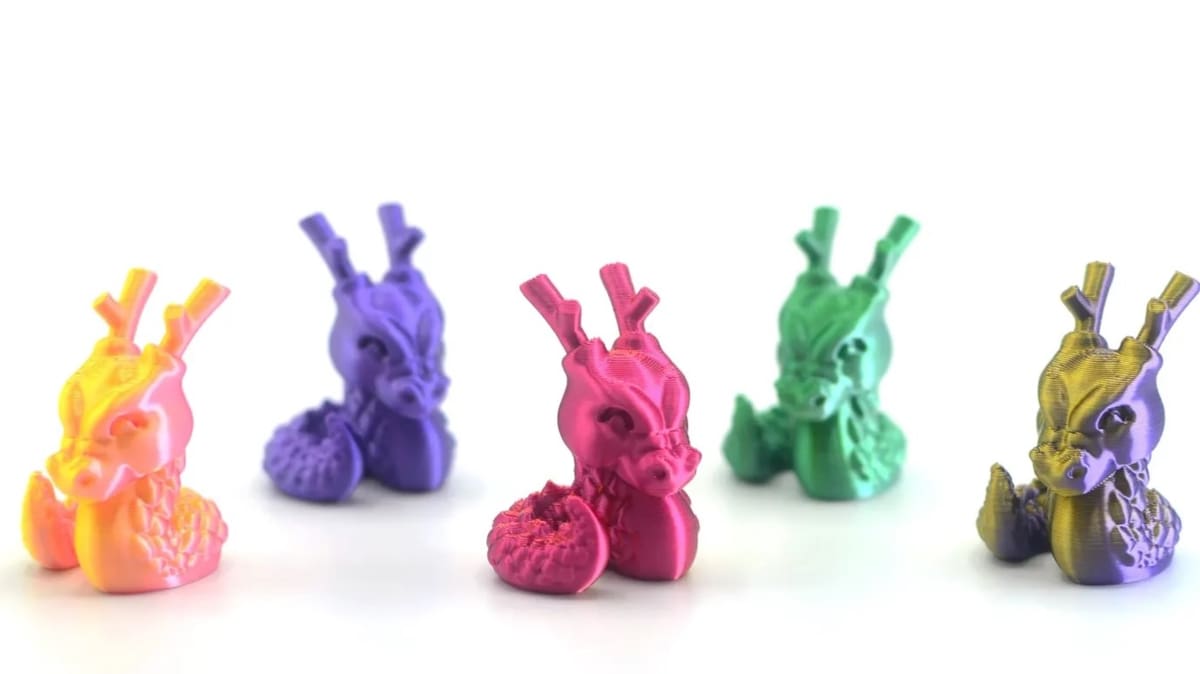 The cutest test model (Source: McGybeer via Printables)
An organic test piece resembling the detailed figurines and tabletop models popular in the hobby community.
- Best for: Fast aesthetic check for fine, support-free organic structures.
- Designer: McGybeer
- Platform: Printables
15. All-in-One 3D Printer Test
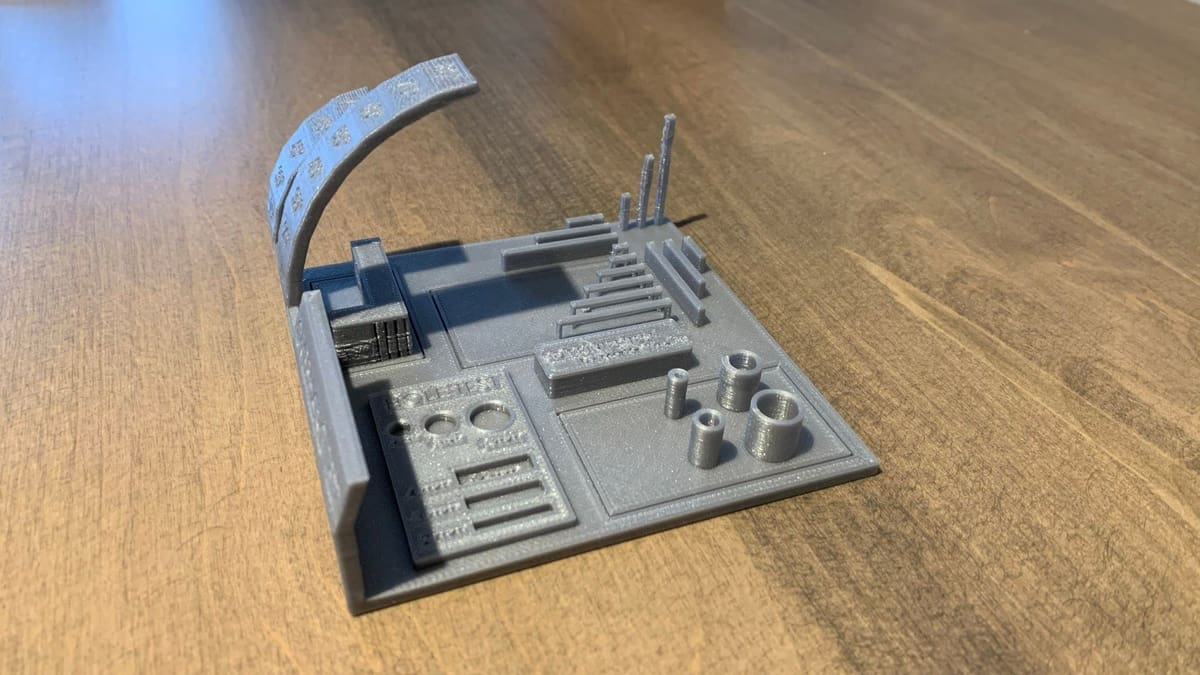 Majda107’s consolidated torture test (Source: trevormbell via Thingiverse)
A structural array of tests compiled into a single model, packing everything from bridges and overhangs to fine cylinders and dimensional guides.
- Best for: Overall status reporting and profiling comparison.
- Designer: majda107
- Platform: Thingiverse
16. The Torture Toaster
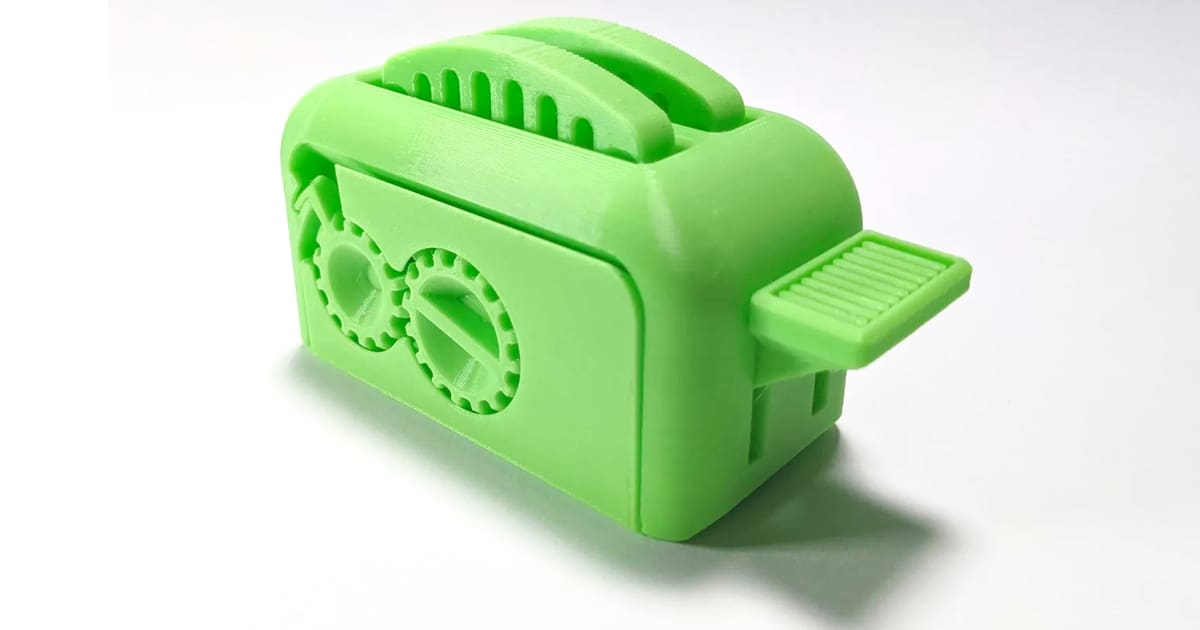 Toast pop-up mechanism calibration (Source: Clockspring via Thingiverse)
A dense, print-in-place toaster with moving parts, gears, doors, and pop-up toast operated by a mechanical side lever.
- Best for: High-level moving assembly verification.
- Designer: Clockspring
- Platform: Printables
17. Cali Cat
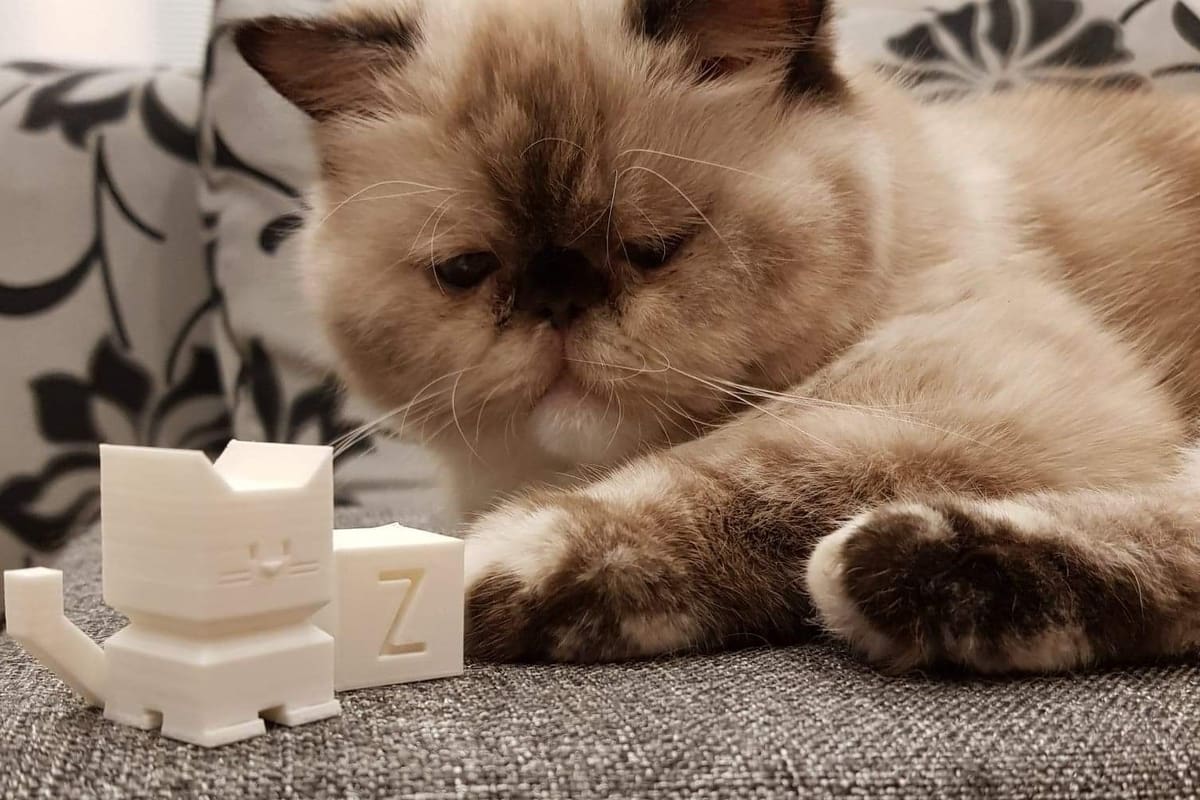 Cali Cat test (Source: Baggik via Thingiverse)
A rapid, blocky, feline benchmark offering flat vertical walls, overhang angles, and facial detailing.
- Best for: Rapid profile debugging and filament testing.
- Designer: Dezign
- Platform: Thingiverse
18. 3D Boaty
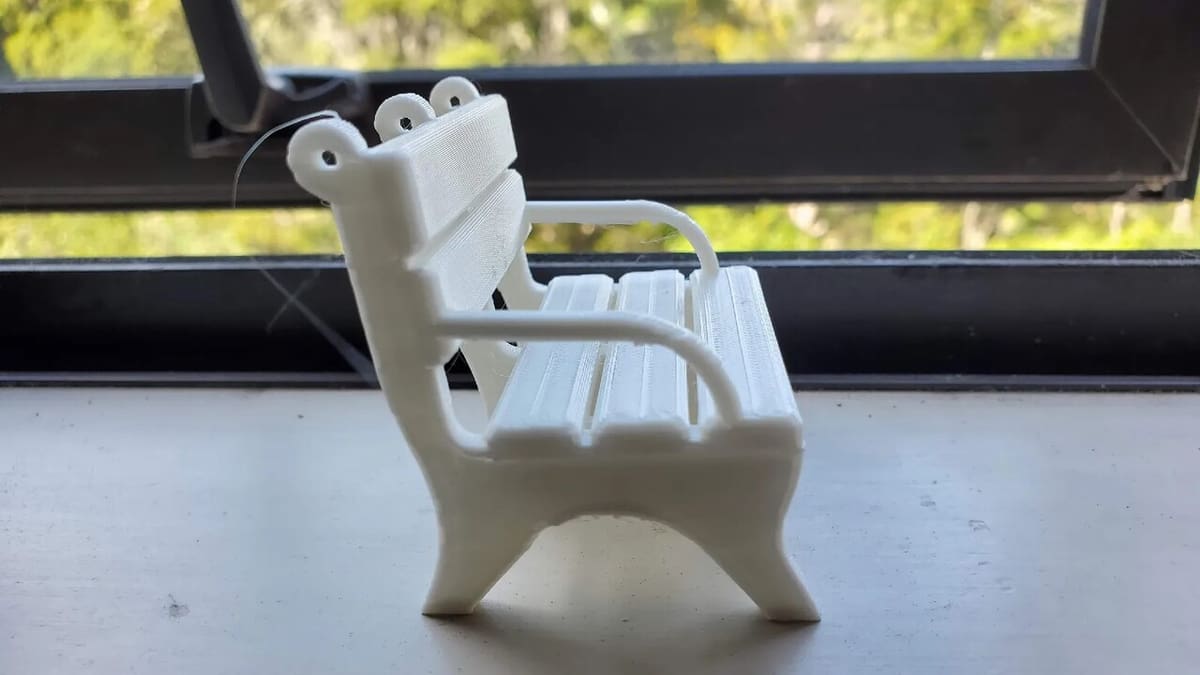 Stool benchmark (Source: Taubin via Printables)
A miniature park bench featuring structural slats, open spacing, and thin vertical elements.
- Best for: Checking segment adhesion, slats, and bridging.
- Designer: Depep1
- Platform: Printables
Comparison Matrix: Top 18 Test & Calibration Models
| Test Model Name | Main Objective | Primary Platform Source | Pricing |
|---|---|---|---|
| First-Layer Patch | Z Offset & Bed Leveling | Thingiverse | Free |
| Temperature Tower | Heat Optimization | Thingiverse | Free |
| Max Volumetric Flow | Speed & Extrusion Limit | Printables / OrcaSlicer | Free |
| Pressure Advance | Corner Compensation | MakerWorld / Slicers | Free |
| Flow-Ratio Test | Extrusion Multiplier | MakerWorld / Slicers | Free |
| Retraction Tower | Stringing Mitigation | MakerWorld | Free |
| Bridge Test | Open Spans Cooling | Printables | Free |
| Overhang Test | Sloped Edge Tuning | MakerWorld | Free |
| Clearance Test | Mechanical Tolerance | Printables | Free |
| Ringing Test | Vibration & Resonance | MakerWorld / Klipper | Free |
| XYZ Calibration Cube | Dimensional & Axial Check | Thingiverse | Free |
| Slope Angle Test | Staircasing Evaluation | Cults | Free |
| 3DBenchy | Overall General Benchmark | Printables / Thingiverse | Free |
| Cali-Dragon | Organic Miniature Quality | Printables / Cults | Free |
| All-in-One Test | Rapid Capability Sweep | Thingiverse | Free |
| Torture Toaster | Complex Assembly Clearance | Printables / Thingiverse | Free |
| Cali Cat | Quick Aesthetic Profiling | Thingiverse | Free |
| 3D Boaty | Slats & Bridging Benchmark | Printables | Free |
Summary & Troubleshooting Recommendations
Do Auto-Leveling Printers Still Need First-Layer Testing?
Yes. Probing can adjust for physical build plate unevenness, but it cannot fix issues caused by oil contamination, a worn nozzle, or incorrect slicing parameters. Always run a simple patch to physically inspect adhesion and squash.
Should Every New Filament Spool Be Calibrated?
At a minimum, verify a new brand or formulation with a temperature tower and flow test. Different colors (even from the same manufacturer) contain varying pigments that alter melting performance and friction characteristics.
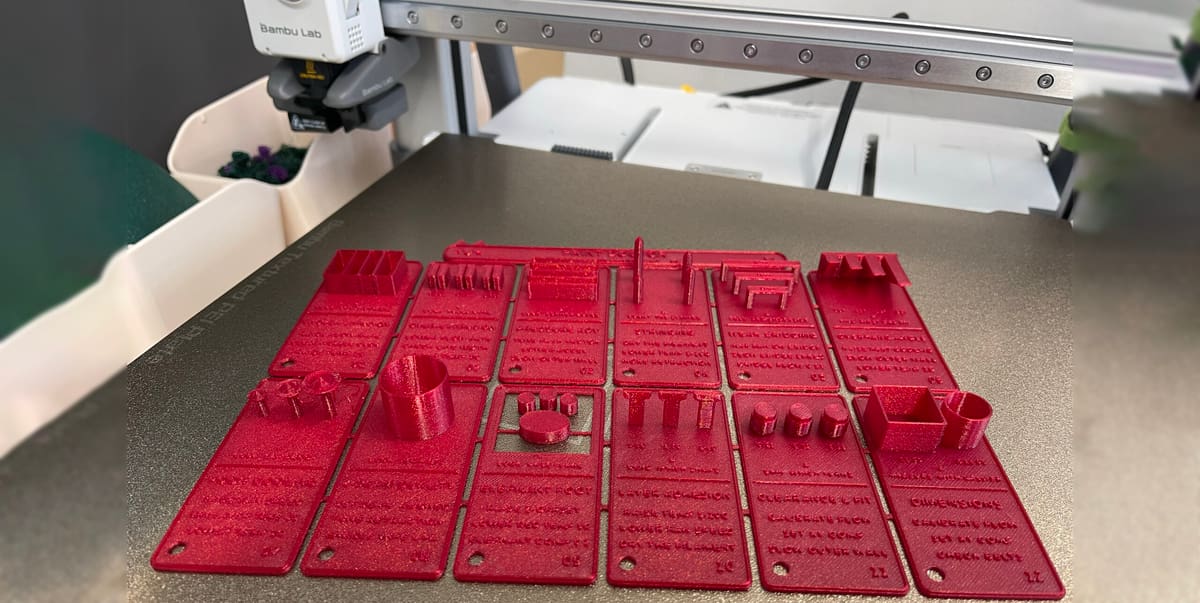 We printed the multi-test model by Dpappo on the Bambu Lab H2C in the All3DP lab (Source: All3DP, model by Dpappo)
Diagnostic Action Map:
- Uneven lines / Peeling first layer $\to$ Lower/Raise Z offset, clean build plate, remesh.
- Stringing / Hairy prints $\to$ Dry the filament, reduce temperature, calibrate retraction tower.
- Corner bulging / rough transitions $\to$ Adjust Pressure Advance.
- Bridges sagging $\to$ Tune bridge flow ratio down and cooling fan speed up.
Share Your Preferred Tools!
What is your go-to test model when cracking open a brand-new spool of filament? Do you stick to the classic 3DBenchy, or do you have a specific, hyper-focused calibration pipeline? Let us know your workflow in the comments below!