DIY Smart Motion Detector: Build Your Own Home Security System
Summary: Discover how to create a custom IoT smart security system from scratch using a Raspberry Pi, custom PCB layout, Fusion 360 3D-printed enclosure, and a React Native mobile application for real-time motion alerts.
Key Takeaways
- Custom 3D-Printed Case: Designed from scratch in Fusion 360 to securely house internal electronics and the motion sensor lens.
- Hardware Integration: Custom PCB prototyping connects a PIR motion sensor directly to a micro-controller / Raspberry Pi ecosystem.
- Cross-Platform Mobile App: Built using React Native to deliver instant real-time alerts whenever motion is detected.
- Cost-Effective Security: Creates a fully functional, smart home security system without expensive hardware costs or recurring subscription fees.
Detailed Overview
Commercial smart home security systems often come with high upfront costs and recurring monthly subscriptions. By leveraging open-source hardware, 3D printing, and cross-platform software development, you can build your own custom smart motion detector.

System Specifications & Tech Stack
| Component / Layer | Technology Used | Function |
|---|---|---|
| Compute Core | Raspberry Pi / Microcontroller | Processes sensor signals and handles network transmission |
| Sensor Module | PIR Motion Sensor | Detects infrared light radiating from objects in its field of view |
| Enclosure CAD | Fusion 360 | 3D models a sleek, protective casing tailored to component dimensions |
| Hardware PCB | Prototyping Board / PCB | Houses wire connections and power distribution cleanly |
| Mobile Application | React Native | Delivers real-time motion detection notifications to your smartphone |
3D Modeling the Sensor Case (0:32)
Designing a custom case ensures all internal electronics remain compact, protected, and visually appealing. Using Autodesk Fusion 360, the housing is tailored specifically to hold the PIR sensor lens, circuit board, and mounting hardware.
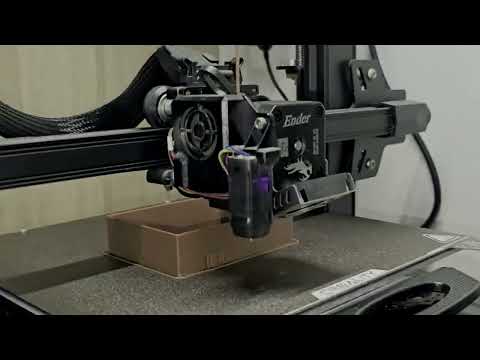
Key design considerations include:
- PIR Lens Aperture: Precise cutout dimensions to allow the dome of the motion sensor maximum field-of-view exposure.
- Internal Standoffs: Mounting posts designed to snap or screw the custom PCB firmly in place.
- Cable/Power Ports: Dedicated openings for USB or power wiring access.
PCB Prototyping & Assembly (1:11)
With the physical housing designed, the next stage involves assembling the underlying circuitry. Connecting a Passive Infrared (PIR) sensor to a Raspberry Pi requires minimal external circuitry, making it an ideal project for intermediate PCB prototyping.
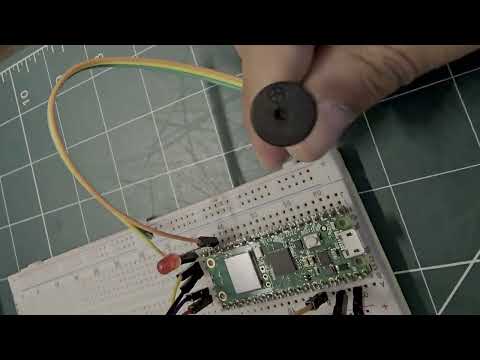
- Power Wiring: Wiring 5 V/3.3 V and Ground pins from the board to the PIR sensor.
- Data Signal Pin: Routing the output pin of the PIR sensor to a designated GPIO pin on the control board.
- PCB Soldering: Mounting components permanently onto a compact prototype board to prevent loose connections inside the case.
Real-Time Motion Detection & Mobile App (1:31)
Hardware is only half the battle—a modern smart security system requires seamless software integration. Using React Native, the motion detector triggers push notifications straight to your mobile device as soon as physical movement trips the sensor.
- Detection Trigger: Motion triggers high signal state on the hardware's GPIO pin.
- Data Transmission: The script running on the Raspberry Pi broadcasts an alert payload over local Wi-Fi or IoT messaging protocols.
- Mobile Alert: The React Native application catches the signal and alerts the user immediately with a real-time notification.
Conclusion (1:57)
Building your own DIY Smart Motion Detector combines essential maker skills: 3D CAD modeling, electronics prototyping, and cross-platform app development. By combining Fusion 360, custom circuitry, and React Native, you gain a scalable, budget-friendly security device tailored exactly to your home's needs.