Creality Ender 3 S1 Pro: Unboxing, Setup, and First Print Results
Summary: Step into the world of 3D printing with a comprehensive look at the Creality Ender 3 S1 Pro. From unboxing and mechanical assembly to designing/slicing a custom 3D model and achieving the first successful print, this post covers everything a beginner needs to know.
Key Takeaways
- Beginner-Friendly Setup: The Ender 3 S1 Pro comes mostly pre-assembled, making the setup process straightforward even for first-time 3D printer owners.
- Upgraded Features: Features like the "Sprite" direct drive extruder, CR Touch auto-bed leveling, and high-temperature printing capability offer high performance right out of the box.
- Workflow Overview: Succesful 3D printing requires a complete workflow—from unboxing and physical assembly to 3D modeling, slicing, and monitoring the initial layer output.
Technical Specifications
| Feature | Details |
|---|---|
| Model | Creality Ender 3 S1 Pro |
| Build Volume | 220 x 220 x 270 mm |
| Extruder Type | "Sprite" Full-Metal Dual-Gear Direct Drive |
| Max Nozzle Temperature | 300 °C |
| Max Heated Bed Temperature | 110 °C |
| Bed Leveling | CR Touch 16-point Automatic Leveling |
| Display | 4.3-inch Color Touchscreen |
| Supported Materials | PLA, ABS, PVA, TPU, PETG, PA |
Detailed Overview
Unboxing and Assembly
Unboxing a first 3D printer is an exciting milestone. The Creality Ender 3 S1 Pro arrives with organized packaging that protects critical components like the gantry, base unit, print head, and touchscreen assembly.
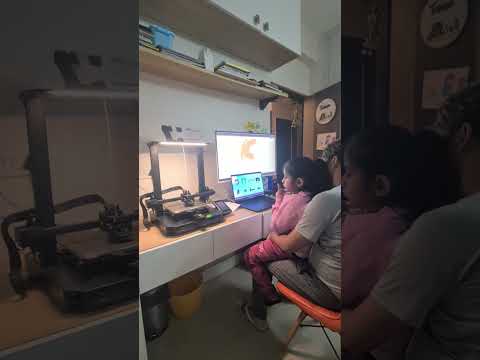
The initial setup involves attaching the gantry frame to the base, mounting the touchscreen module, installing the spool holder, and routing the wiring harnesses properly. Pre-assembled core components significantly shorten the build time, allowing users to move swiftly from assembly to calibration.
Model Building and Slicing
Before initiating a print, a 3D model must be prepared. This process involves creating or downloading a 3D design file and using slicing software to convert the 3D geometry into G-code instructions that the printer understands.
Key steps during model preparation include:
- Model Creation/Import: Designing a 3D object or importing an existing STL file into the software.
- Slicer Settings Adjustment: Configuring print parameters such as layer height, infill density, print speed, and nozzle temperature based on the material used.
- Exporting G-Code: Saving the sliced file to an SD card or USB drive to transfer directly to the printer.
Bed Leveling and First Print Execution
Proper bed leveling is crucial for strong first-layer adhesion and overall print success. The Ender 3 S1 Pro features CR Touch automatic bed leveling, which measures multiple points across the build surface to compensate for small surface irregularities.

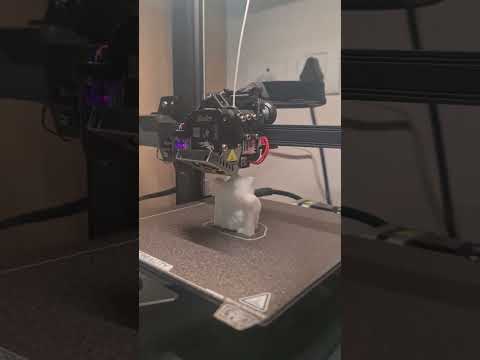
Once the bed is offset and leveled, filament is fed into the "Sprite" direct drive extruder. The nozzle preheats to operating temperature, and printing begins. Watching the first layers lay down smoothly gives immediate feedback on bed adhesion and calibration accuracy.
Conclusion
The Creality Ender 3 S1 Pro provides an impressive balance of user-friendly features and robust performance for anyone buying their first 3D printer. From a clean unboxing experience to reliable first print results, it bridges the gap between novice experimentation and functional 3D manufacturing.