3D Printer G-code Commands: What They Do & the Small Tweaks That Make Prints Better
Summary: G-code functions behind the scenes to direct every movement and setting of a 3D printer. Gaining an understanding of basic G-code structure provides users with greater control over their hardware and accelerates troubleshooting.
Key Takeaways
- Point 1: G-code serves as the numerical control language executing machine movements, heating, and extrusion routines.
- Point 2: Learning essential G-code commands allows users to solve hardware and printing problems faster.
- Point 3: Targeted adjustments to G-code files can optimize printing workflows and elevate final print output quality.
Detailed Overview
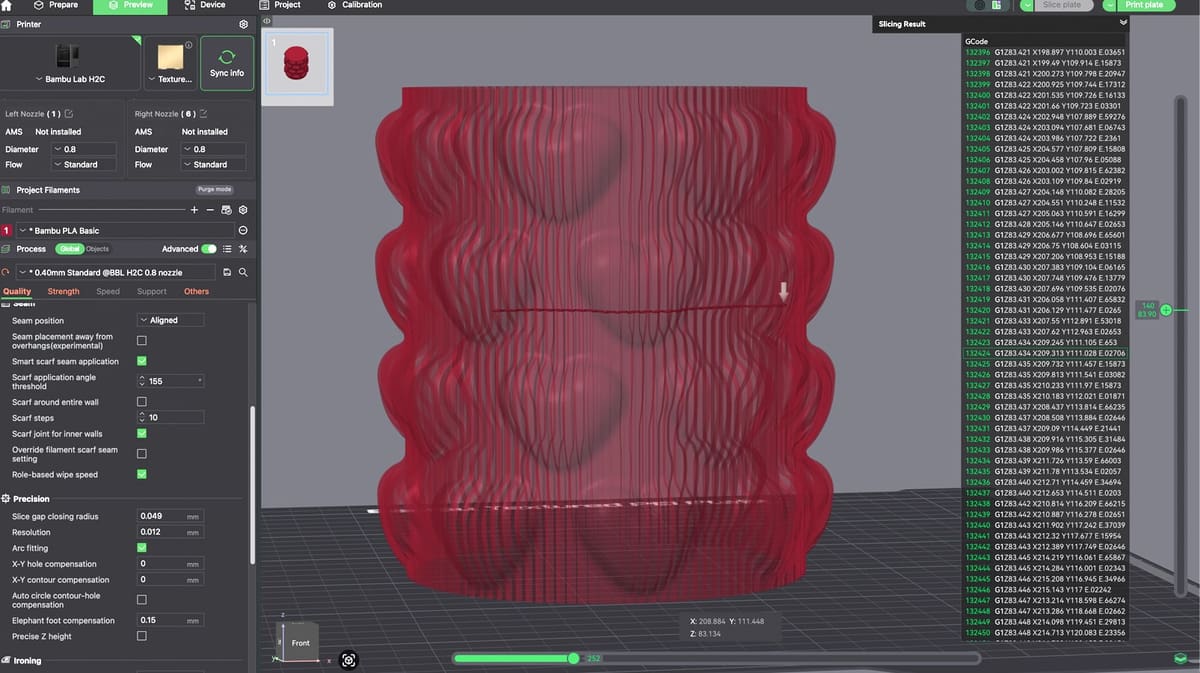
G-code operates continuously in the background of 3D printing operations. Although slicers handle G-code generation automatically, comprehending these underlying instructions provides valuable insight into how the machine translates digital files into physical objects.
Deep Dive & Technical Insights
Understanding the core functions of G-code lets operators step beyond stock slicer profiles. By inspecting or directly modifying G-code sequences, you gain finer control over initialization procedures, temperature management, bed leveling routines, and print finishing movements.
Conclusion & Resources
- Mastering G-code empowers 3D printer users with precise machine control, faster issue diagnosis, and the ability to make impactful performance tweaks.