Simple USB Type-C Upgrade for the Raspberry Pi Pico
Summary: Modernize your Raspberry Pi Pico by attaching a female USB Type-C breakout board without needing to desolder the original micro-USB port. This guide walks through leveraging the Pico's built-in test pads and VBUS pin for power and data transmission while highlighting crucial considerations for USB-C power delivery.
Key Takeaways
- No Desoldering Required: Unlike mods on other devices, the Raspberry Pi Pico features accessible test pads (TP1, TP2, TP3) on its underside, allowing you to attach a USB-C port while keeping the original micro-USB connector intact.
- Power Delivery Resistors Matter: To ensure compatibility with USB-C to USB-C cables, choose a breakout board equipped with configuration resistors to complete the required 5 V handshake with host devices.
- Accessible Beginner Mod: Modernizing hardware only requires basic soldering equipment and four wire connections corresponding to Ground, VBUS, Data +, and Data -.
Detailed Overview
With USB Type-C ports now commonplace, keeping micro-USB cables around for older or smaller development boards can be inconvenient. Converting hardware to single, reversible cables streamlines your setup. While modifying micro-USB electronics usually requires desoldering complex miniature pins, the Raspberry Pi Pico provides a simple entry point into hardware modding.
Project Requirements
To complete this modification, you will need a basic soldering setup (soldering iron, sponge, and solder) along with the following components:
- A Raspberry Pi Pico micro-controller board
- Four pieces of thin electrical wire (e.g., salvaged from an old USB cable)
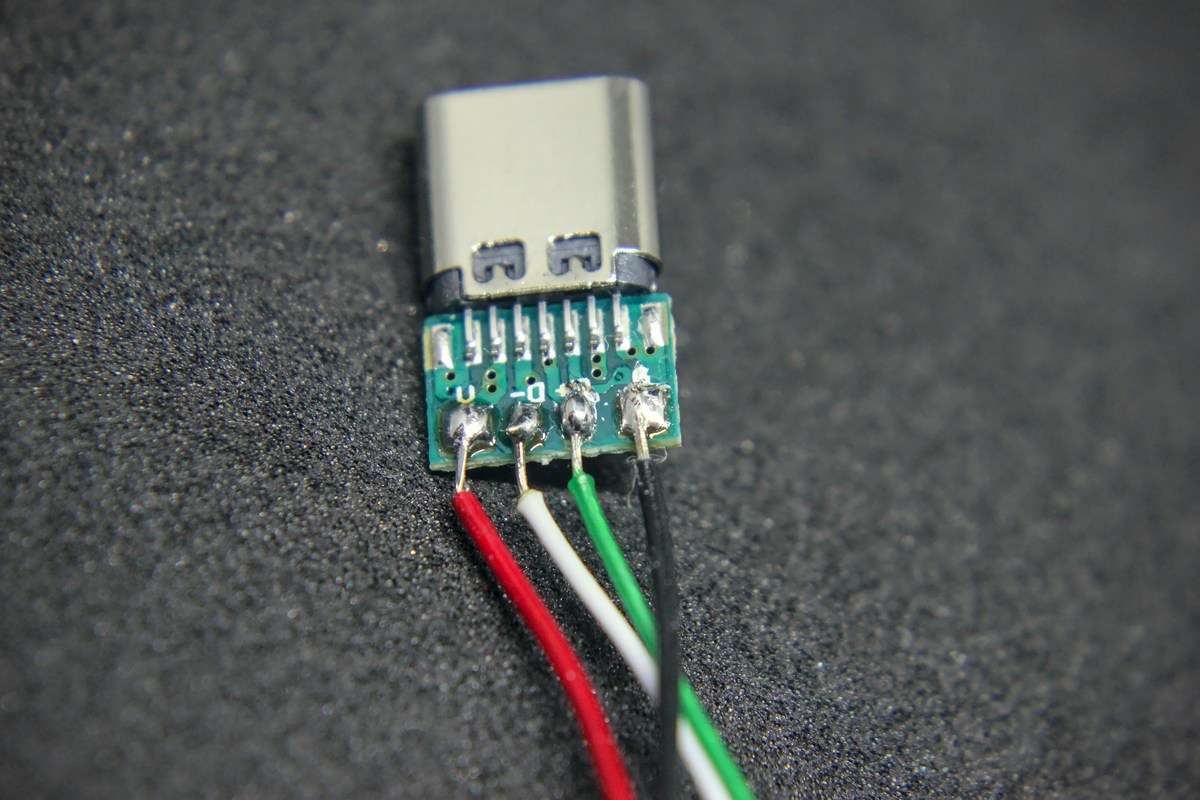
- A female USB Type-C breakout board exposing Ground (GND), Voltage (V), Data Plus (D+), and Data Minus (D-) pins
USB Type-C Power Delivery Considerations
Selecting the right breakout board is crucial. Standard legacy USB devices require four main lines: GND, VBUS, D+, and D-. If you plan to use a USB-A to USB-C cable, almost any simple breakout board exposing these four pins will work.
However, if you intend to use a USB-C to USB-C cable, the connected host device and receiver must complete a digital handshake before power is supplied. In this scenario, your breakout board must feature two inline resistors connected to the CC (Configuration Channel) pins to inform the source device that the Raspberry Pi Pico requires a standard 5 V power supply.
Deep Dive & Technical Insights
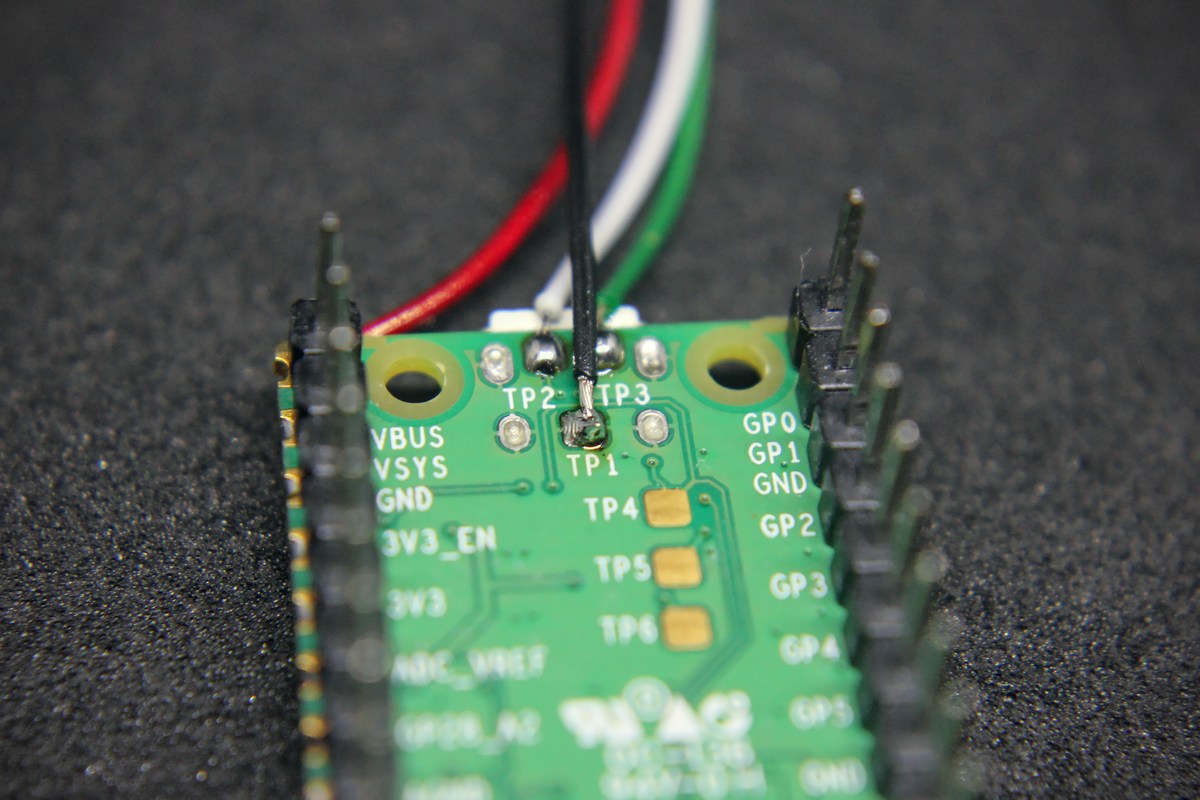
Instead of desoldering the existing surface-mount micro-USB port on the Pico, you can utilize the exposed test pads on the bottom of the board. The Raspberry Pi Pico explicitly breaks out key USB signals to Test Pads labeled TP1 through TP3, while power can be supplied via the VBUS GPIO pin.
Pin Mapping & Wiring Guide
Connect the female USB Type-C breakout board to the Raspberry Pi Pico using the following pin reference:
| Breakout Board Pin | Raspberry Pi Pico Connection | Standard USB Wire Color |
|---|---|---|
| GND | TP1 (Ground) | Black |
| V | VBUS (PIN 40) | Red |
| D+ | TP3 (Data Plus) | Green |
| D- | TP2 (Data Minus) | White |
Carefully solder each wire from the breakout board to its matching pad or pin on the Pico. Always double-check your connections for bridges or cold solder joints prior to plugging the board into a powered host device.
Conclusion & Resources
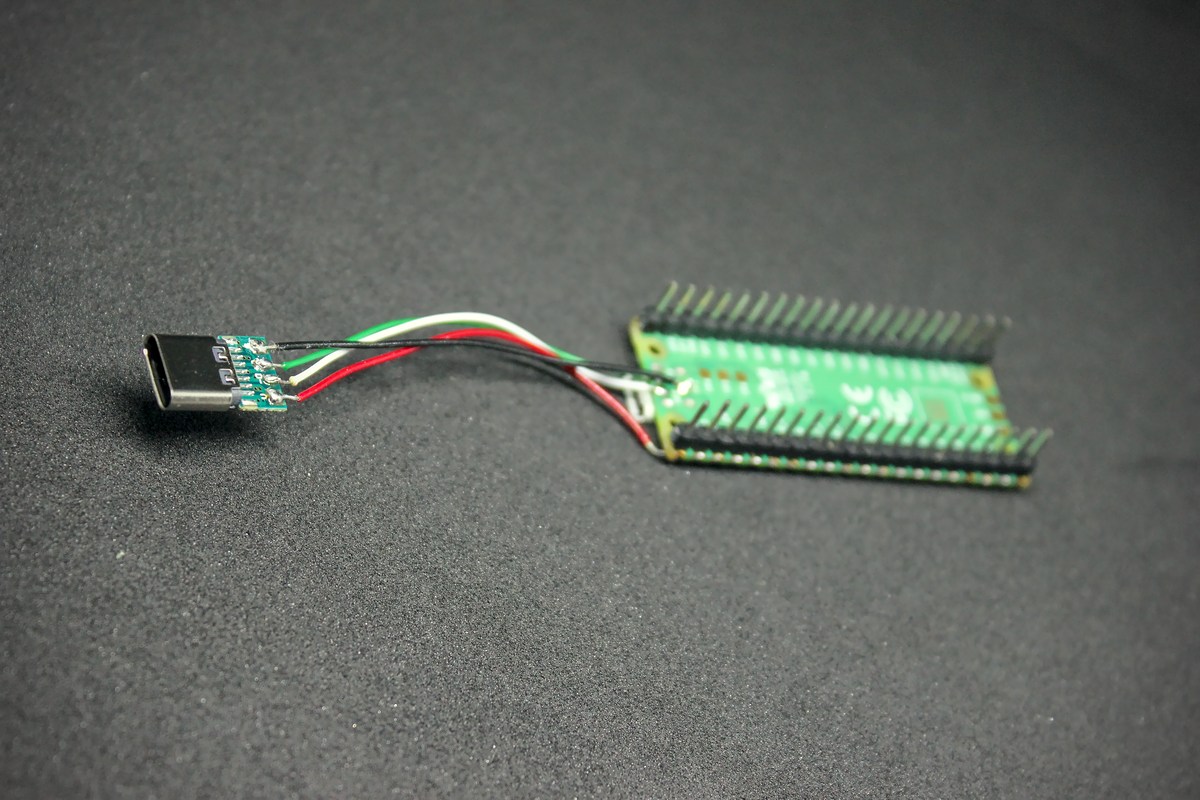
Upgrading the Raspberry Pi Pico to support a USB Type-C interface demonstrates how accessible hardware customization can be. By taking advantage of the Pico's built-in test pads, you bypass difficult desoldering steps, resulting in a low-risk, functional update to your development workflow.
Resources & Notes
- Disclaimer: Hardware modifications carry inherent risks of damaging electronic components. Ensure adequate safety measures and inspect all solder points carefully before applying power.
- Prerequisites: Basic soldering proficiency, standard insulated hookup wire, and a compliant USB-C breakout board.