What Is Infill In 3D Printing And Is It Necessary?
Summary: Infill is the internal lattice structure generated by slicer software in FDM 3D printing to support top layers and add structural strength. Choosing the right infill density and pattern balances material consumption, printing speed, and part durability without needing solid plastic interiors.
Key Takeaways
- Infill Optimizes Material and Time: Most FDM 3D prints do not require solid plastic interiors; an internal support structure provides rigidity while saving filament and print time.
- Moderate Density Is Sufficient: Most decorative and general-purpose prints perform well with 10% to 20% infill density, and values above 30% are rarely necessary for typical models.
- Pattern and Perimeters Impact Strength: Choosing patterns like Cubic or Gyroid—or increasing wall thickness (perimeters)—often contributes more to structural integrity than simply boosting infill percentage.
Detailed Overview
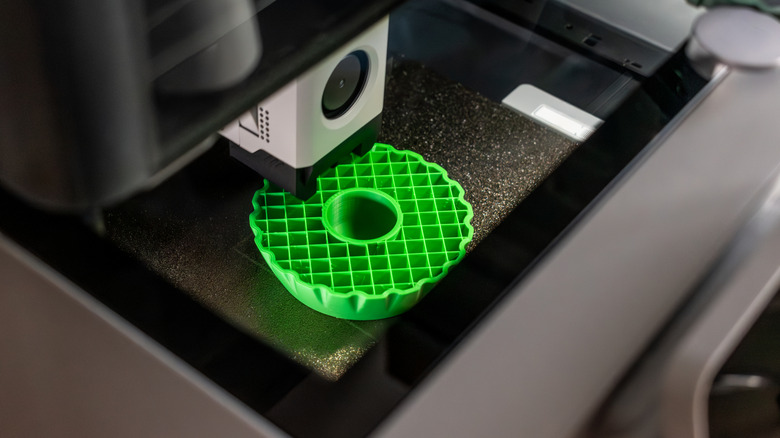
When observing a 3D model during printing, you may notice an internal web of intersecting lines. This internal plastic structure is known as infill. In fused deposition modeling (FDM) or fused filament fabrication (FFF) 3D printing, the interior of a closed model is rarely printed as solid plastic. Instead, slicer software generates an internal geometry that supports top layers and provides structural integrity without consuming an entire spool of filament.
Infill is unique to specific printing technologies; resin printers, for example, produce solid models unless they are intentionally hollowed out. On filament printers, infill settings subtly affect print duration, plastic consumption, and overall strength.
Infill Density and Structural Support
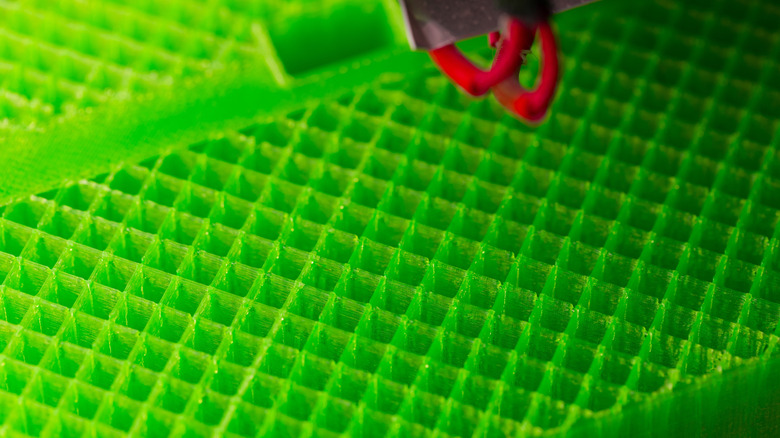
Infill density is measured as a percentage:
- 0% Infill: The model is completely hollow inside.
- 10%–20% Infill: The standard starting range recommended by manufacturers like Prusa (10–15%) and Flashforge (20%) for standard models.
- 100% Infill: The model interior is printed completely solid, which is rarely needed.
Printing at 0% infill can succeed if the model tapers gradually toward the top. However, models with wide, flat top surfaces require internal support; without infill, melted filament laid across air will sag. Slicer layer previews allow builders to identify overhangs and bridging issues before printing.
While higher infill density enhances compression resistance, it also increases weight, print duration, and material consumption. Overall part strength is heavily influenced by print orientation, material selection, and shell perimeters (wall thickness). Adding extra wall perimeters often improves strength more effectively than drastically increasing infill percentage.
Deep Dive & Technical Insights: Infill Patterns
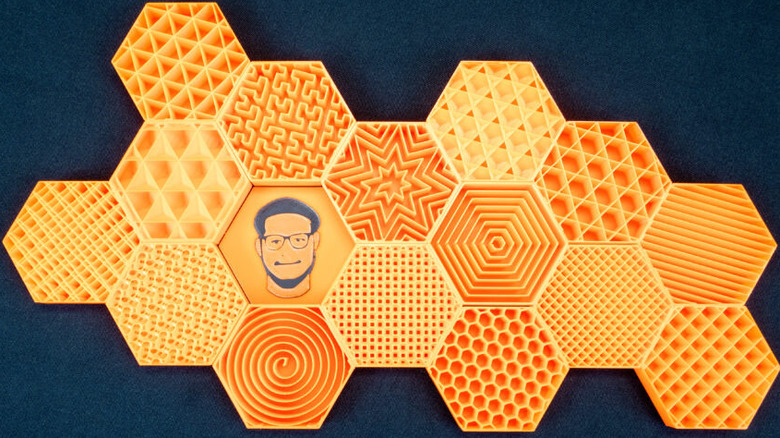
Infill density determines the volume of internal plastic, while the infill pattern defines its geometry. Slicers offer multiple pattern geometries designed for specific structural tasks:
- Grid: A simple 2D grid structure suitable for general-purpose printing.
- Cubic: A 3D pattern composed of stacked cubes that distributes strength evenly across multiple axes.
- Gyroid: A continuous curved 3D wave pattern providing uniform structural resistance in all directions, ideal for functional parts exposed to multidirectional stress.
- Lightning: A tree-like support structure that branches out only beneath upper surfaces requiring support. It minimizes material consumption and print time but offers limited internal structural reinforcement.
For standard display objects, decorative models, or non-load-bearing enclosures, default slicer patterns at low-to-moderate densities are sufficient. Specialized patterns like Gyroid or Cubic should be selected when functional demands require multi-directional strength.
Conclusion & Resources
- Infill balances part weight, print time, material usage, and structural integrity in FDM 3D printing.
- Standard prints rarely require more than 10% to 20% infill density, and densities exceeding 30% offer diminishing returns for normal use cases.
- Increasing outer wall perimeter count is often a more effective strategy for enhancing overall part strength than maximizing infill density.