5 Ways to Repurpose an Old Pixel Watch
Summary: Rather than accepting low trade-in values or leaving older smartwatches forgotten in a drawer, retired Pixel Watches can take on specialized new roles. From functioning as standalone "dumb" phones to dedicated desk timers and bike computers, an off-wrist Wear OS device provides immense utility.
Key Takeaways
- Multi-Device Support: Google's official Watch app allows pairing more than one Pixel Watch to a single phone, though only one watch can be actively tracked in Google Health simultaneously.
- Standalone Capability: After initial setup, a Pixel Watch handles many essential connected tasks on Wi-Fi or LTE without needing constant phone tethering.
- Purpose-Driven Utility: Transforming an old smartwatch into a single-purpose device—such as a Pomodoro timer, bedside alarm, or dedicated Spotify controller—reduces everyday smartphone distractions.
Pairing and Setup Considerations
After initial setup and pairing, a Pixel Watch can execute numerous functions independently without maintaining an active tether to a smartphone. Furthermore, Google's official Watch app allows users to pair more than one Pixel Watch to a single mobile device.
Note: While multiple watches can remain connected to one smartphone, only one Pixel Watch can be actively recorded in Google Health at any given time. For repurposing tasks that do not rely on continuous health metric tracking, this limitation will not interfere with functionality.
Detailed Overview: 5 Repurposing Projects
1. Minimalist "Dumb" Phone
For users looking to adopt a minimalist phone experience without purchasing a secondary phone or sacrificing modern essentials, an LTE-enabled Pixel Watch offers a compelling alternative.
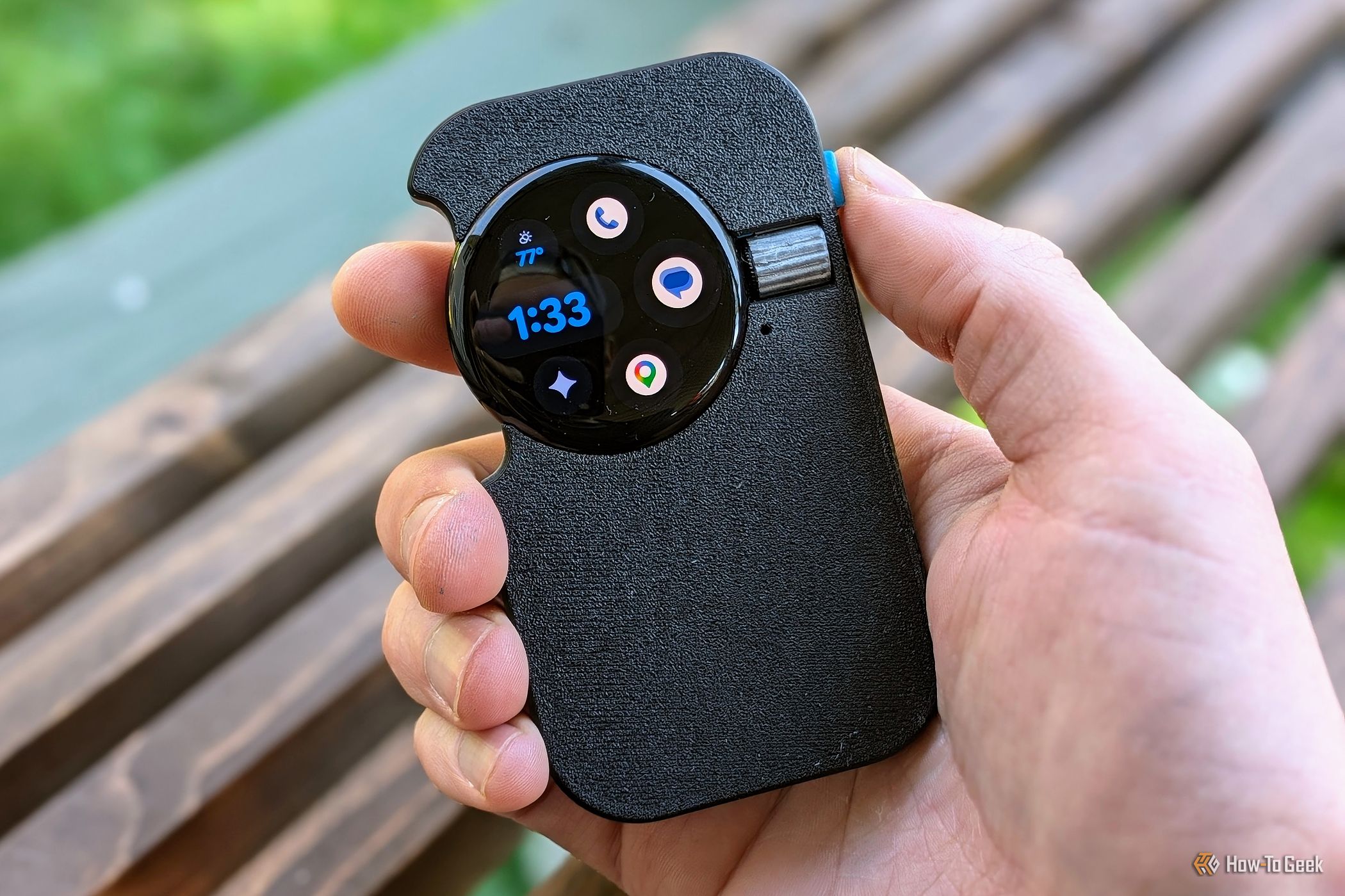
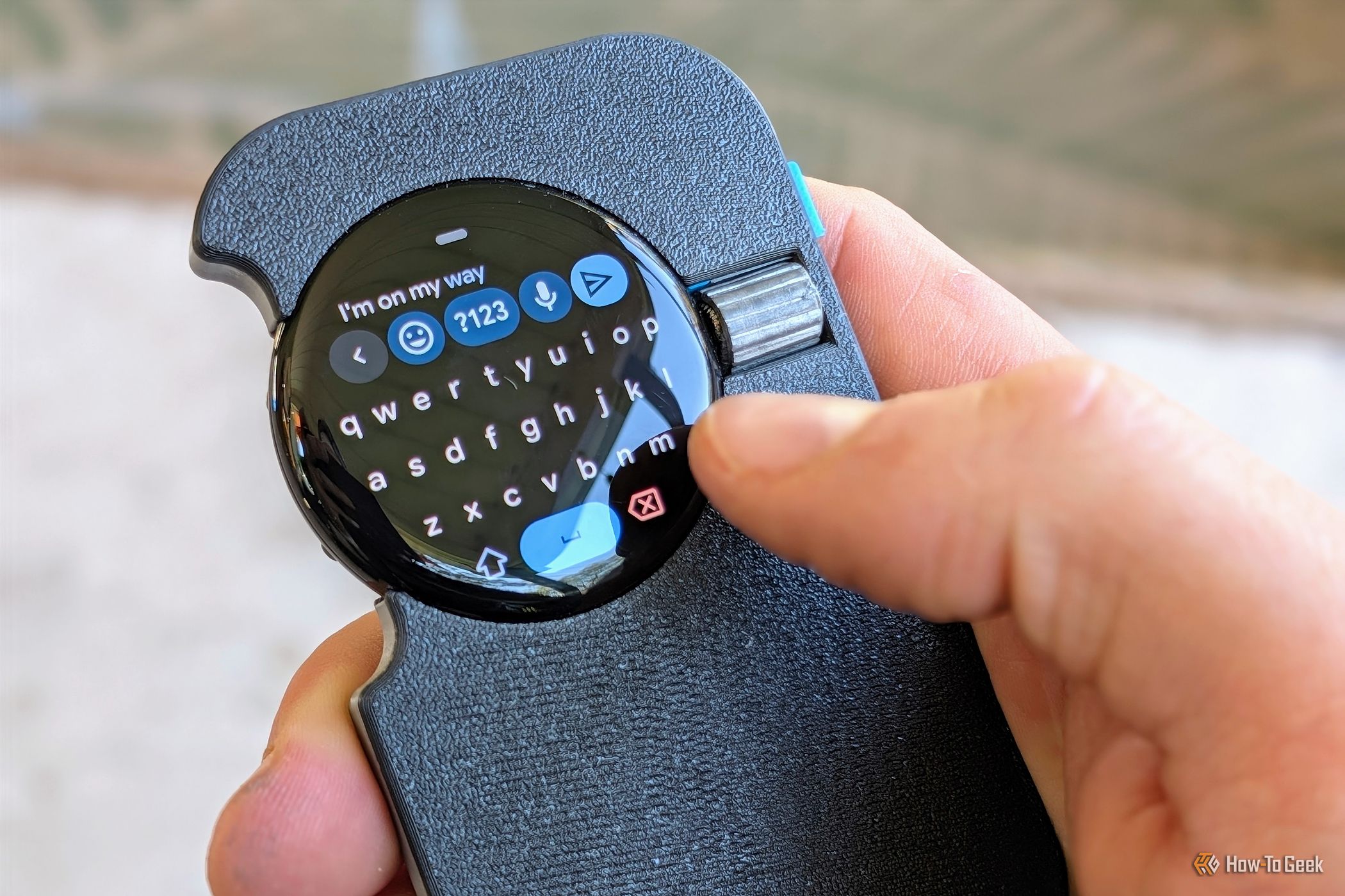

By configuring the watch face with shortcuts to core communication tools—such as Messages, Google Maps, weather widgets, and Google Home controls—the watch can make calls, handle SMS messaging, and access Gemini for complex queries.
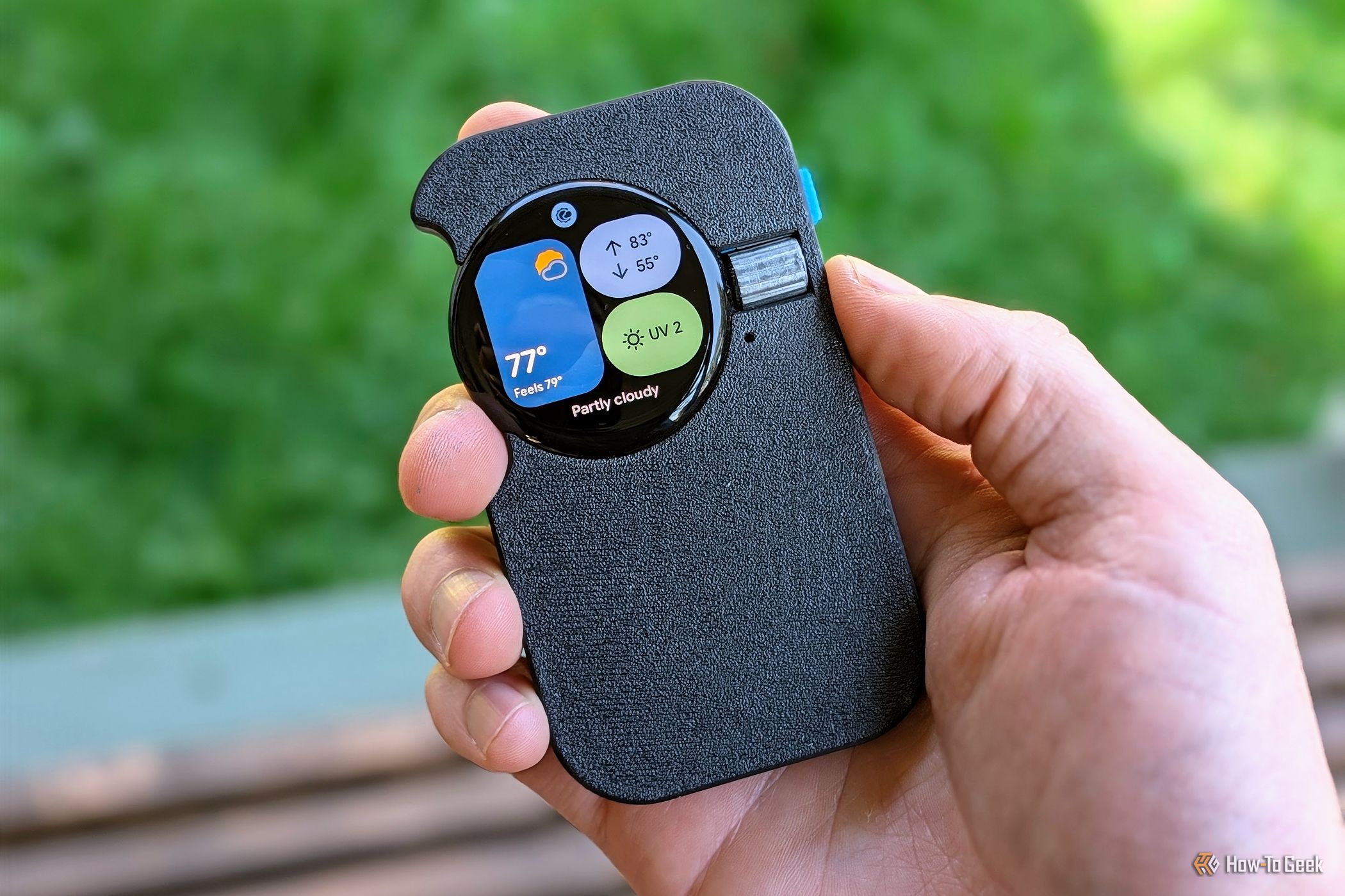
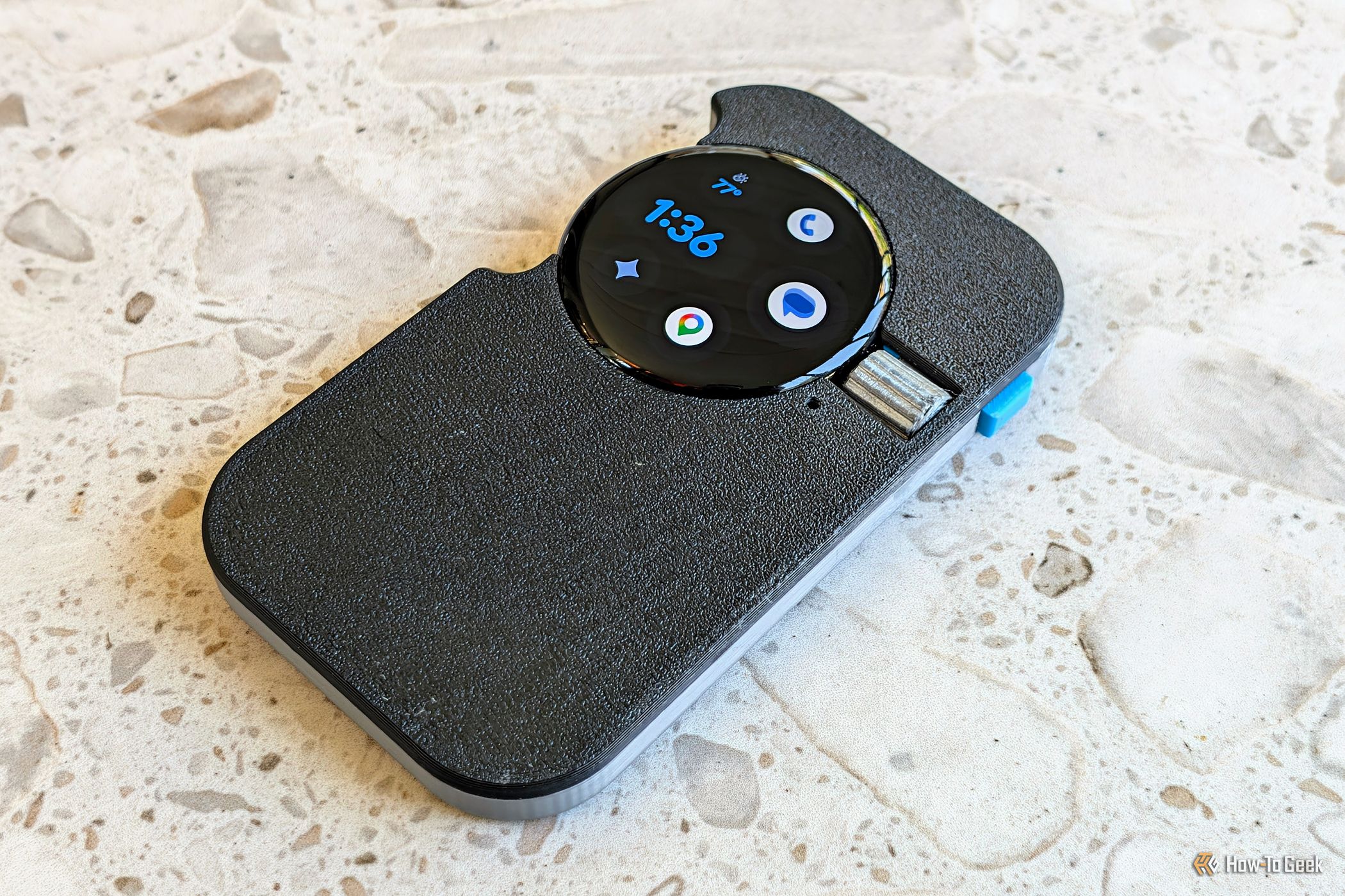
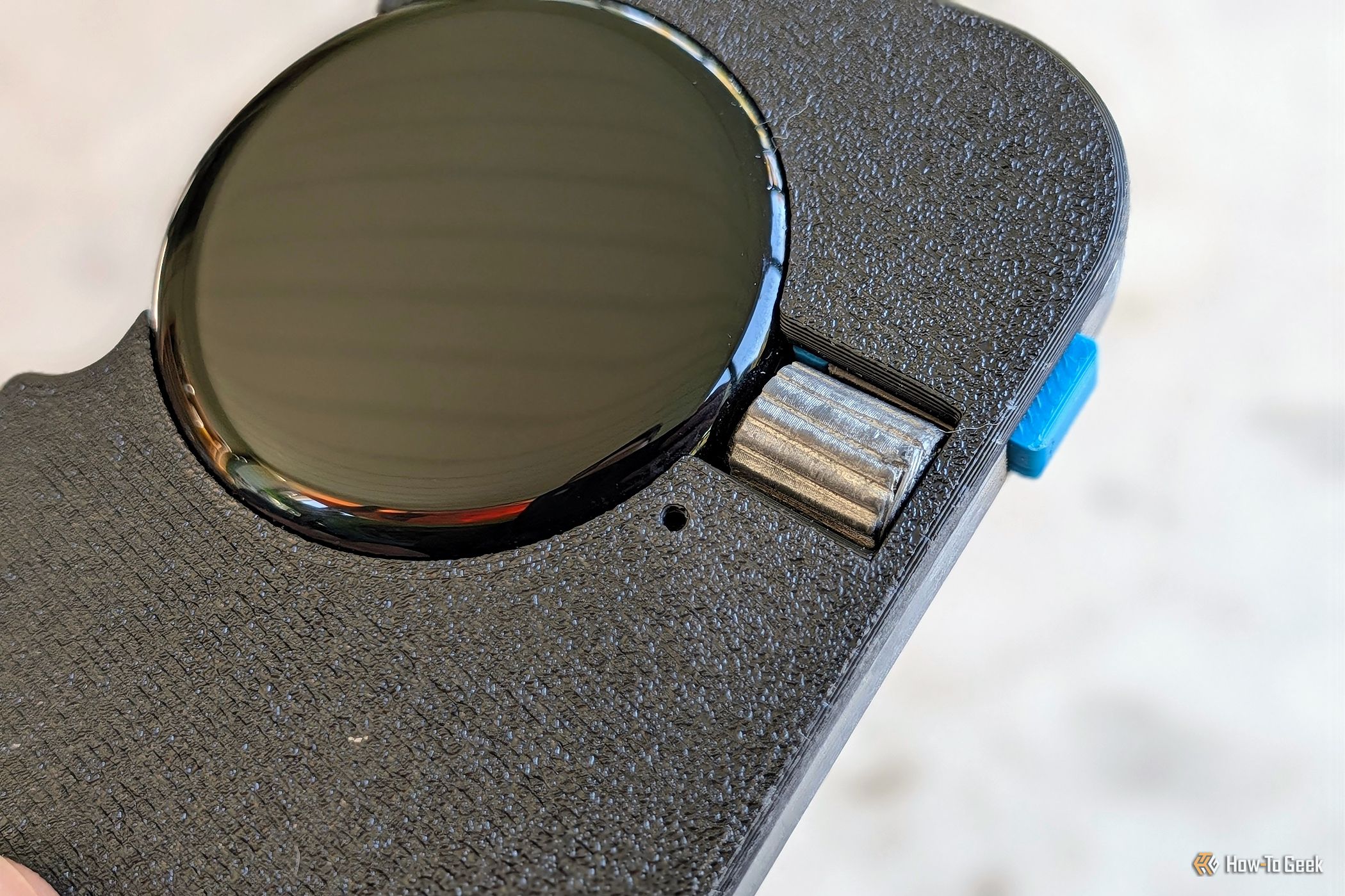
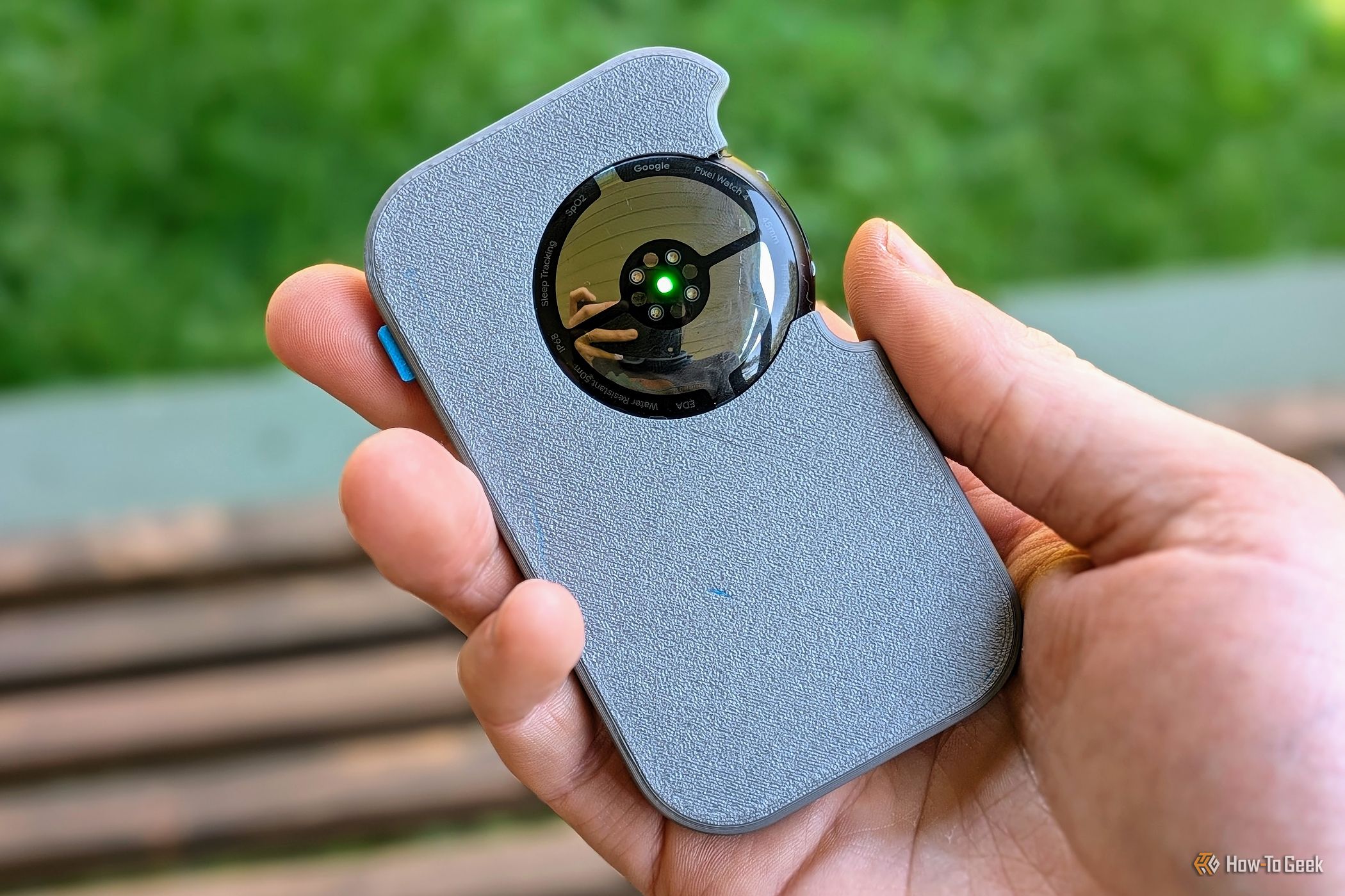
While the device can simply be worn as usual, pairing it with a slab-shaped 3D-printed enclosure provides a handheld form factor with functional access to the side button, rotating crown, and charging puck. Carrying it in a pocket breaks the impulse to constantly reach for an addictive smartphone.
2. Smart Bedside Clock
Using a primary smartphone as a morning alarm frequently leads to immediate doomscrolling upon waking. A repurposed Pixel Watch bridges the gap between phone-synchronized alarms and distraction-free mornings.
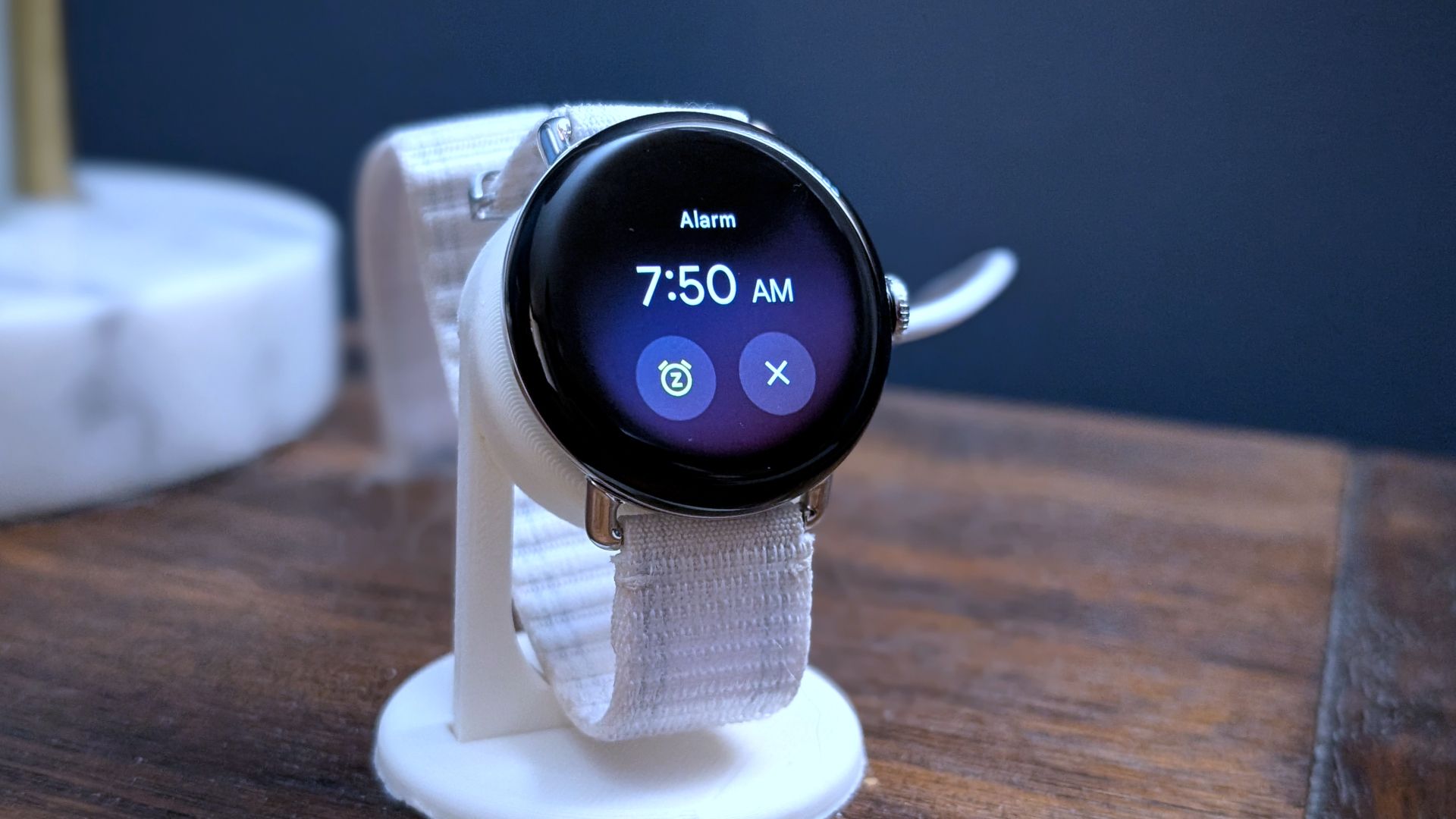
Because alarms sync directly between the phone and watch via Wear OS, the smartphone can be left in another room or across the dresser overnight. Placing the watch on a bedside stand (or wearing it) ensures alarms ring reliably without placing an addictive display within arm's reach first thing in the morning. Ensure that alarm and clock app notifications remain enabled in the watch settings.
3. Spotify Party Remote
Smartwatches excel at media control, and Spotify Connect enables synchronized playback across devices on the same account.

By installing Spotify directly onto the Pixel Watch, the watch can operate as a shared household or party remote control for audio streaming to connected television sets or Bluetooth sound systems. Leaving the watch stationed on a living room table or coffee table provides household members and guests easy access to play, pause, and skip controls without granting access to a personal smartphone.
4. Dedicated Bike Computer
Managing active workout recording, earbud volume adjustments, and turn-by-turn navigation simultaneously on a single wrist-mounted watch screen can quickly become difficult during outdoor cycling.
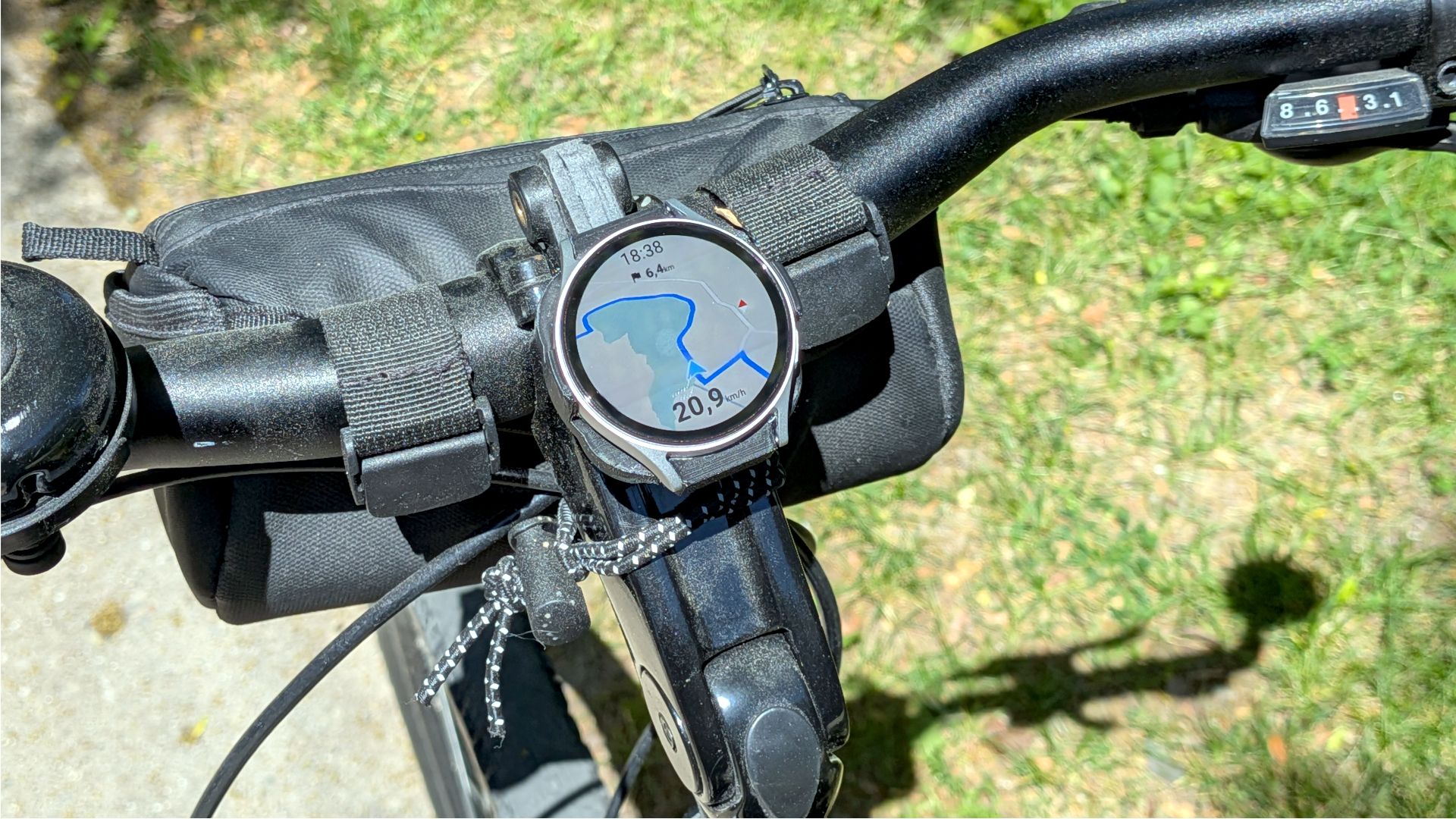
Mounting a secondary or older watch directly to bicycle handlebars converts the hardware into a dedicated bike navigation computer running Google Maps. The primary smartwatch stays on the wrist to ensure accurate heart rate and Google Health activity tracking, while the mounted unit provides clear route directions in plain sight.
5. Desktop Pomodoro Timer
Physical desk timers help maintain focus during work sprints, but dedicated single-purpose productivity clocks can be an unnecessary expense when an unused Wear OS device is readily available.
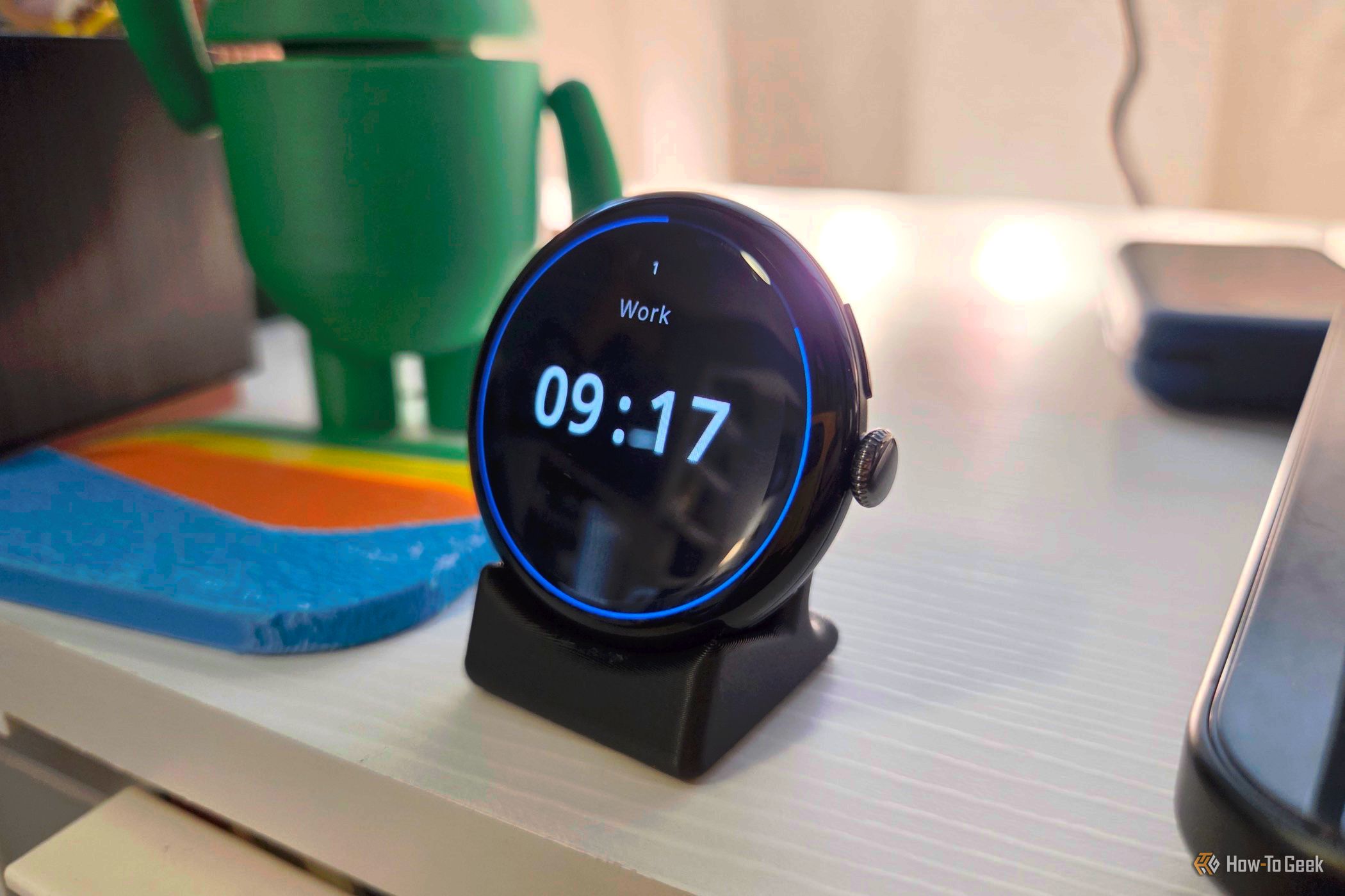
Installing a time-blocking app such as Pomo do creates a high-contrast, visual work-interval display. To use the device as a permanent desktop display without aggressive screen timeouts:
- Place the watch on its desktop charging stand.
- Enable Wear OS Developer Mode.
- Toggle the "Stay awake while charging" option to maintain an uninterrupted countdown view throughout the workday.
Conclusion & Resources
Rather than selling older hardware for negligible returns, an older Pixel Watch provides exceptional utility when stripped down to dedicated tasks. Whether configured as a distraction-free pocket handset, a deskbound focus companion, or an off-wrist smart remote, legacy wearables offer substantial versatility beyond simple fitness tracking.
- Wear OS Customization: Explore developer options to modify display timeout behavior during active charging.
- Companion Setup: Manage multiple watch profiles seamlessly through the official Google Watch companion app.