The Rise of Browser-Based CAD: From SolidCraft to Client-Side BREP Modeling
Summary: Modern web technologies and WebAssembly have unlocked a new generation of open-source, browser-native CAD packages. From parametric modeling and custom boundary representation (BREP) kernels to AI agent integration via the Model Context Protocol, computer-aided design is moving rapidly into the browser without sacrificing local computation or open standards.
Key Takeaways
- Automation and AI Integration: Modern tools like SolidCraft introduce programmatic JSON-driven command pipelines, headless command-line interfaces, and Model Context Protocol (MCP) servers tailored for AI agents.
- Client-Side Heavy Lifting: WebAssembly enables full boundary representation (BREP) kernels, constraint solvers, and multi-body boolean operations to execute locally in the client rather than offloading to expensive proprietary cloud servers.
- Parametric History Without Legacy Hurdles: New ground-up engines are rethinking foundational CAD bottlenecks, avoiding issues like the topological naming problem (TNP) while bridging traditional solid modeling with triangle meshes.
Detailed Overview
For years, computer-aided design (CAD) remained locked to high-performance desktop workstations running complex proprietary operating systems. However, open-source initiatives and modern web standards have combined to challenge that status quo. Today's browser-based CAD engines are no longer simplistic toy viewers; they are feature-complete parametric modeling environments capable of solid modeling, constraint solving, and direct fabrication exports.
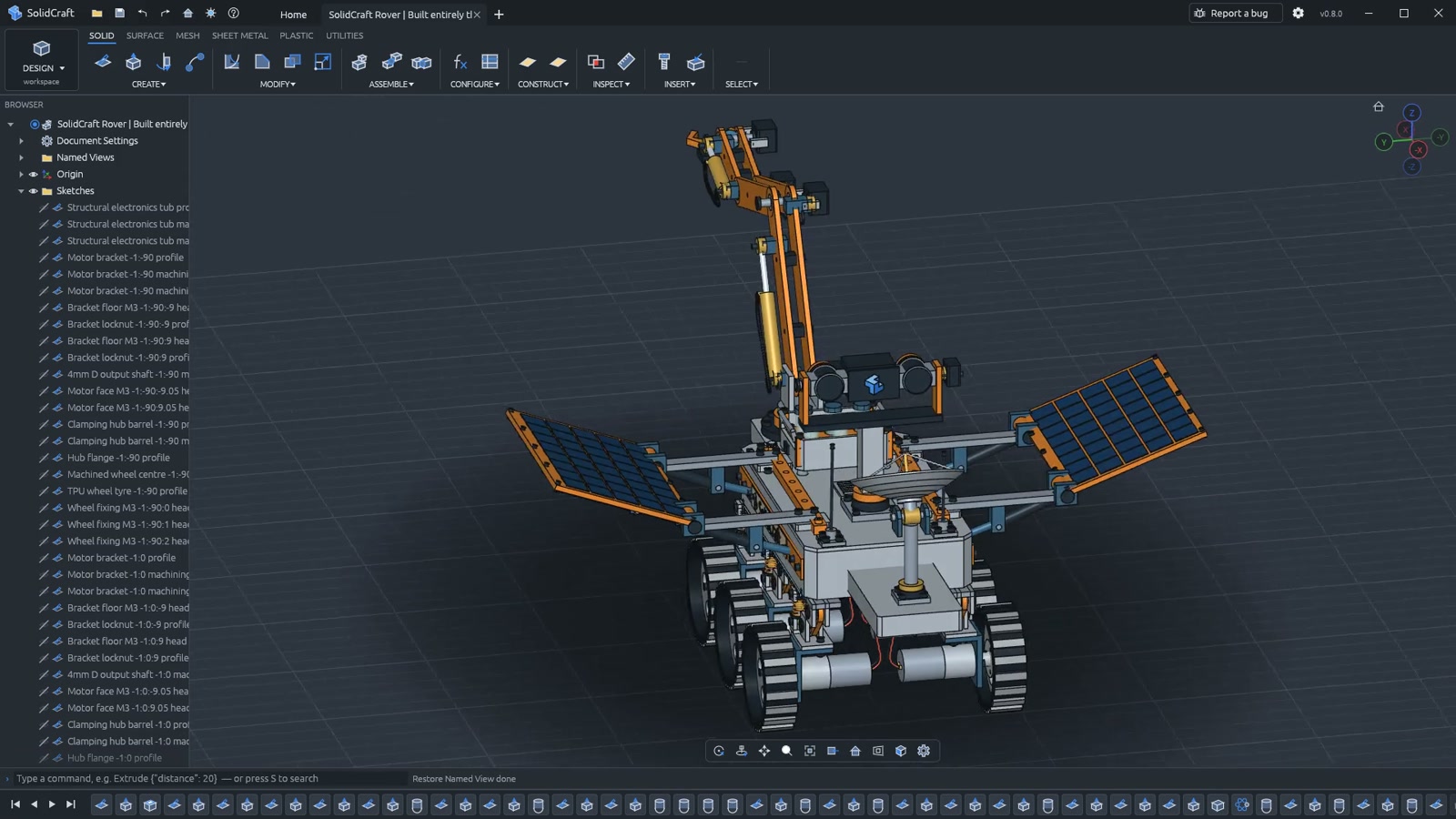
1. SolidCraft: Parametric, Automation-Friendly CAD
Written entirely in Rust, SolidCraft runs as both a native desktop suite and an in-browser web application. The core software provides sketches, solid modeling, geometric constraints, and an interactive parametric timeline.
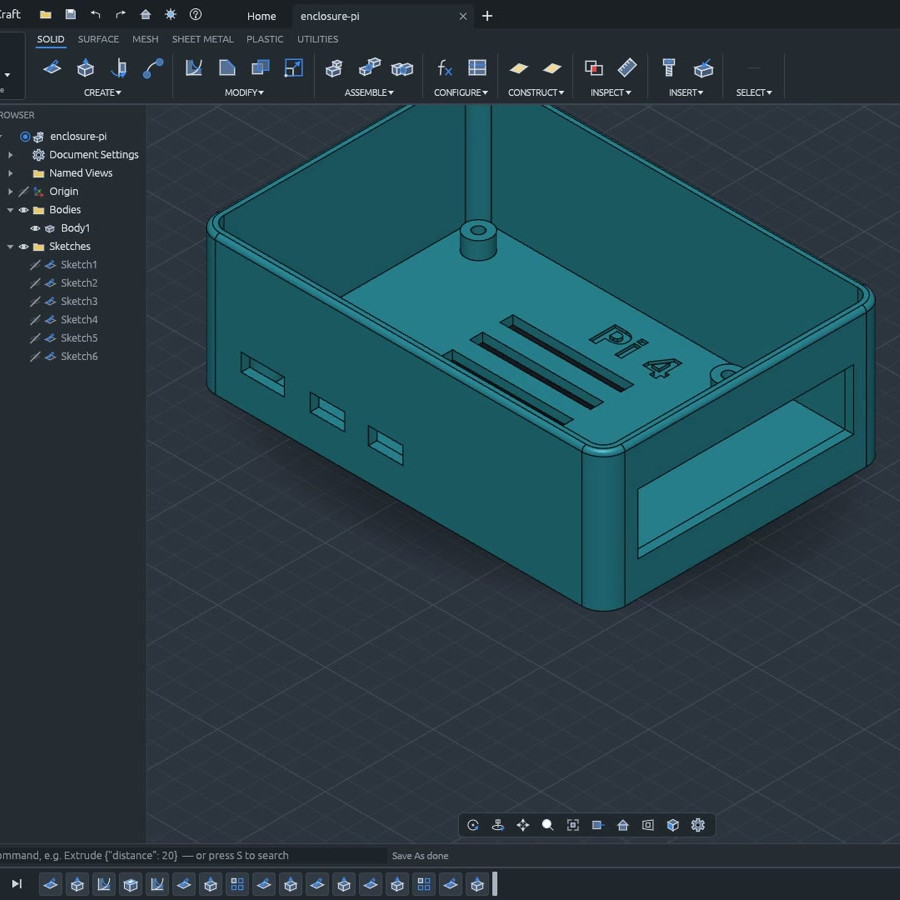
In a parametric timeline, a 3D model exists not as a rigid discrete object, but as a recorded sequence of operations. Modifying an upstream variable—such as wall thickness or hole diameter—automatically rebuilds all dependent features downstream.
Beyond core modeling, SolidCraft stands out for automation:
- JSON-Driven Interface: Every user interaction translates directly into a command structured with JSON parameters.
- Headless CLI: Allows model generation and modification without a graphical user interface.
- MCP Server Support: Implements an embedded Model Context Protocol (MCP) server, allowing autonomous AI agents to inspect, manipulate, and execute CAD modeling routines directly.
2. BREP.io: Solving the Topological Naming Problem
Building a boundary representation (BREP) kernel from scratch is one of the most challenging feats in software engineering. [mmiscool]’s BREP.io project tackle this directly in the browser, pairing genuine BREP structures with triangle mesh workflows.
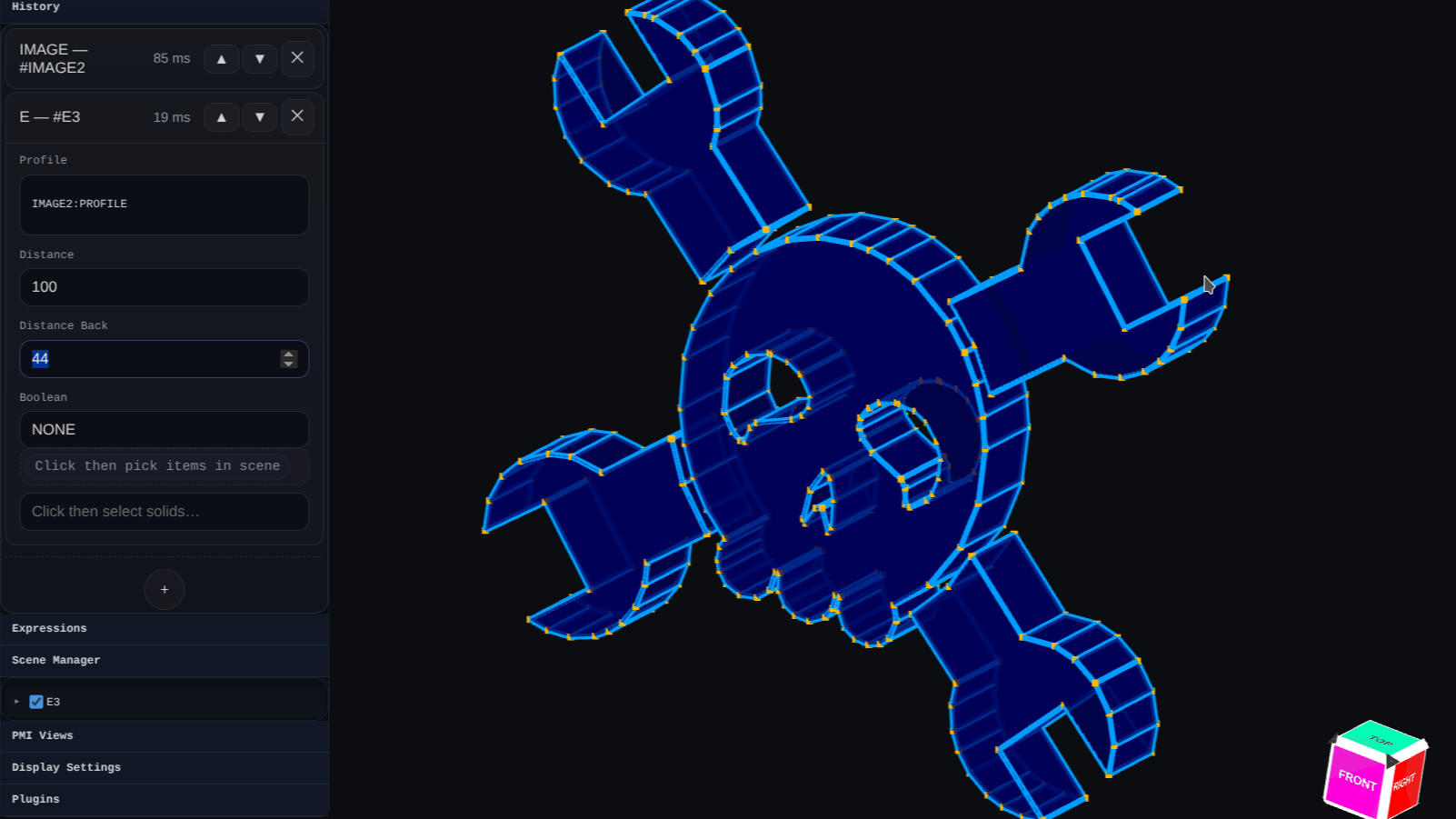
A critical bottleneck in CAD backends is the topological naming problem (TNP)—a common bug in tools like FreeCAD where editing an earlier feature shifts internal face/edge identifiers and breaks downstream dependencies. BREP.io avoids this issue entirely by design.
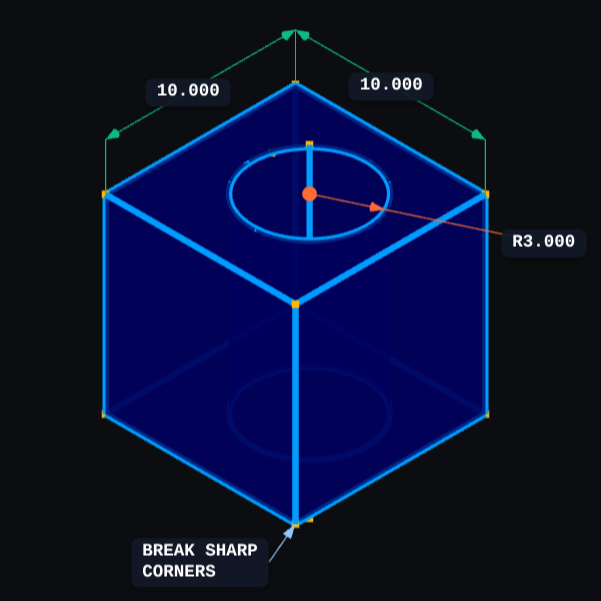
Client-Side Execution
All computation in BREP.io runs client-side inside the browser. High-intensity geometric calculations—including chamfers, complex fillets, lofts, and multi-body booleans—execute directly on the local machine without requiring round trips to a remote backend server.
3. CHILI3D: WebAssembly-Powered Solid Modeling
CHILI3D packages traditional modeling features directly into an alpha web suite powered by a WebAssembly-compiled geometric kernel.

Using a standardized CAD kernel compiled down via WebAssembly, CHILI3D minimizes basic geometry errors. It provides standard sketching environments, 3D toolbars, and BREP model export capabilities that can subsequently be translated into STL files for 3D printing.
4. CADmium: Rust-Native Browser Architecture
CADmium takes an architectural approach to running full CAD inside the browser by building core infrastructure components from scratch in Rust:
- A custom 2D geometric constraint solver.
- Modern boundary representation (BREP) engine.
- Dynamic history tree tracker.
- Standardized JSON project serialization, allowing real-time parametric adjustments directly from data files.
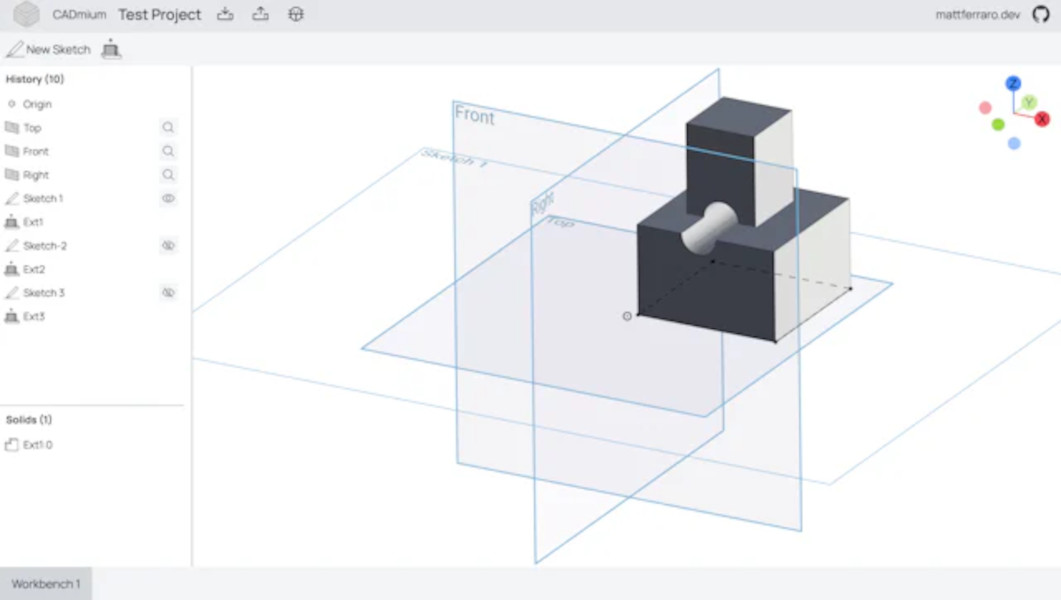
CADmium's design eliminates local installation dependencies and platform-specific lock-in while preserving the precision expected from desktop packages like AutoCAD and FreeCAD.
5. OpenSCAD in the Cloud and WebAssembly
For programmers, OpenSCAD's script-based approach to modeling has long been the gold standard. Bringing that engine into the browser has bridged the gap between code-driven design and portable, zero-install computing environments like Chromebooks and mobile tablets.
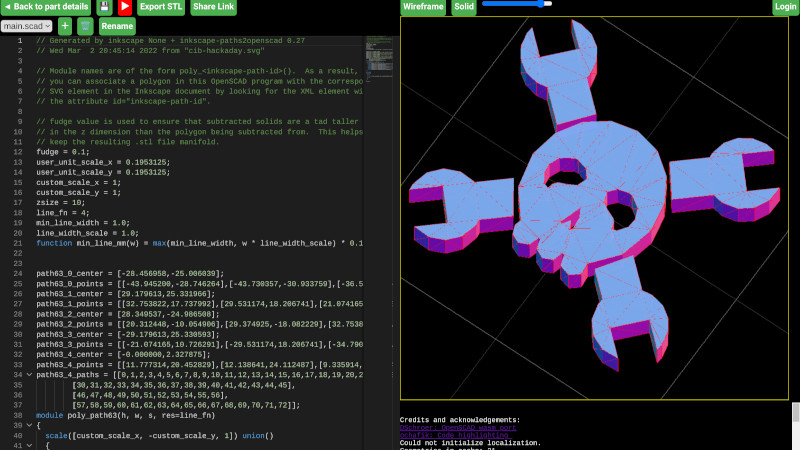
Through community efforts:
- openscad-wasm: Ported OpenSCAD's C++ core to WebAssembly as a reusable JavaScript ES6 module.
- Web Implementations: Platforms like openscad.cloud and Olivier Chafik’s Monaco-editor-powered interface combine WebAssembly builds with browser STL viewers to deliver interactive, text-to-3D rendering without desktop dependencies.
6. Interactive PCB Exploration: KiCanvas
Browser-based design tools extend beyond mechanical CAD into electronic hardware design. A notable example is KiCanvas, an open-source web application designed to bring KiCad schematic and PCB files directly into web environments.
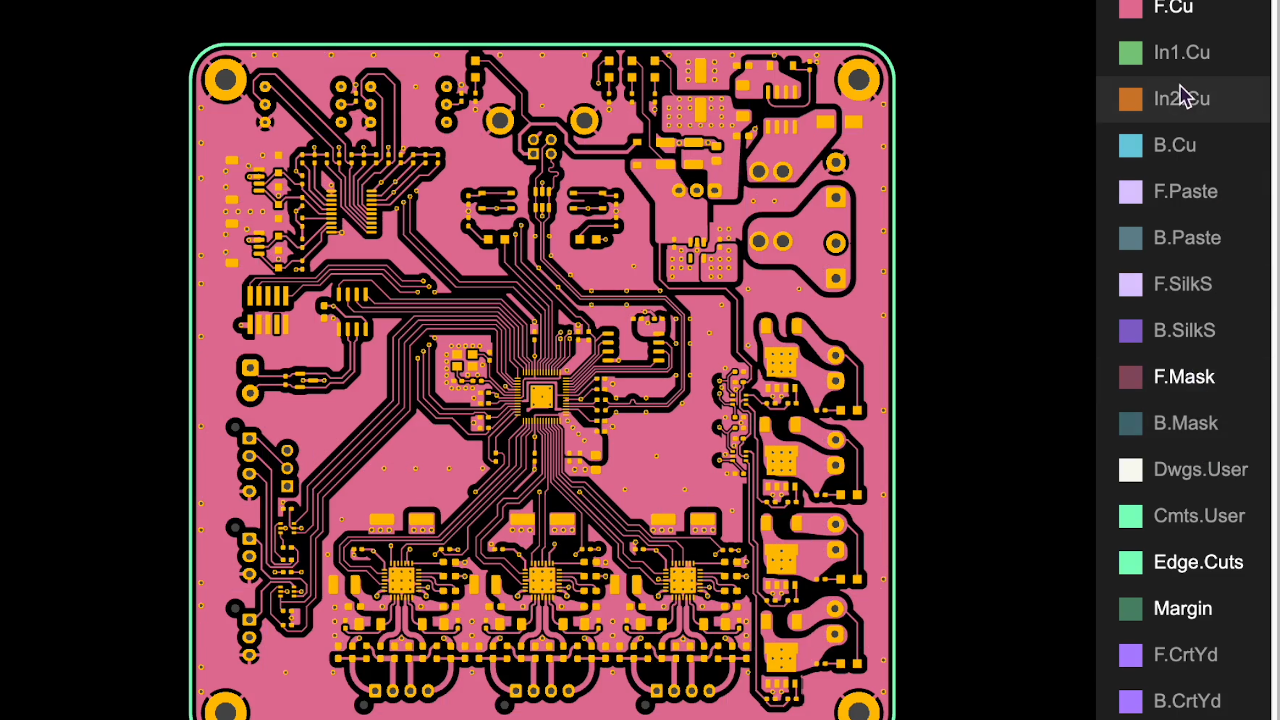
KiCanvas enables designers to:
- Embed interactive, multi-layer circuit boards into documentation and websites.
- Inspect part numbers, footprints, and electrical connections dynamically.
- Copy and paste circuit elements directly between native KiCad installations and web browser tabs.
Architectural Comparison of Browser CAD Systems
| Software / Project | Core Implementation | Key Architectural Highlight | Primary Target / Use Case |
|---|---|---|---|
| SolidCraft | Rust | JSON API, headless CLI, MCP server for AI | Parametric modeling & AI-driven workflows |
| BREP.io | JavaScript / Client-Side | Avoids topological naming issues; hybrid mesh | Client-side parametric solid modeling |
| CHILI3D | WebAssembly Kernel | Standardized BREP kernel compiled to Wasm | Web-based parametric parts design |
| CADmium | Rust | Custom constraint solver & JSON state sync | Lightweight, browser-native 3D modeling |
| OpenSCAD WASM | C++ compiled to Wasm | Scripting language with Monaco editor & JS viewer | Code-first parametric modeling |
| KiCanvas | TypeScript / WebGL | Interactive layer rendering & schematic parsing | Electronics / PCB sharing and documentation |
Conclusion & Resources
The shift toward browser-based CAD demonstrates how mature WebAssembly, client-side compute, and portable graphics rendering have become. Rather than relying on closed, subscription-based cloud ecosystems, these open-source developments ensure that engineering tools remain transparent, modular, and hackable.
Notable Project Repositories & Demos:
- SolidCraft Source: GitHub - tangency-labs/solidcraft
- BREP.io Modeler: BREP.io Live Playground | Hackaday.io Project Log
- CHILI3D: GitHub - xiangechen/chili3d | Live Suite
- CADmium: CADmium Development Overview
- OpenSCAD WebAssembly: openscad-wasm on GitHub | OpenSCAD Cloud
- KiCanvas: KiCanvas Project Documentation